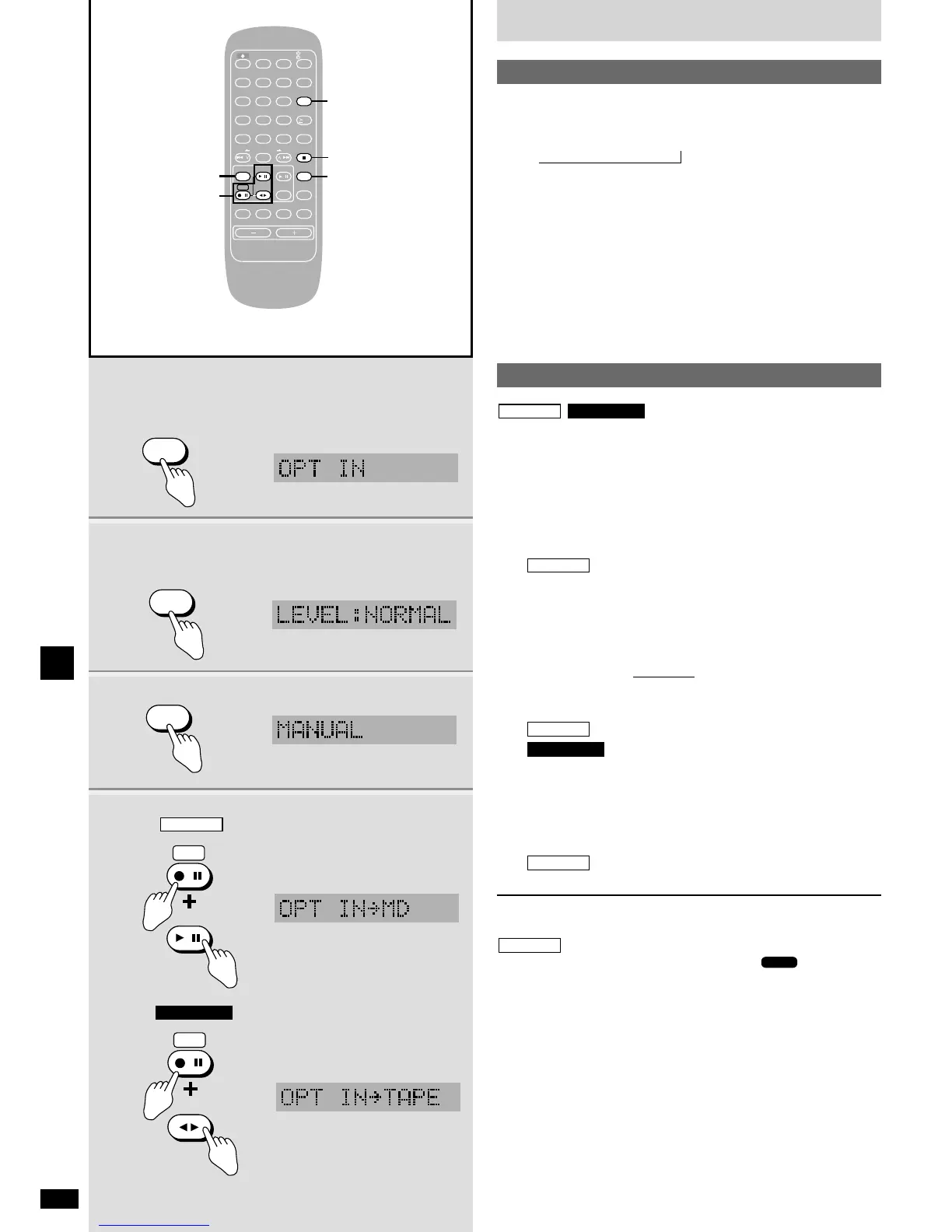
11 Press [EXT-IN] to select “OPT IN” or “AUX”.
Each time you press the button:
USB
/ OPT IN / AUX / P-MD
22 When you have selected “OPT IN”
Press [PLAY MODE] to select the play level.
NORMAL: normal mode
HIGH: when playing sources with low volume, such as satellite and
cable
33 Operate the unit.
See the unit’s operating instructions for details on operation and
connection.
,
Listening to an external source
1 Press [EXT-IN] to select “OPT IN” or “AUX”.
2 When you have selected “OPT IN”
Press [PLAY MODE] to select the recording level.
NORMAL: normal mode
HIGH: when recording sources with low volume, such as satellite
and cable
only
3 Press [EDIT MODE] to select the desired mode.
(
a
page 20)
Each time you press the button:
MANUAL
/ SYNCHRO / TURN BACK
TURN/TIME
, TIME MARK
4 While pressing [*/h REC]
: Press [q/h MD].
: Press [7 TAPE].
When you have selected TURN BACK or TURN/TIME, wait until
“TURN BACK” stops flashing and lights, then while pressing
[*
/h REC] press [q/h MD].
5 Start the source to be recorded.
Recording starts when you have selected SYNCHRO.
To stop recording
Press [g STOP/CANCEL].
Recording is complete after “UTOC Writing” and “” stops flashing
on the display.
While “OPT IN” is selected
¡ There will be a one-second interruption when recording starts on the
MD. This has no effect on the recording.
¡ There will be a five-second interruption when recording finishes on the
MD while the unit writes UTOC.















 To Next Page