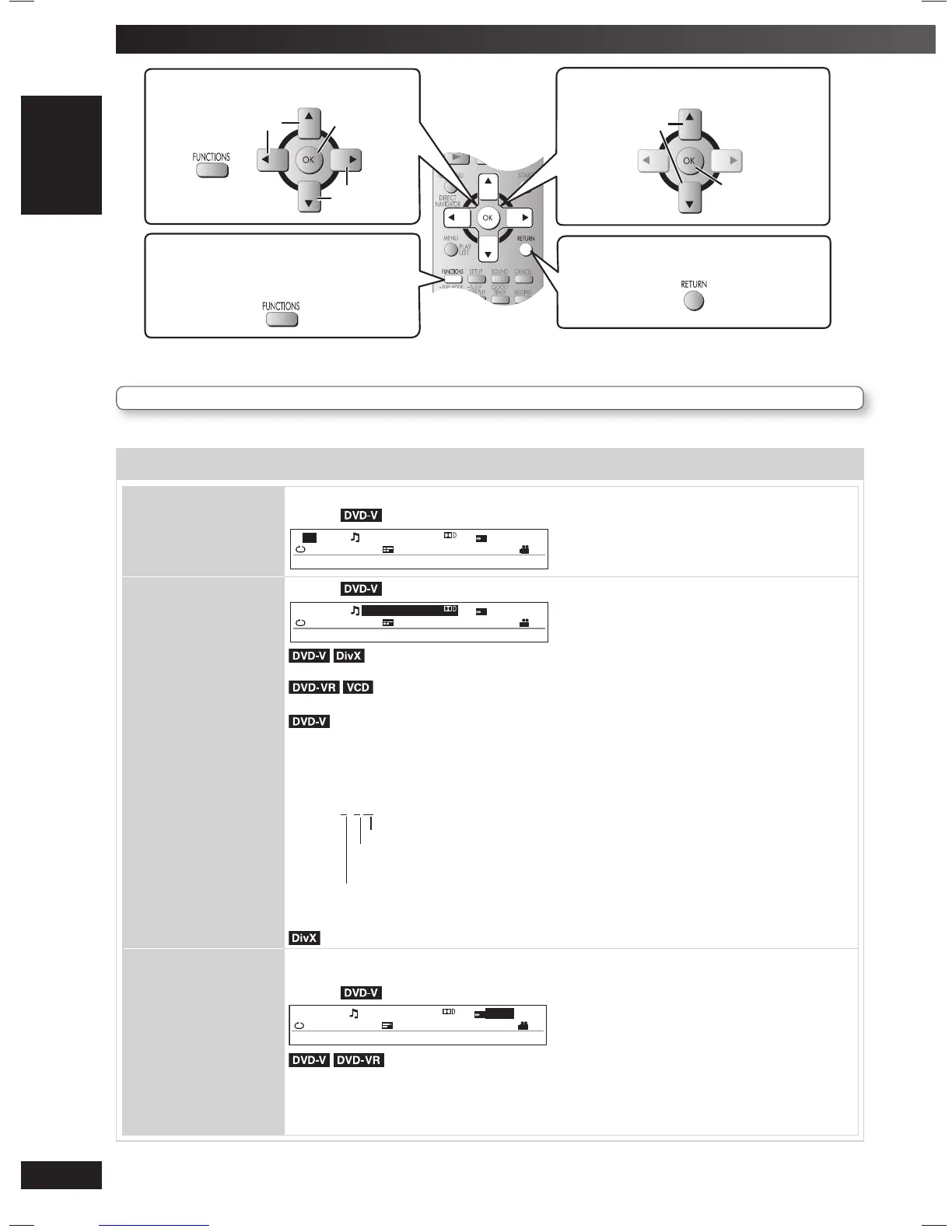
Functions menu
TRACK SEARCH
TITLE SEARCH
CONTENT SEARCH
CHAPTER SEARCH
PG (Program) SEARCH
PL (Playlist) SEARCH
To start from a specifi c item
Example:
T
TITLE SEARCH
5 C 13 1: ENG /20ch
OFF
OFF
x1.0
1
AUDIO
Example:
T
AUD I O
5C13 1: ENG /20ch
OFF
OFF
x1.0
1
(with multiple soundtracks)
To select audio soundtrack
To select “L”, “R” , “L+R” or “L R”
(Karaoke disc) (\ page 24, Enjoying Karaoke)
To select “ON” or “OFF” for vocals
To select “OFF”, “V2”, “V1” or “V1+V2” for different vocal selections
Read the disc’s instructions for details.
Signal type/data
LPCM/PPCM/
ŸDigital/DTS/MP3/MPEG: Signal type kHz (Sampling frequency)/bit/ch (Number of channels)
Example: 3 /2 .1ch
.1: Low frequency effect (not displayed if there is no signal)
0: No surround
1: Mono surround
2: Stereo surround (left/right)
1: Centre
2: Front left + Front right
3: Front left + Front right + Centre
It may take some time for play to start if you change the audio on a DivX video disc.
PLAY SPEED
To change play speed
– from “x0.6” to “x1.4” (in 0.1-unit steps)
Example:
T
PLAY SPEED
5 C 13 1: ENG /20ch
OFF
OFF
x1 . 0
1
• Press [3, DVD/CD] to resume normal playback.
• After you change the speed.
– Sampling frequency of 96 kHz is converted to 48 kHz.
• This function may not work depending on the disc’s recording.
Items shown differ depending on the type of disc as well as the recording format.
RQTV0265_4B.indd 16RQTV0265_4B.indd 16 4/23/08 4:58:17 PM4/23/08 4:58:17 PM


 To Next Page