RQTX0208
9
9
ENGLISH
Cancel program
mode
Press [PROGRAM] in the stop mode.
Replay the program Press [PROGRAM] then [6, CD].
Check program
contents
Press
[4/ ] or [¢/ ] when “PGM” is
displayed in the stop mode.To check while
programming, press [PROGRAM] twice
after “PGM” appears, then press
[4/ ]
or [¢/ ].
Add to the program
CD
In the stop mode, press [¢/ ] and then
repeat step 3.
MP3
Repeat steps 3 to 5 in the stop mode.
Clear the last track Press [DEL] in the stop mode.
Clear all
programmed tracks
Press [CLEAR] in the stop mode.
“CLEAR ALL” is displayed.
Note:
• When you try to program more than 24 tracks “PGM FULL”
appears.
• The program memory is cleared when you open the disc tray.
CD
• During program play, you can search backward or forward only
within the current track.
The digital audio content side of a DualDisc does not meet the
technical specifi cations of the Compact Disc Digital Audio
(CD-DA) format so playback may not be possible.
NOTE about using a DualDisc
• This unit can access up to 99 tracks.
• This unit can play MP3 fi les and CD-DA format audio
CD-R/RW that have been fi nalised.
• It may not be able to play some CD-R/RW due to the condition
of the recording.
• Do not use irregularly shaped disc.
• Do not use disc with labels and stickers that are coming off or
with adhesive exuding from under labels and stickers.
• Do not attach extra labels or stickers on the disc.
• Do not write anything on the disc.
NOTE on CDS
• Files are treated as tracks and folders are treated as albums.
• This unit can access up to 999 tracks, 255 albums and 20
sessions.
• Disc must conform to ISO9660 level 1 or 2 (except for
extended formats).
•
To play in a certain order, prefi x the folder and fi le names with
3-digits numbers in the order you want to play them.
Limitations on MP3 play
• If you have recorded MP3 on the same disc as CD-DA, only
the format recorded in the fi rst session can be played.
• Some MP3s may not be played due to the condition of the disc
or recording.
• Recordings will not necessarily be played in the order you
recorded them.
NOTE on MP3
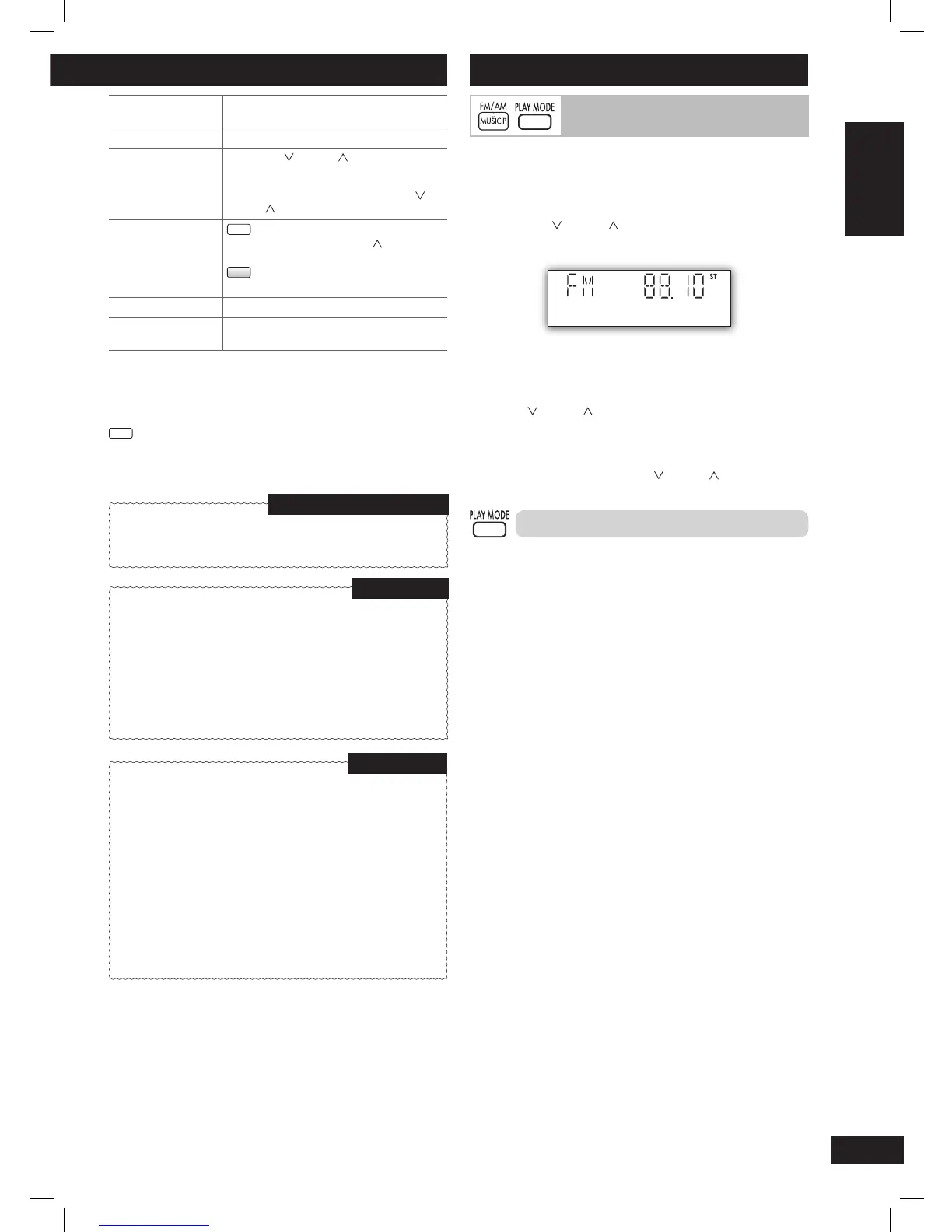
Manual tuning
1 Press [MUSIC P., FM/AM] repeatedly to select “FM” or
“AM”.
2 Press [PLAY MODE] to select “MANUAL”.
3 Press [4/ ] or [¢/ ] to select the frequency of the
required station.
“ ST ” is displayed when a stereo FM broadcast is being
received.
To tune automatically
Press
[4/ ] or [¢/ ] for a moment until the frequency starts
changing rapidly. The unit begins auto tuning, stopping when it fi nds
a station.
• Auto tuning may not function when there is excessive
interference.
• To cancel auto tuning, press
[4/ ] or [¢/ ] once again.
To improve FM sound quality
Press and hold [PLAY MODE] to display “MONO”.
To cancel
Press and hold [PLAY MODE] again until “MONO” disappears.
• MONO is also cancelled if the frequency is changed.
• Turn off “MONO” for normal listening.
Using the FM/AM radio
PMX4_EP_EN.indd 9PMX4_EP_EN.indd 9 12/23/08 2:37:44 PM12/23/08 2:37:44 PM






 To Next Page