58
LSQT1346
Function Operating method
Dividing a scene to
delete
[HDD]
This divides the recorded
scenes in two and deletes
the front half or back half.
¬Select [HDD] in [MEDIA SELECT].
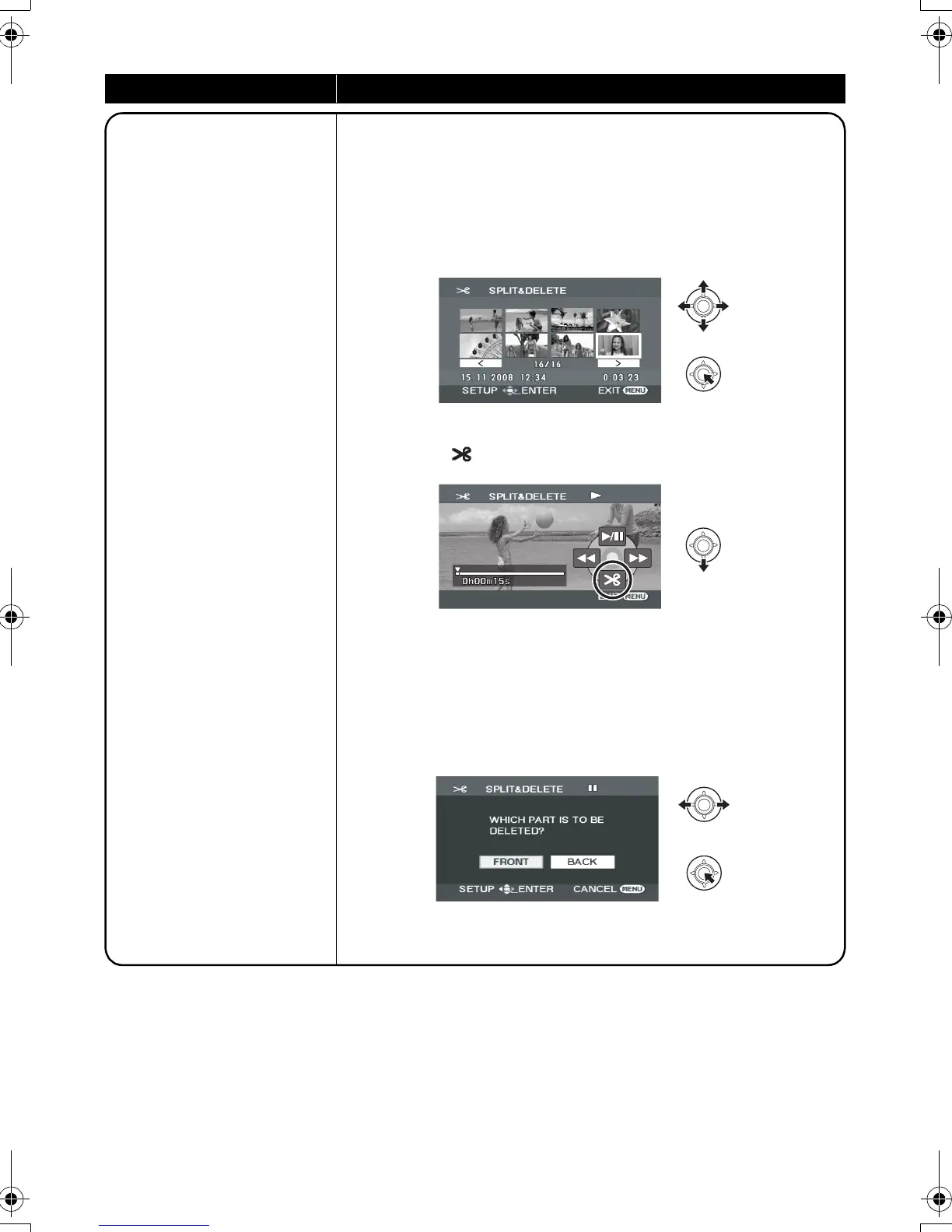
1 Select the menu. (l 24)
[EDIT SCENE] # [SPLIT&DELETE] # [YES]
2 Select the scene to be divided, then press the
joystick.
3 When you reach the point where you want to divide the scene
Select [ ] with the joystick.
≥ Move the joystick left or right to fast forward/rewind playback.
≥ Using slow-motion playback or frame-by-frame playback makes it
easy to search for the point where you want to divide the scene.
(l 51)
4 Select the half that you want to delete and
press the joystick.
Continued on next page.
SDR-H60&40EP-LSQT1346_eng.book 58 ページ 2008年2月25日 月曜日 午後3時33分


 To Next Page