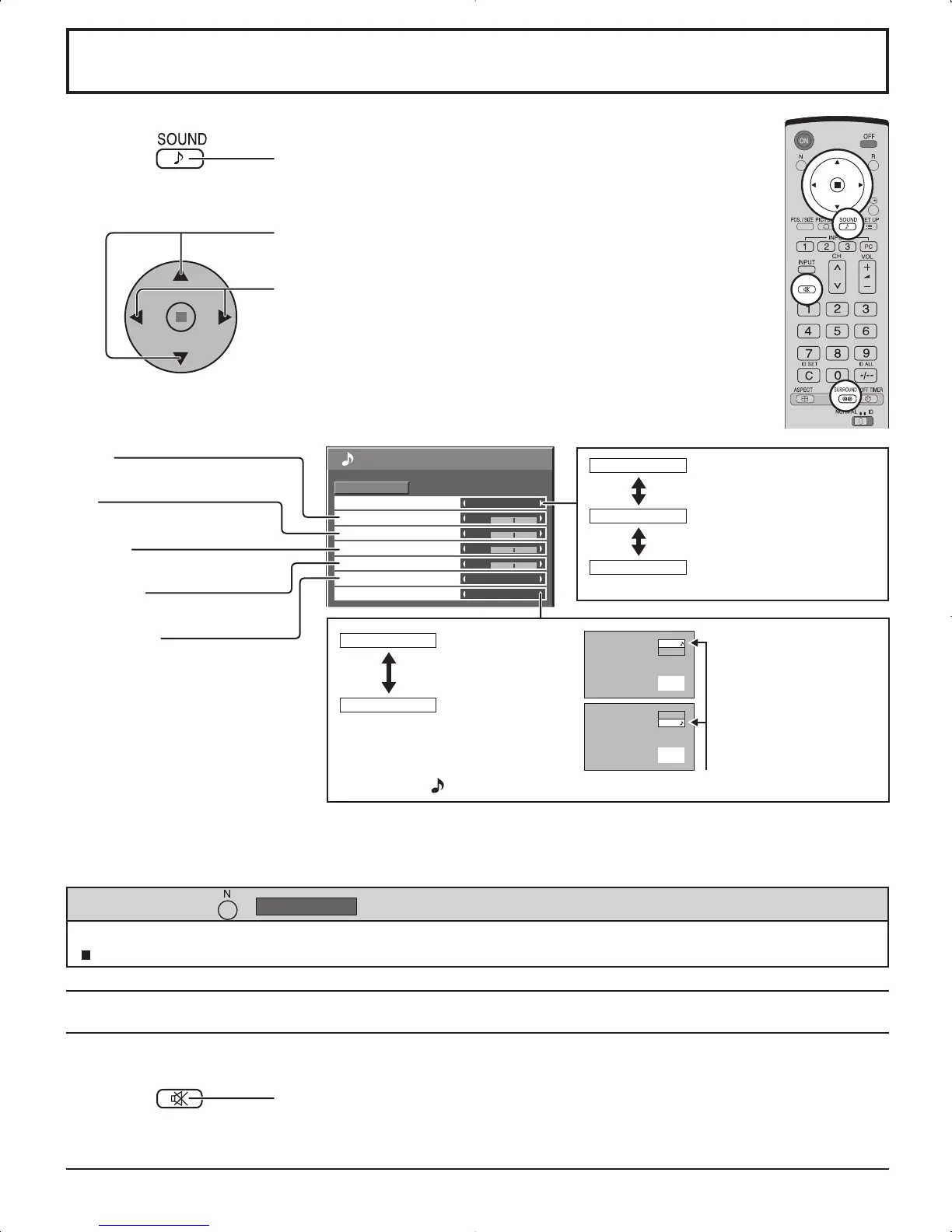
SOUND Adjustment
MUTE
BASS
Adjusts low pitch sounds
MID
Adjusts normal sounds
TREBLE
Adjusts pitch sounds
BALANCE
Adjusts left and right volumes
SURROUND
Select On or Off
Notes:
• Press the SURROUND button to directly turn the surround effect ON and OFF. (see page 14)
• BASS, MID, TREBLE and SURROUND settings are memorized separately for each AUDIO MENU.
1
Press to display the SOUND menu.
Press to select the menu to adjust.
Select the desired level by listening to the sound.
2
Select to adjust each item.
Useful when answering the phone or receiving unexpected visitors.
Press this button to mute the sound.
Press again to reactivate sound. Sound is also reactivated when power is turned off or
volume level is changed.
While the “SOUND” menu is displayed, if either the N button on the remote control is pressed at any time or the ACTION
( ) button is pressed during “NORMALIZE”, then all adjustment values are returned to the factory settings.
Helpful Hint ( /













 To Next Page