28
Do not display a still picture, especially in NORMAL mode, for any length of time.
If the display must remain on, a SCREENSAVER should be used.
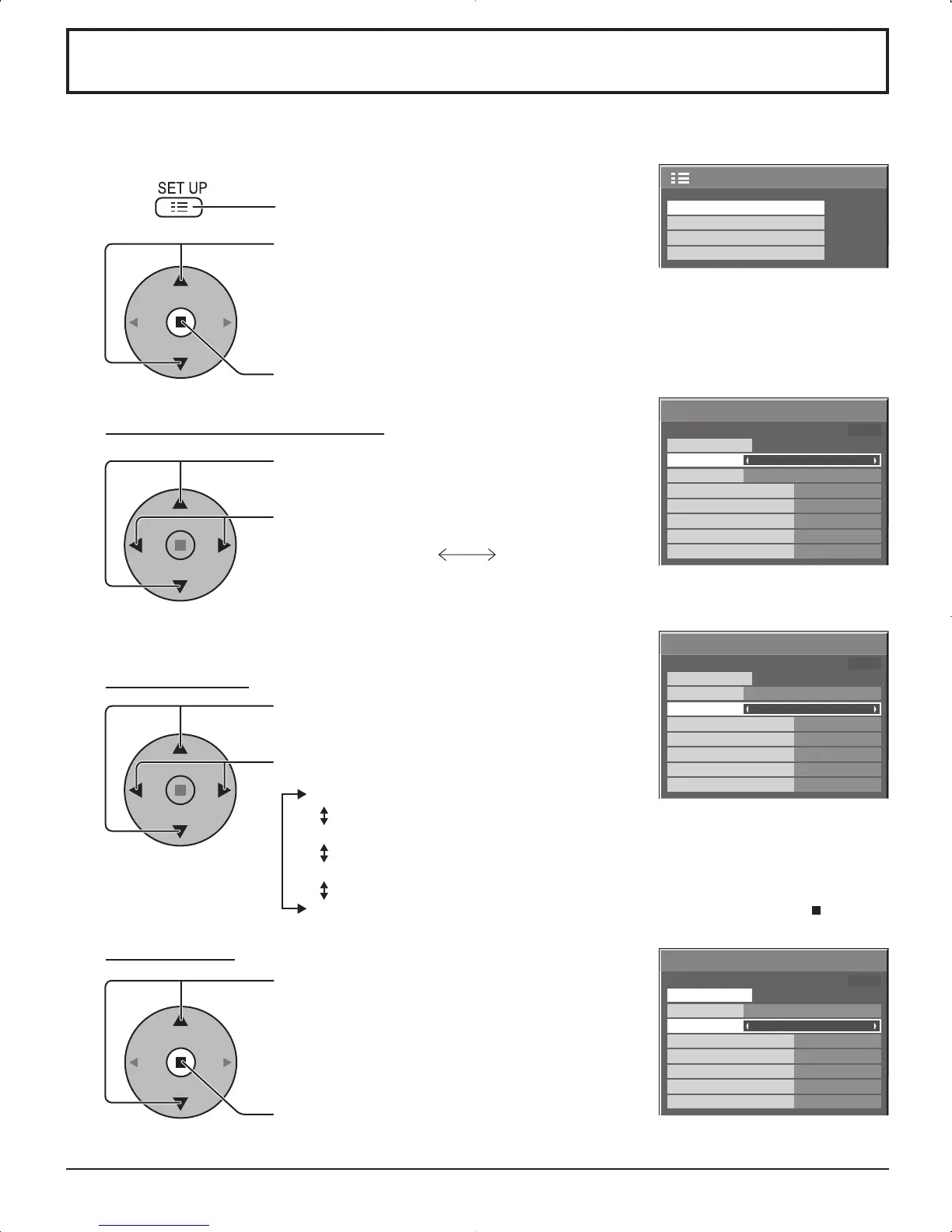
NEGATIVE / SCROLL selection
2
3
1
4
Press to display the SET UP menu.
Press to select the SCREENSAVER.
Press to select the SCREENSAVER screen.
Press to select the FUNCTION.
Press to select the desired function.
WHITE BAR SCROLL NEGATIVE
WHITE BAR SCROLL : A white bar will scroll from left to right.
NEGATIVE : A negative image will be displayed on the screen.
MODE selection
START setting
5
When the MODE is set to ON, press to select
START.
Press to start SCREENSAVER.
The menu screen will disappear and the SCREENSAVER will be activated. To stop the
SCREENSAVER under ON, press the R button.
Press to select the MODE.
Press to select each mode items.
OFF
INTERVAL : Operates when SHOW DURATION and SAVER DURATION are
set up and those times arrive.
TIME OF DAY : Operates when START TIME and FINISH TIME are set up and
those times arrive.
ON : Operates when START is selected and the ACTION ( ) button is
pressed.
SCREENSAVER (For preventing after-images)













 To Next Page