12
SERIALPC IN
AUDIO
SLOT1 SLOT2 SLOT3
VIDEO
P
R
/C
R
/R P
B
/C
B
/B
Y/G
AUDIO
RL
COMPONENT/RGB IN
AUDIO
RL
AUDIO
RL
AV IN
S VIDEO
VIDEO
OUT
S VIDEO
OUT
AUDIO
OUT
RL
AUDIO
OUT
Y, P
B, PR,
OUT
RR
PB
Y
L
R
COMPONENT VIDEO OUT
AUDIO
OUT
RL
BA
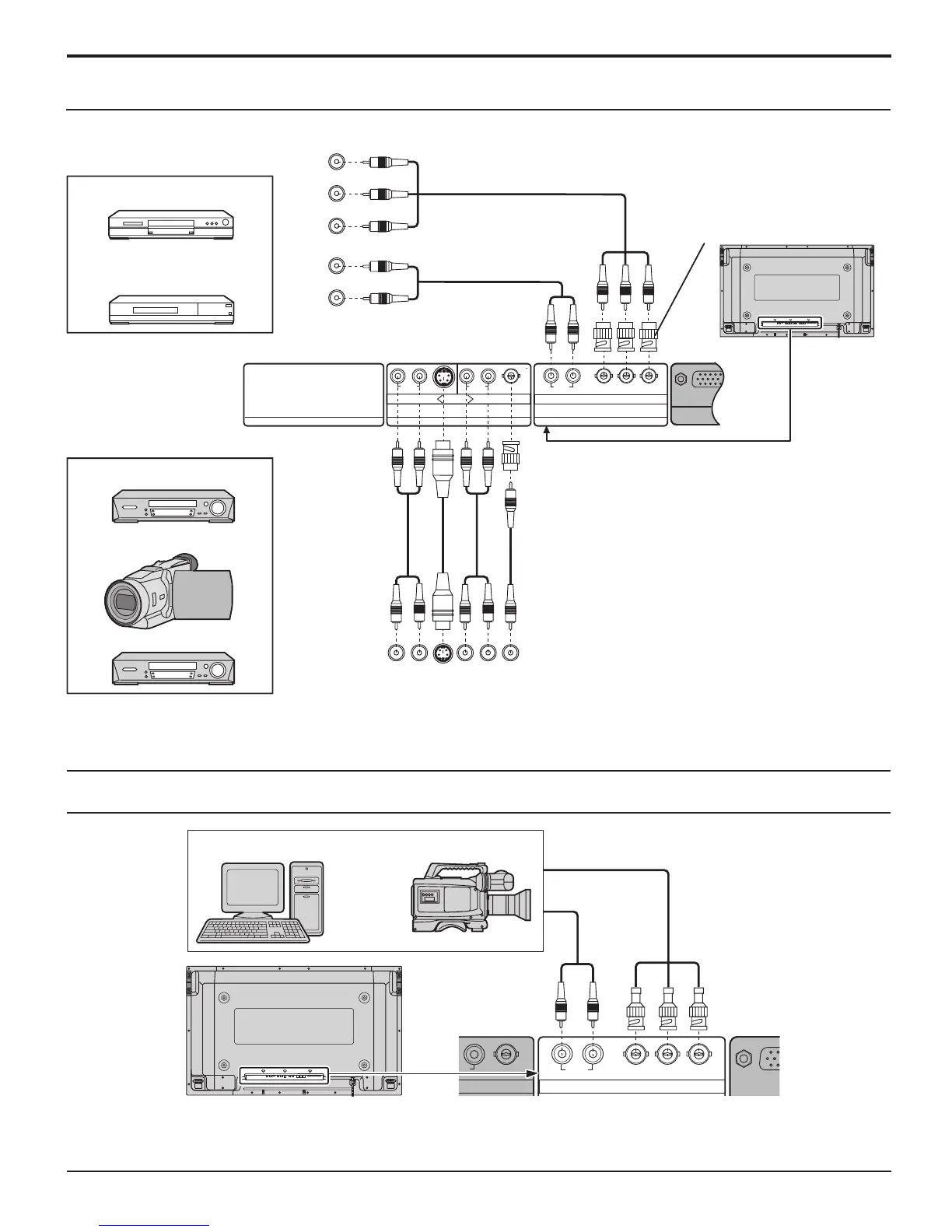
AV & COMPONENT / RGB connection
Connections
VIDEO
PR/CR/R PB/CB/B
Y/G
AUDIO
RL
COMPONENT/RGB IN
DIO
L
A
DVD
Computer
RGB Camcorder
or
Notes:
• Change the “COMPONENT/RGB-IN SELECT” setting in the “SET UP” menu to “COMPONENT”. (see page 38)
• Additional equipment, cables and adapter plugs shown are not supplied with this set.
Notes:
• Change the “COMPONENT/RGB-IN SELECT” setting in the “SET UP” menu to “RGB”. (see page 38)
• Additional equipment, cables and adapter plugs shown are not supplied with this set.
S VIDEO VCR
CAMCORDER
VCR
RCA-BNC
adapter
plug
Example of input signal source
Example of input signal source
Digital TV-SET-TOP-BOX
(DTV-STB)
RGB signal (R, G, B)













 To Next Page