EasyManua.ls Logo

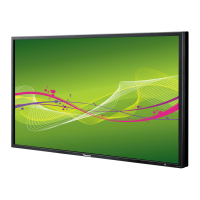
Panasonic TH-47LFV5W - User Manual

Panasonic TH-47LFV5W
35 pages
Print Icon
To Next Page IconTo Next Page
Loading...
Model No.
TH-47LFV5W
Operating Instructions
FULL HD LCD Display
Please read these instructions before operating your set
and retain them for future reference.
English

Other manuals for Panasonic TH-47LFV5W

Questions and Answers

  • P
    Patrick DavidsonAug 15, 2025
    What to do if the color is abnormal on my Panasonic Monitor?
    • D
      Dr. Walter FloydAug 16, 2025
      If the color appears abnormal on your Panasonic Monitor, the signal cable may not be connected properly. Ensure that the signal cable is firmly attached to the back of the display.
  • A
    Aaron CaseyAug 19, 2025
    What to do if the picture is distorted with abnormal patterns on my Panasonic TH-47LFV5W?
    • H
      Heather WellsAug 19, 2025
      If the picture on your Panasonic Monitor is distorted with abnormal patterns, it could be due to a couple of reasons. First, make sure that the signal cable is firmly attached. Second, the input signal might be beyond the capabilities of the display. Check the video signal source to ensure it is within the supported range, referring to the display's specifications.
  • J
    jeanette73Aug 21, 2025
    What to do if after changing input source, picture is not displayed correctly on my Panasonic TH-47LFV5W?
    • B
      Beverly RayAug 21, 2025
      If the picture isn't displayed correctly after changing the input source on your Panasonic Monitor, the picture signal might not be received correctly. Immediately select another input source, and then switch back to the intended input source.
  • J
    Jennifer LeeAug 25, 2025
    What to do if my Panasonic TH-47LFV5W displays no picture?
    • M
      Michelle BrownAug 25, 2025
      If your Panasonic Monitor isn't displaying a picture, several factors could be the cause. First, ensure the power cord is properly plugged in and the main power switch on the back of the display is switched on. Also, verify that the selected input has a connection. Finally, check if the display is in standby mode.
  • L
    Laura MaldonadoAug 27, 2025
    Why can I see picture but no sound on my Panasonic TH-47LFV5W?
    • R
      Robert MyersAug 27, 2025
      If you can see the picture but hear no sound from your Panasonic Monitor, check the following: 1. Ensure that both video and sound input cables are correctly connected. 2. Increase the volume by pressing the volume up button. 3. Check if the MUTE function is on and switch it off using the MUTE button. 4. If you are using external speakers, make sure they are connected and the volume is adjusted to a suitable level.
  • C
    Christina RuizAug 30, 2025
    What to do if I can hear sound, but no picture on my Panasonic Monitor?
    • M
      Morgan ZavalaAug 31, 2025
      If you can hear sound but see no picture on your Panasonic Monitor, the source signal cable might be improperly connected. Make sure that both video and sound inputs are correctly connected.
  • D
    Daniel BrownSep 3, 2025
    Why is there interference displayed on my Panasonic Monitor?
    • D
      Dave RaymondSep 3, 2025
      Interference or audible noise on your Panasonic Monitor is often caused by surrounding electrical appliances or fluorescent lights. To resolve this, try moving the display to another location to see if the interference is reduced.
  • C
    christinaowenSep 5, 2025
    Why doesn’t the display image fill up the full size of the screen on my Panasonic TH-47LFV5W?
    • R
      rachelbrownSep 5, 2025
      If the display image doesn’t fill the full screen size on your Panasonic Monitor, the zoom mode might not be set correctly. Use the Zoom mode or Custom zoom function in the Screen menu to fine-tune the display geometry and time frequency parameter.
  • M
    Matthew MurphySep 8, 2025
    Why do after-images appear on my Panasonic Monitor after it's powered off?
    • K
      Kimberly CampbellSep 9, 2025
      After-images on your Panasonic Monitor after it's powered off, such as logos or computer images, occur when a still picture is displayed for an extended period. Avoid displaying still images for long durations, as this can cause a permanent after-image to remain on the display.
  • N
    Nathan FloresSep 12, 2025
    Why some picture elements do not light up on my Panasonic Monitor?
    • C
      Christine LeeSep 12, 2025
      This display is manufactured using an extremely high level of precision technology: however, sometimes some pixels of this Display may not display. This is not a malfunction.

Summary

Important Safety Notice

Moulded Plug Safety

Details regarding the importance and handling of the moulded power plug for safety.

Safety Precautions

Setup Precautions

Guidance on safe setup of the LCD display and accessories.

Wall Installation Cautions

Recommendations for safe wall mounting procedures by professionals.

Safety Precautions During Use

Precautions When Using Display

Safety guidelines for operating the LCD display, including ventilation and plug usage.

Troubleshooting During Use

Actions to take if problems like smoke or abnormal odors occur.

Safety Precautions - Cleaning and Maintenance

Handling Precautions During Use

Handling precautions for ventilation, moving, and cleaning the display.

VESA Mounting

Installation and Moving Cautions

Safety guidelines for mounting the display and handling it during movement.

Input;Output Terminals

SERIAL Terminals Connection

Daisy-chain Connection

Using Network Function

Network Connection Setup

Details on connecting the display to a network for remote control.

OSD Menu Setup for Network Connection

Serial Control Network Setup

Steps to configure the serial control port to use the network (LAN).

LAN Settings Configuration

Guide for assigning IP address, subnet mask, and default gateway.

Using Web Browser Control

Web Browser Control Prerequisites

Setup requirements for the display and computer to use web browser control.

Display Setup for Web Control

Steps to configure the display for web browser control.

Computer Setup for Web Control

Configuration steps for Windows OS to enable web browser control.

Access from Web Browser

Web Browser Authentication

Details on logging in and accessing the display's web interface.

On-Screen Display Menu

Entering the OSD Menu

Steps to access and navigate the On-Screen Display menu.

OSD Menu Settings - Picture & Screen

OSD Menu Settings - Screen & Audio

Configuration1 Menu

Tiling and Configuration2

Tiling Settings

Configures settings for creating video walls by tiling multiple displays.

Screen Saver and Advanced Options

Advanced Options and Factory Reset

Network and Calibration Settings

Configures LAN settings, DHCP, input source, and calibration data.

Factory Reset

Resets all OSD menu settings to factory preset values.

Input Mode

Cleaning and Troubleshooting

Cleaning Precautions

Safety warnings and precautions to take before cleaning the display.

Troubleshooting

Display and Signal Issues

Diagnoses and remedies for no picture, distorted image, color, size, and interference problems.

Sound and Remote Control Issues

Resolves sound problems, no sound with picture, and remote control malfunctions.

Troubleshooting Common Symptoms

Unit Behavior and Image Quality

Addresses unit sounds, heat, auto power off, zoom issues, edge flicker, and pixel spots.

Technical Specifications

Panasonic TH-47LFV5W Specifications

General IconGeneral
BrandPanasonic
ModelTH-47LFV5W
CategoryMonitor
LanguageEnglish

Related product manuals