29
English
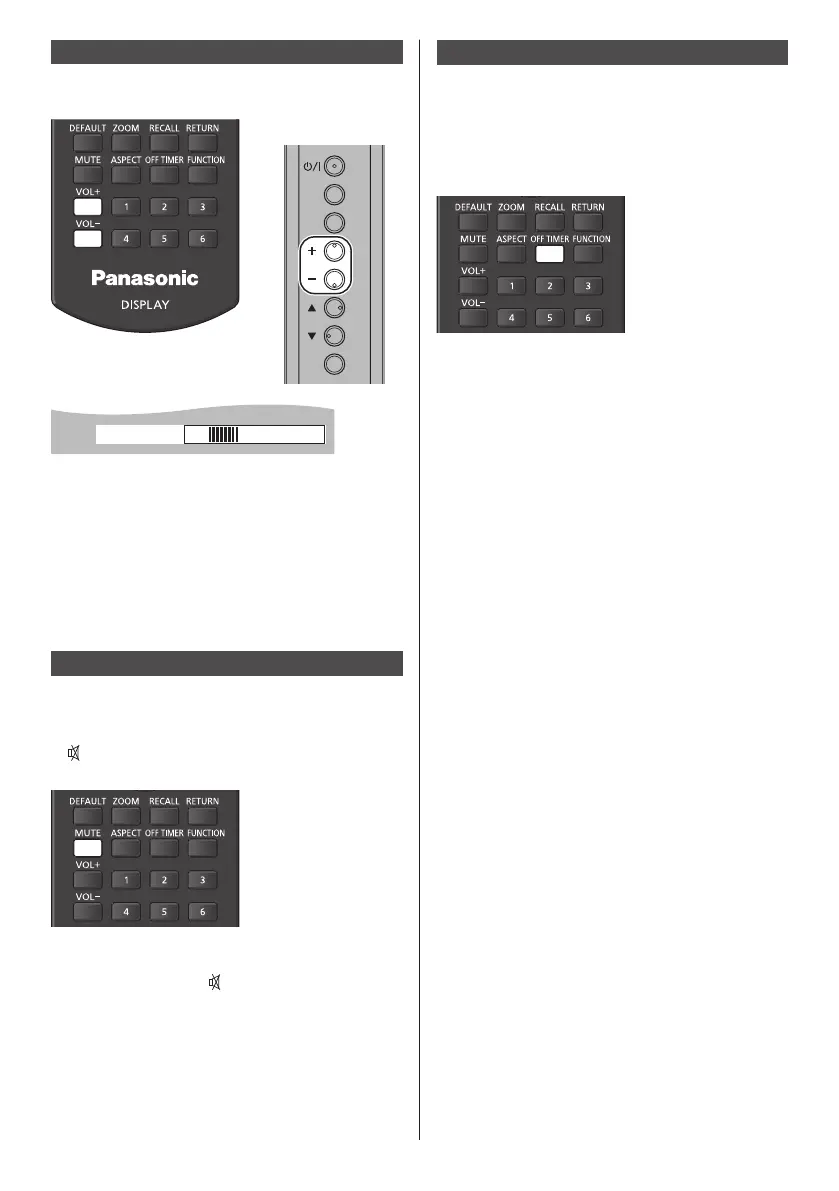
Volume Adjustment
Press <VOL +> <VOL -> or <+ (Unit)> <- (Unit)> to
adjust volume.
INPUT
MENU
ENTER
Unit
20
Volume (SPEAKERS)
●
The current sound volume level is memorised even if
the power is turned off.
●
When [Maximum VOL level] is set to [On], the volume
can only be adjusted to the maximum point you set,
and the displayed value turns red when it reached its
maximum. (see page 64)
●
When [Initial VOL level] is set to [On], the volume will
be at he set level when he display is turned on. (see
page 63)
Sound mute On / Off
It is useful when you want to mute the sound temporarily,
for example, when answering the phone or door.
Press <MUTE>.
●
appears on the screen and the sound is muted.
Press again to reactivate the sound.
●
It is also reactivated when the power is turned on / off
or the volume level is changed.
●
While MUTE is active,
is displayed as a reminder
after operation.
OFF TIMER
The Display can be preset to switch to stand-by after a
fixed period. (30 min, 60 min, 90 min)
The setting switches each time <OFF TIMER> is
pressed.
●
[0 min]→[30 min]→[60 min]→[90 min]
→[0 min] (Cancel)
●
When three minutes remain, the remaining time will
flash (Red). After that, it switches to stand-by.
●
To see the Off timer remaining time, press
<RECALL>.
●
The Off timer is cancelled if a power interruption
occurs. When he power is turned on later on, it will
be in stand-by condition.









 To Next Page