English
32
On-Screen Menu
Displays
1
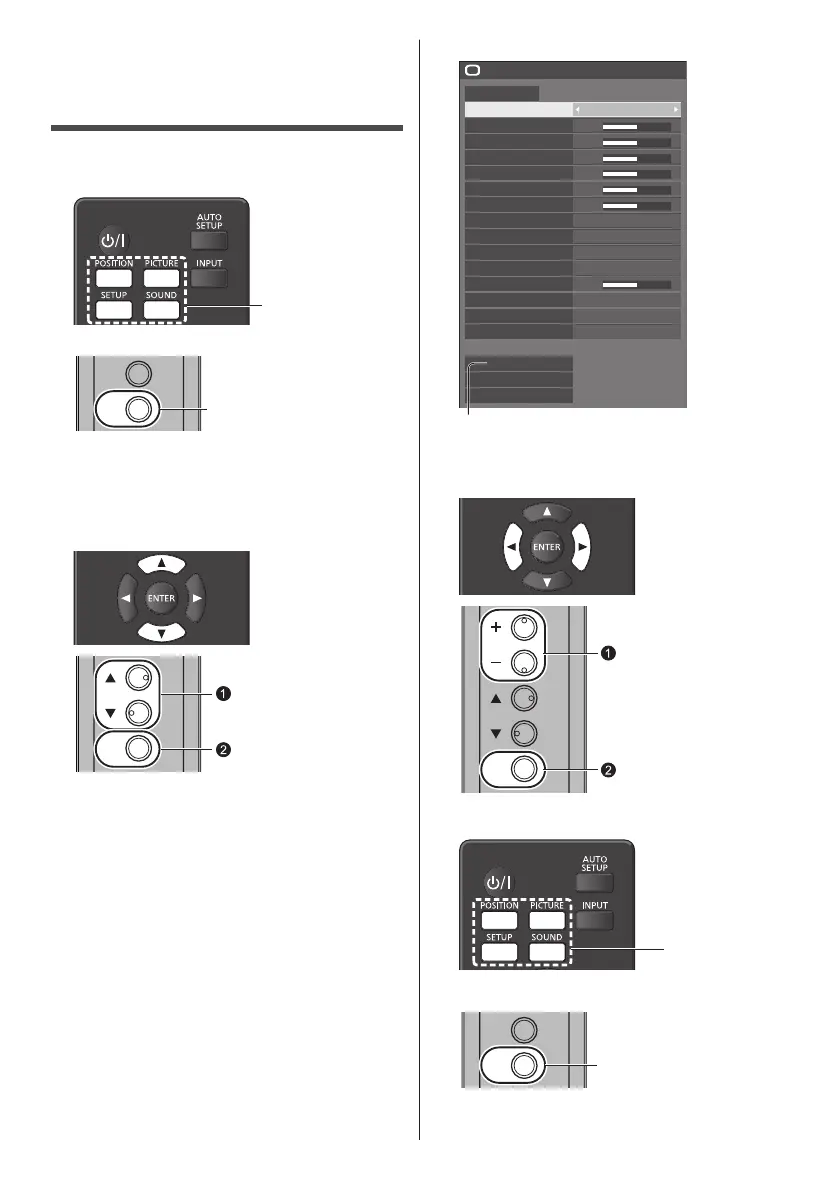
Display the menu screen.
Remote Control
Press to select.
Unit
INPUT
MENU
Press for several times.
Each time the button is pressed, the menu screen
will switch.
NormalViewing→[Picture]→[Setup]→[Position]
→[Sound]
2
Select the item.
ENTER
Press to select.
Press.
(Example: [Picture] menu)
50
50
50
50
50
50
5
Picture
Default Default
Picture mode Standard
2.2
6500K
Backlight
Contrast
Brightness
Colour
Hue
Sharpness
Gamma
Colour temperature
Dynamic contrast
Colour enhancement
Refine enhancer
6-segment colour management
Gradation smoother
Memory save
Memory load
Memory edit
Off
Off
Off
Off
HighEnhance level
Submenu
Press <ENTER> to display the submenu.
3
Set.
ENTER
Press to select.
Press.
4
Exit from the menu.
Press.
Press <RETURN> to return to he previous screen.
INPUT
MENU
Press for several times.









 To Next Page