8 Service Mode Adjustment
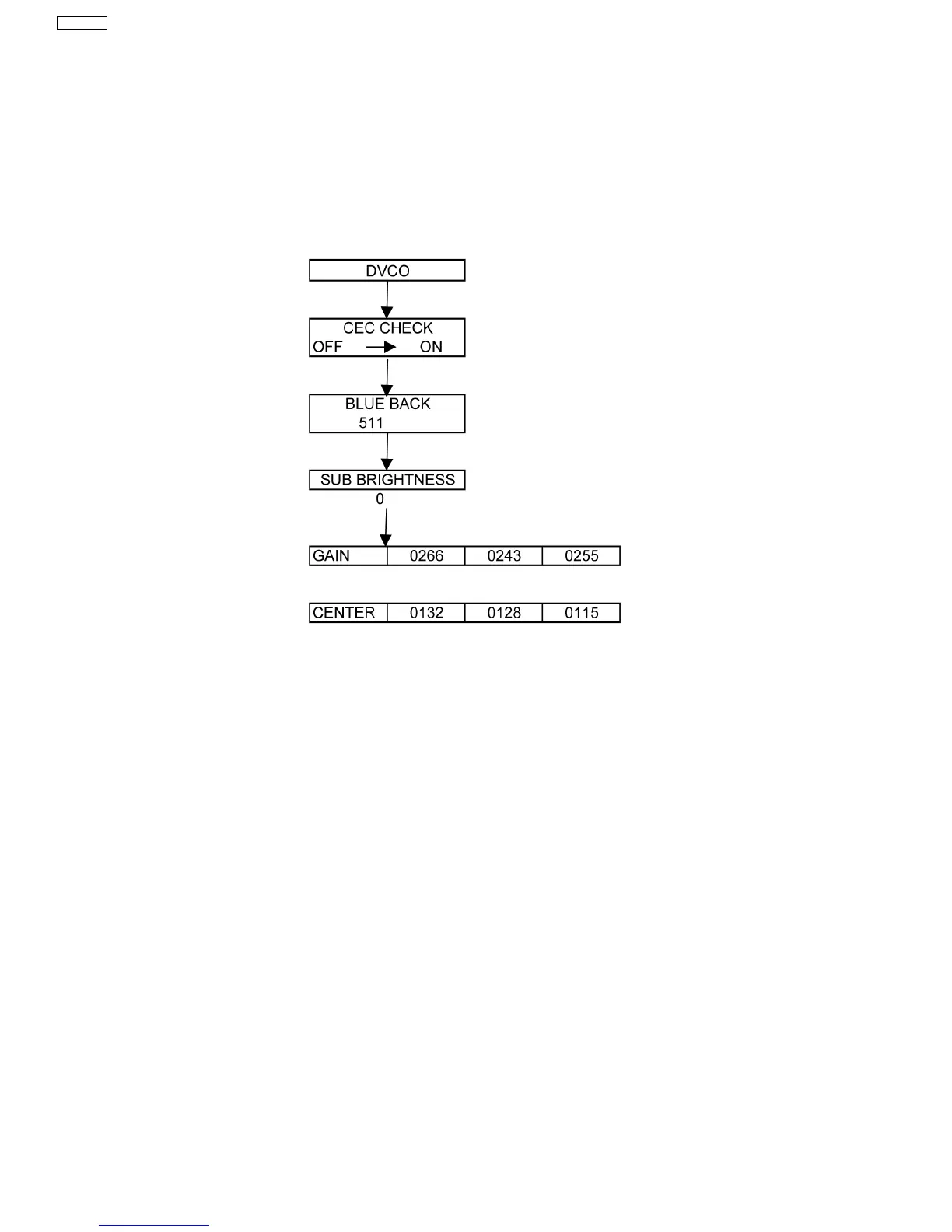
Set channel 99, then set the timer to 30 min. Press the “RECALL” button on the remote control and the “-” button on the
LCD panel.
8.1. SERVICE 1
1. Press the red button (on the remote control) for adjustment below.
8.2. SERVICE 2
1. Select CEC CHECK mode in service 1, then press the “HOLD” button (on the remote control) to enter service 2.
8.3. Self Check Mode
1. Press the “MENU” button (on the remote control) and the “DOWN” button on the LCD panel.
2. Press the “NORMALIZE” button (on the remote control) to Exit.
8.4. Hotel Mode Adjustment
1. Press the “VOLUME DOWN” button on the TV panel and simultaneously press the AV button on the remote control 3 times to
enter Hotel Mode.
2. Set Hotel mode “on”, then “EXIT” to come out.
20
TX-26LE8A



 To Next Page