24
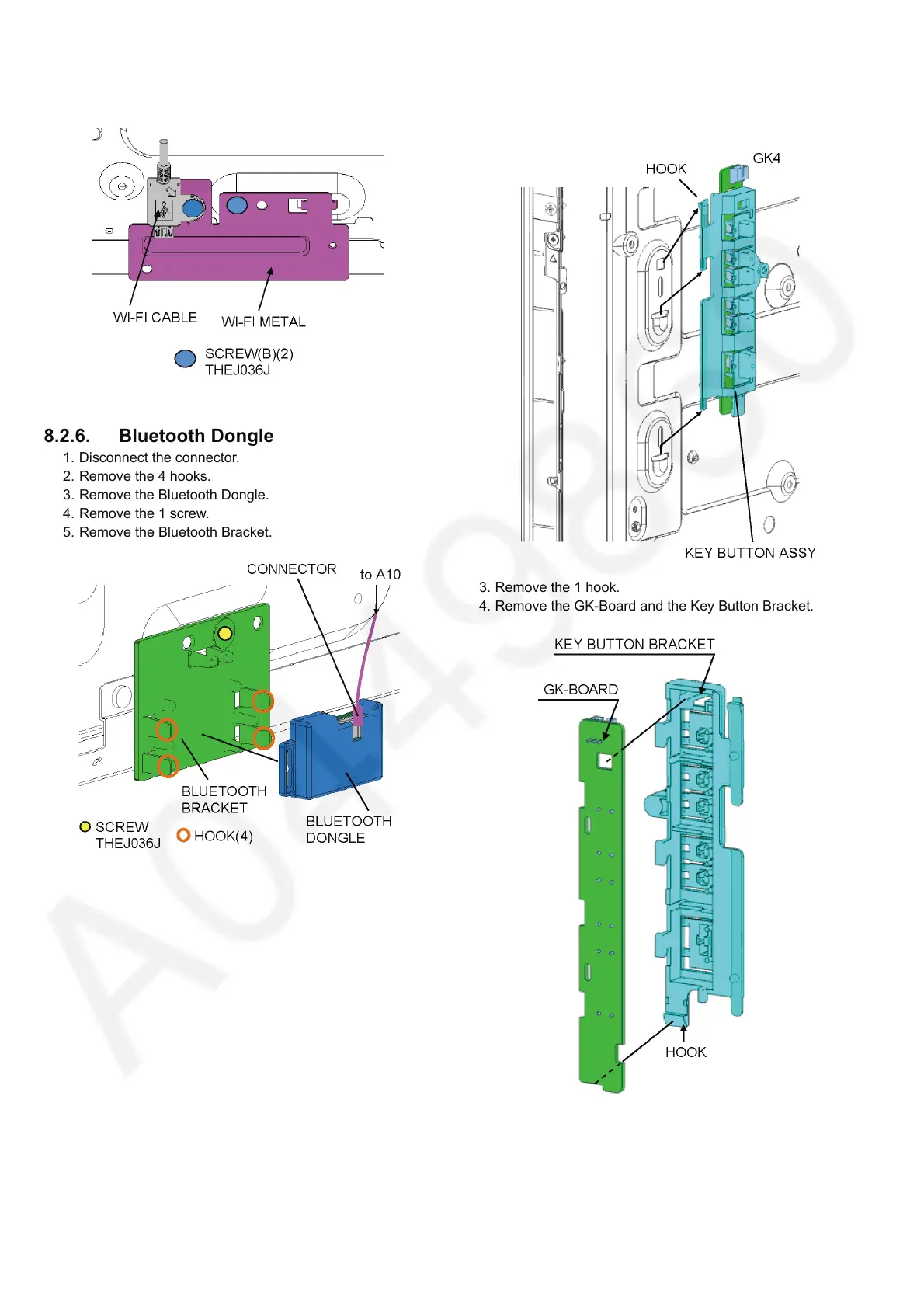
3. Remove the 2 screws (B).
4. Remove the Wi-Fi Cable and the Wi-Fi Metal.
8.2.6. Bluetooth Dongle
1. Disconnect the connector.
2. Remove the 4 hooks.
3. Remove the Bluetooth Dongle.
4. Remove the 1 screw.
5. Remove the Bluetooth Bracket.
8.2.7. GK-Board
1. Disconnect the connector (GK4).
2. Remove the 1 hook.
3. Remove the 1 hook.
4. Remove the GK-Board and the Key Button Bracket.




 To Next Page