32
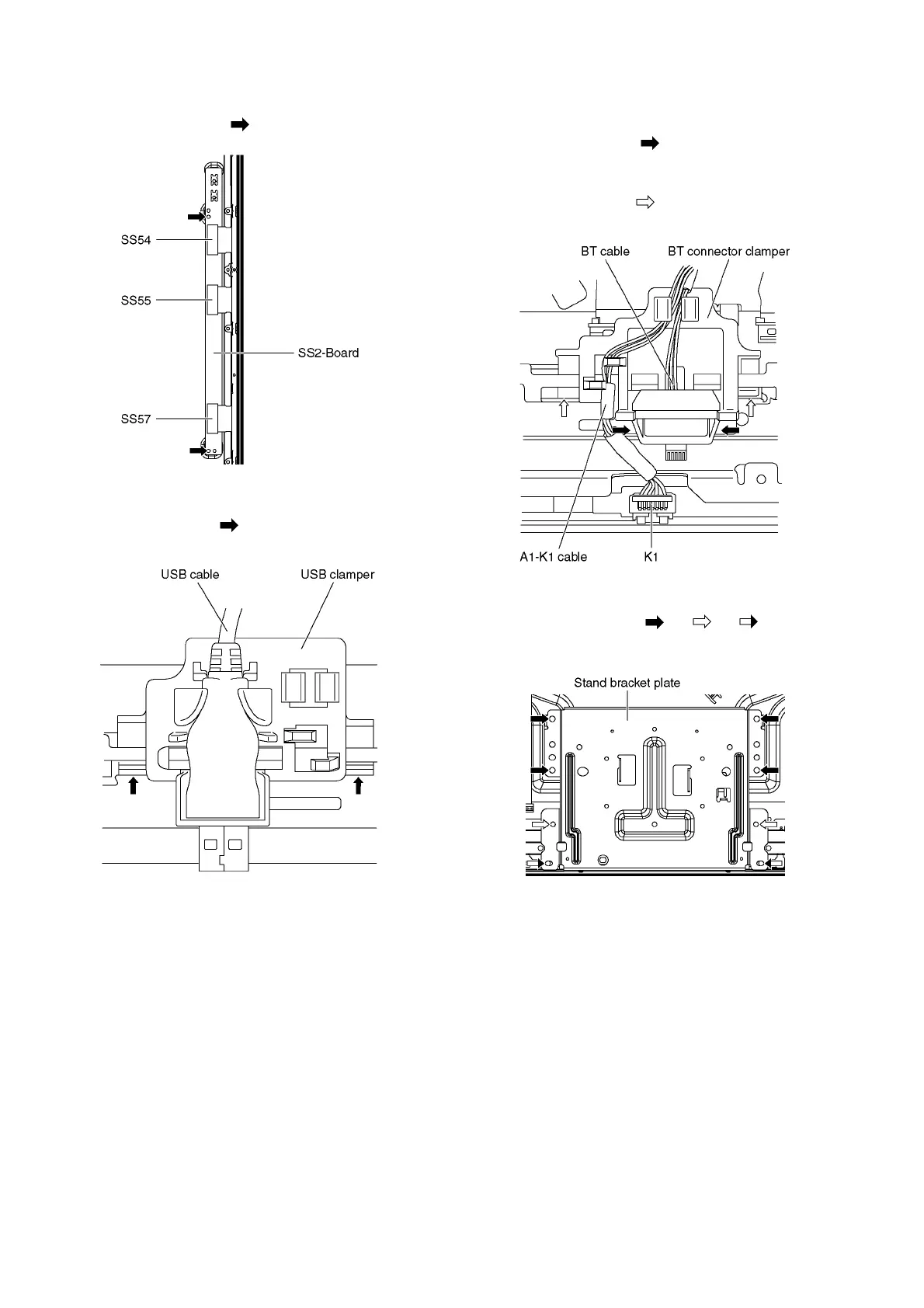
9.2.18. Remove the SS2-Board
1. Disconnect the flexible cables (SS54, SS55 and SS57).
2. Remove the screws (×2 ) and remove the SS2-Board.
9.2.19. Remove the USB clamper
1. Remove the claws (×2 ) and remove the USB clamper.
2. Remove the USB cable from the USB clamper.
9.2.20. Remove the BT connector clamper
1. Unlock the cable clampers and the tapes to free the
cables.
2. Remove the claws (×2 ) and remove the BT cable.
3. Disconnect the connector (K1) and remove the A1-K1
cable.
4. Remove the claws (×2 ) and remove the BT connector
clamper.
9.2.21. Remove the Stand bracket plate
1. Remove the screws (×4 , ×2 , ×2 ) and remove
the Stand bracket plate.











 To Next Page