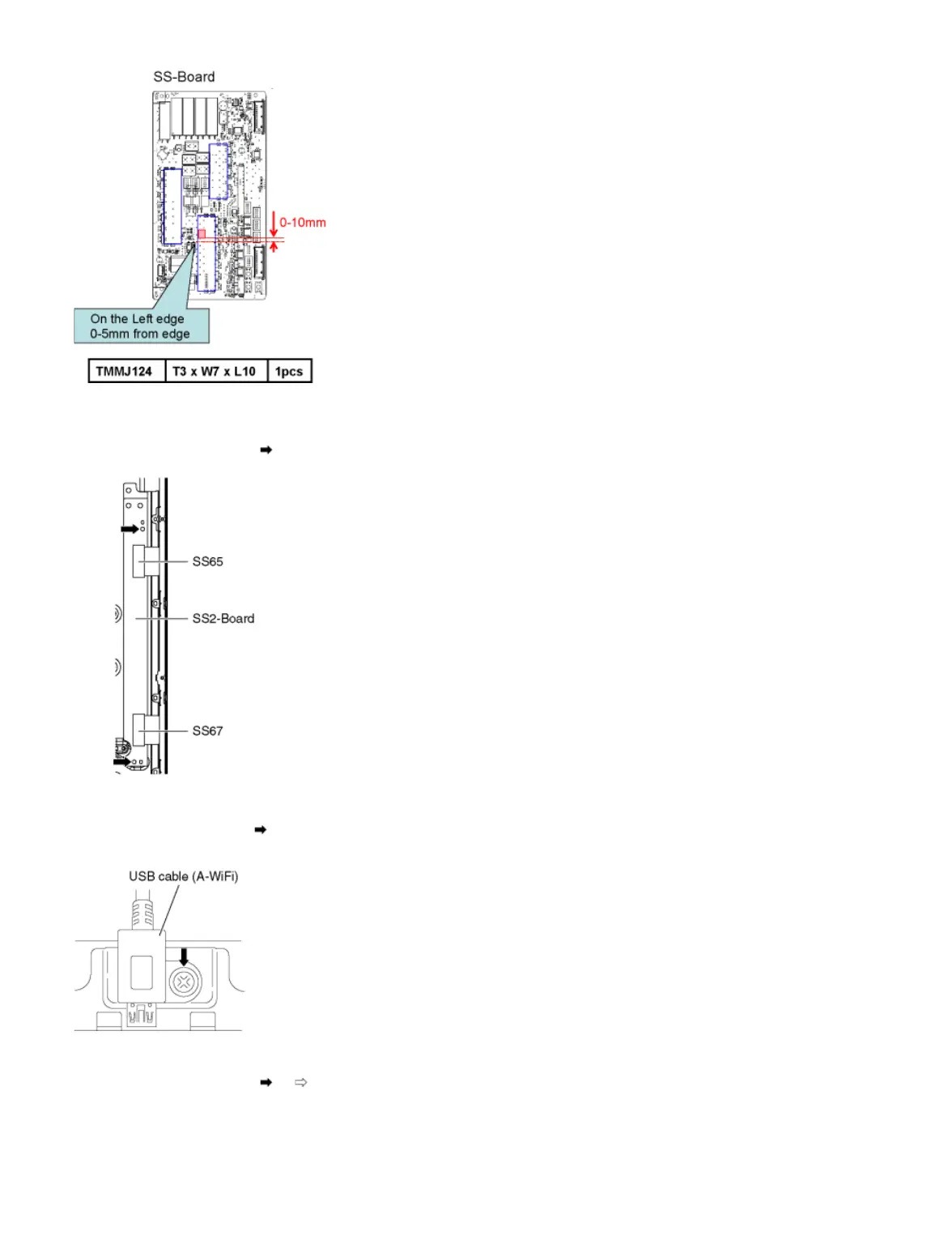
9.2.23 Remove the SS2-Board
1. Disconnect the flexible cable (SS65 and SS67).
2. Remove the screws (×2 ) and remove the SS2-Board.
9.2.24 Remove the USB cable (A-WiFi)
1. Remove the screw (×1 ).
2. Remove the USB cable (A-WiFi).
9.2.25 Remove the Metal bracket bottom
1. Remove the screws (×6 , ×2 ) and the Metal bracket bottom.









 To Next Page