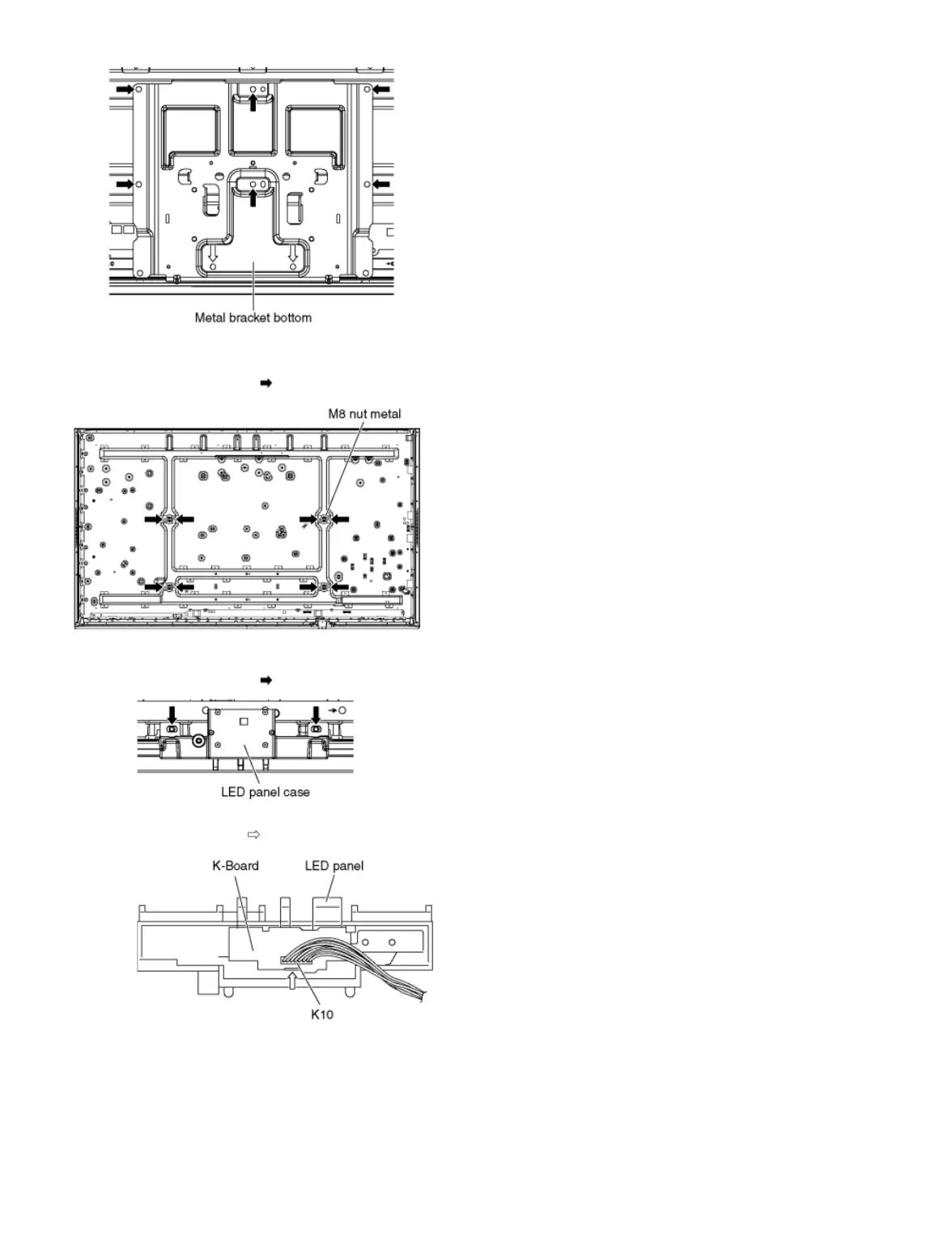
9.2.26 Remove the M8 nut metals
1. Remove the screws (×2 each) and remove the M8 nut metals.
9.2.27 Remove the K-Board
1. Remove the screws (×2 ) and remove the LED panel case.
2. Disconnect the connector (K10).
3. Remove the claw (×1 ) and remove the K-Board.
4. Remove the LED panel.
9.2.28 Remove the Cabinet assy from the Plasma panel section
1. Remove the Plasma panel section from the servicing stand and lay on a flat surface such as a table (covered by a soft cloth) with the Plasma panel
surface facing downward.









 To Next Page