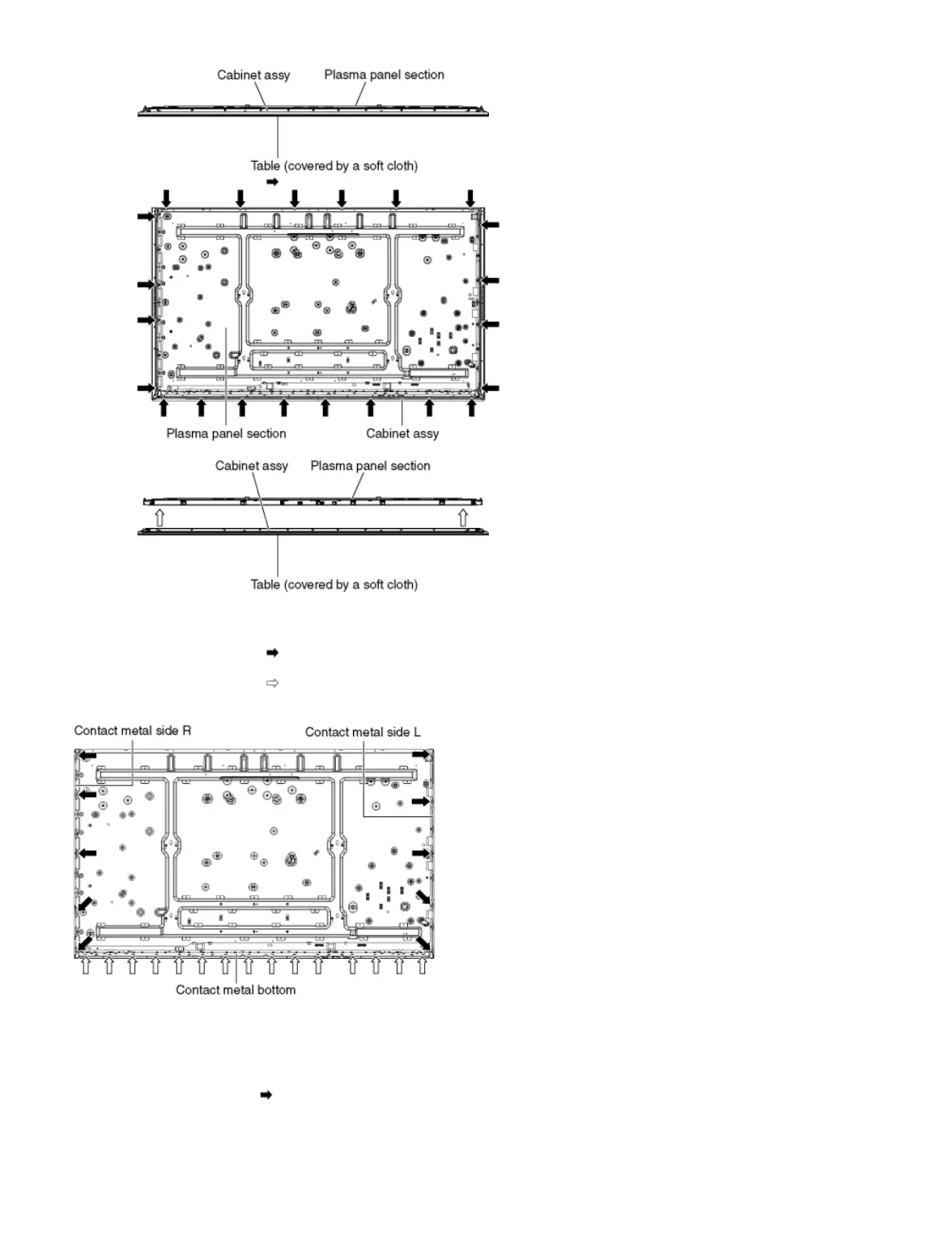
2. Remove the screws (×22 ).
3. Remove the Cabinet assy from the Plasma panel section.
9.2.29 Remove the Contact metals
1. Remove the screws (×10 ).
2. Remove the Contact metal side (L, R).
3. Remove the screws (×15 ).
4. Remove the Contact metal bottom.
9.2.30 Remove the C1-Board
1. Disconnect the flexible cables (CB1, CB2, CB3, CB4 and CB5).
2. Disconnect the flexible cable (C10).
3. Disconnect the connectors (C14 and C18).
4. Remove the screws (×5 ) and remove the C1-Board.









 To Next Page