Data Copy from TV set to USB Memory
1. Turn on the TV set.
2. Insert USB Memory with a startup file (pwd file) to USB Terminal.
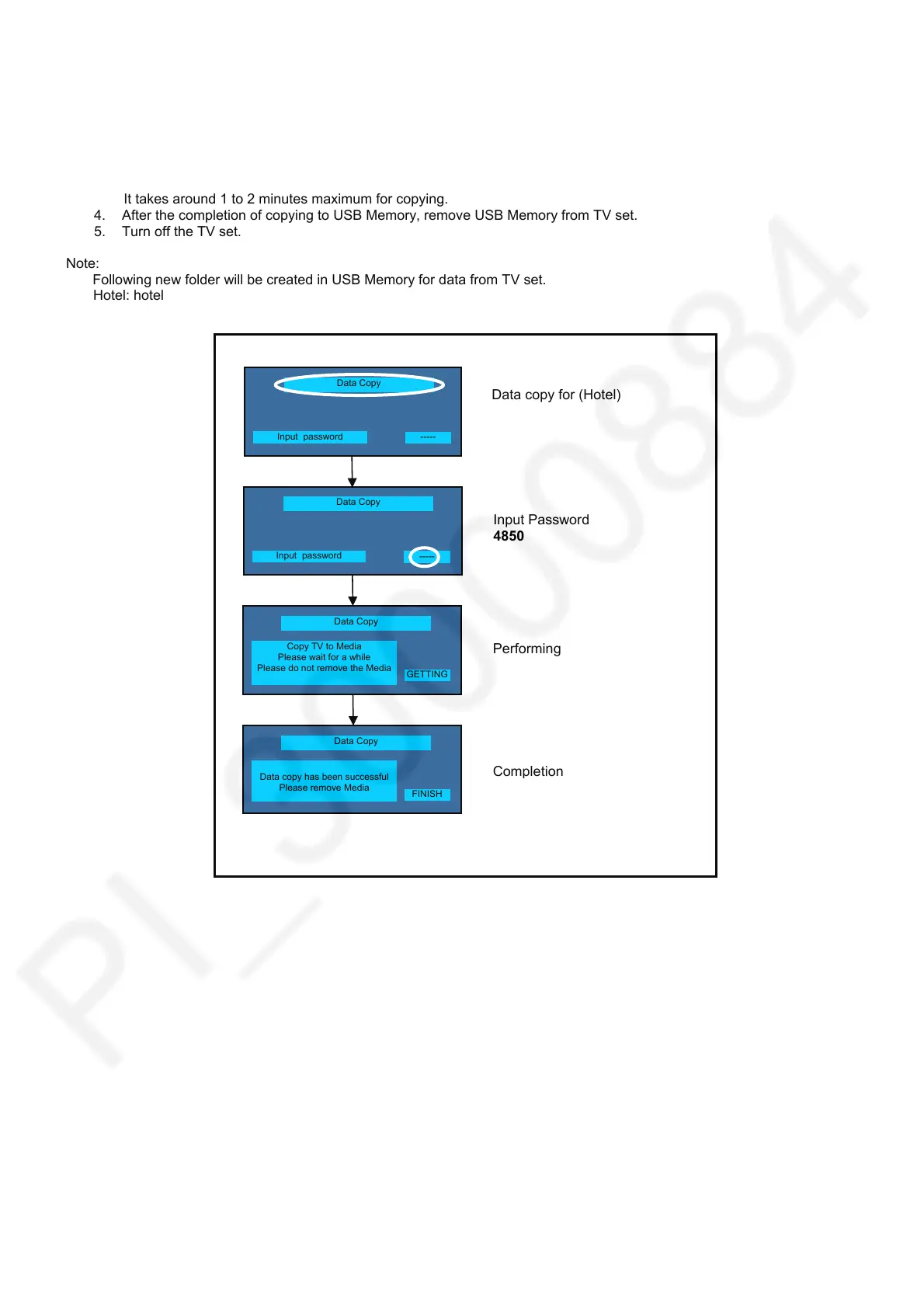
On-screen Display will be appeared according to the startup file automatically.
3. Input a following password by using remote control.
Hotel: 4850
Data will be copied from TV set to USB Memory.
It takes around 1 to 2 minutes maximum for copying.
4. After the completion of copying to USB Memory, remove USB Memory from TV set.
5. Turn off the TV set.
Note:
Following new folder will be created in USB Memory for data from TV set.
Hotel: hotel
Data Copy
Data copy has been successful
Please remove Media
Data copy for (Hotel)
Input Password
4850
Performin
Com
letion
Data Copy
Input password
-----
Data Copy
Input password
-----
Data Copy
Copy TV to Media
Please wait for a while
Please do not remove the Media
GETTING
FINISH









 To Next Page