Data Copy from USB Memory to TV set
1. Turn on the TV set.
2. Insert USB Memory with Data to USB Terminal.
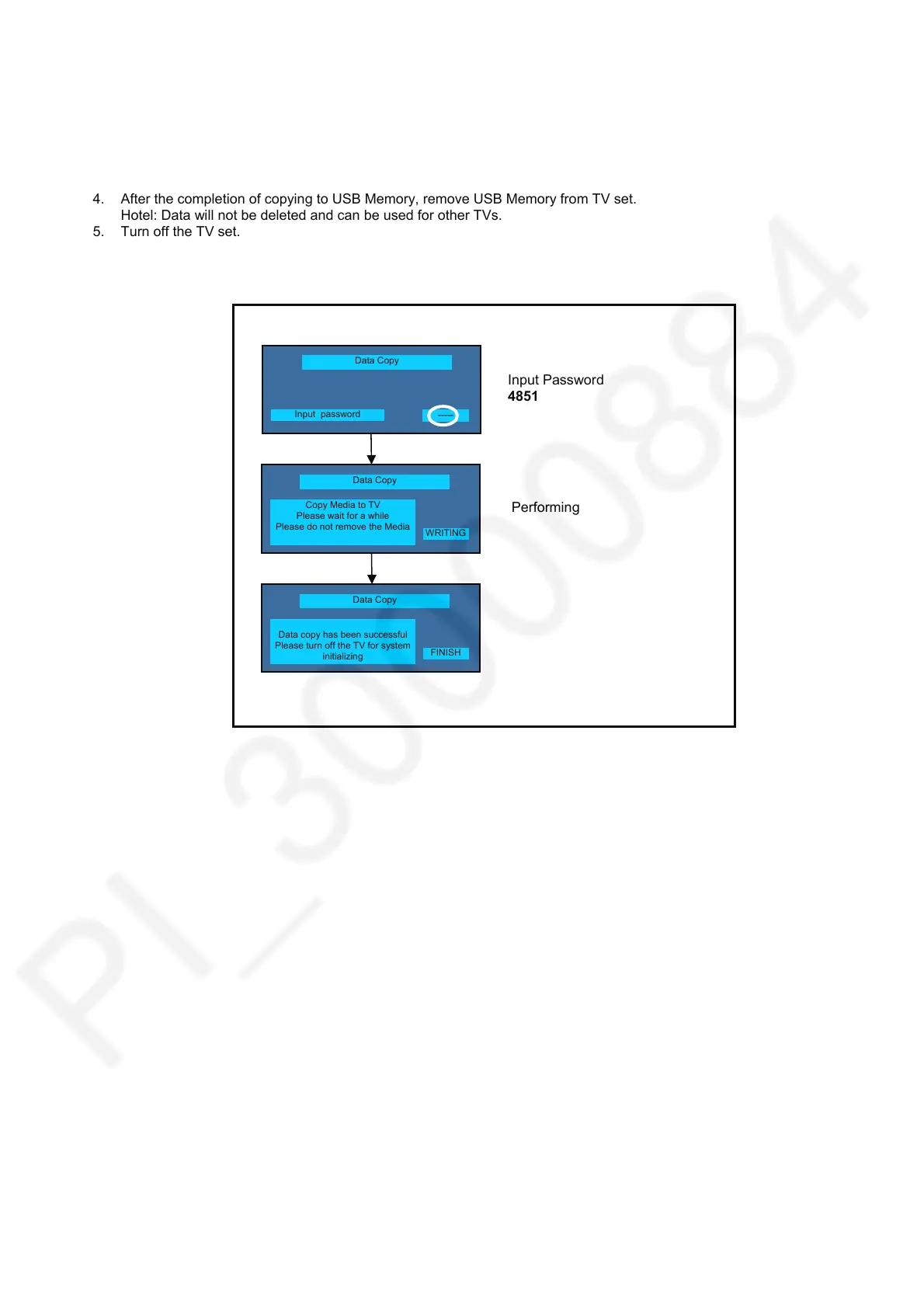
On-screen Display will be appeared according to the Data folder automatically.
3. Input a following password by using remote control.
Hotel: 4851
Data will be copied from USB Memory to TV set.
4. After the completion of copying to USB Memory, remove USB Memory from TV set.
Hotel: Data will not be deleted and can be used for other TVs.
5. Turn off the TV set.
Data Copy
Data copy has been successful
Please turn off the TV for system
initializing
Data Copy
Input password
Input Password
4851
Performin
-----
Data Copy
Copy Media to TV
Please wait for a while
Please do not remove the Media
WRITING
FINISH









 To Next Page