4 sec
Once
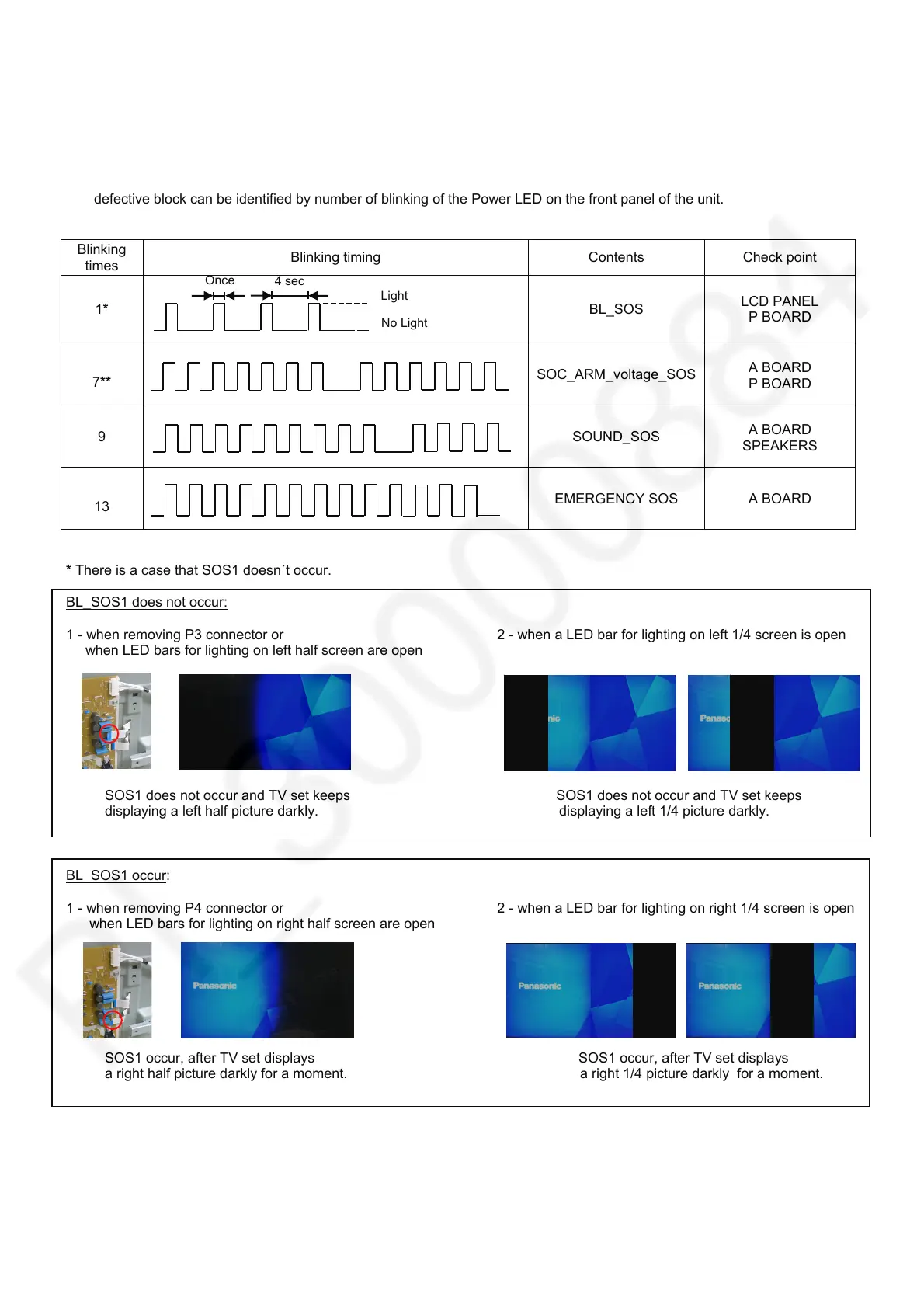
Power LED blinking timing chart
1. Subject
Information of LED Flashing timing chart.
2. Contents
When abnormality has occurred the unit, the protection circuit operates and reset to the stand by mode. At this time, the
defective block can be identified by number of blinking of the Power LED on the front panel of the unit.
Blinking
times
Blinking timing Contents Check point
1*
BL_SOS
LCD PANEL
P BOARD
7**
SOC_ARM_voltage_SOS
A BOARD
P BOARD
9
SOUND_SOS
A BOARD
SPEAKERS
13
EMERGENCY SOS A BOARD
* There is a case that SOS1 doesn´t occur.
BL_SOS1 does not occur:
1 - when removing P3 connector or 2 - when a LED bar for lighting on left 1/4 screen is open
when LED bars for lighting on left half screen are open
SOS1 does not occur and TV set keeps SOS1 does not occur and TV set keeps
displaying a left half picture darkly. displaying a left 1/4 picture darkly.
BL_SOS1 occur:
1 - when removing P4 connector or 2 - when a LED bar for lighting on right 1/4 screen is open
when LED bars for lighting on right half screen are open
SOS1 occur, after TV set displays SOS1 occur, after TV set displays
a right half picture darkly for a moment. a right 1/4 picture darkly for a moment.
** If SOS occurs when the power is turned on, SOS history does not remain.
(Except in case of standby with some function active.)
No Light
Light









 To Next Page