Use to hold calls, lo retrieve held calls,
and to corhplete FF key programming.
Large-Display Phones
18 1 Microphone 1 Use l0 spZk iiirougli the speakerphone.
Large-Display Phones
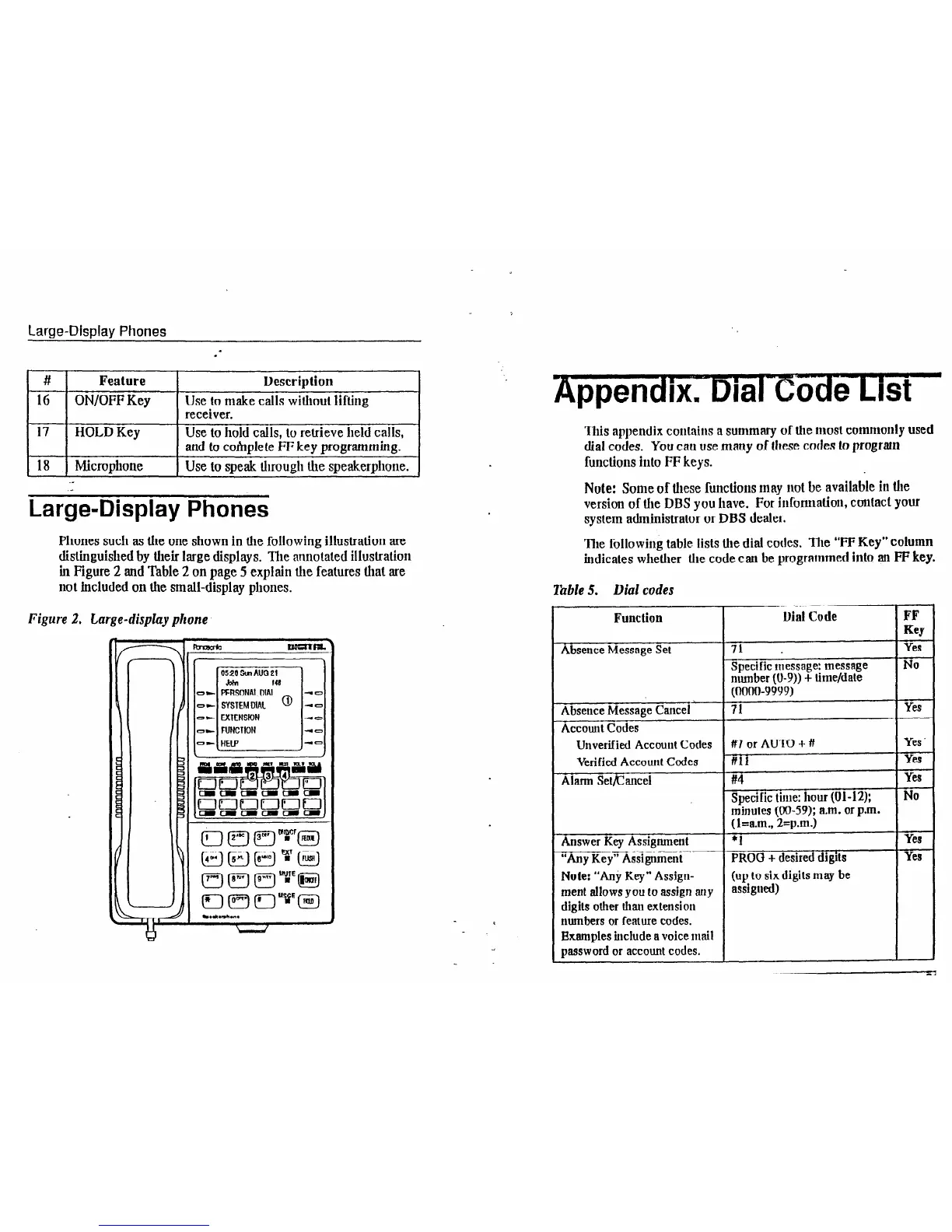
Phones such as the one shown in the following illustration are
distinguished by their large displays. The annotated illustration
in Figure 2 and Table 2 on page 5 explain the features that are
not included on the small-display phones.
Figure 2. Large-display phone
II I
Appendix. Dial C&he List
This appendix contaitls a summary of the most commonly used
dial codes. You can use many of these codes to program
functions into FF keys.
Note: Some of these functions may not be available in the
version of the DBS you have. For information, contact your
system administrator or DBS dealer.
The followirlg table lists the dial codes. The “FF Key” column
indicates whether the code can be programmed into an FF key.
Table 5. Dial codes
Function
Dial Code
FF
Key
Absence Message Set
71 .
Yes
Specific message: message
No
number (U-9)) + time/date
(0000-9999)
Absence Message Cancel
71
Yes
Accounl Codes
Unverified ACCOUIH Cotles
#7 or AU’IV + #I
Yes .
Verified Account Codes #I11
Yes
Ahum SetEancel
#4
Yes
Specific time: hour (01-12); NO
minutes (W-59); a.m. or p.m.
(l=a.m., 2=p.m.)
Answer Key Assignment
*1
Yes
“Any Key” Assignment
PRO0
+ desired digits
Yf24
Note: “An, Key” Assign-
(up to six digits may be
ment allows you to assign any
assigued)
digits other than extension
numbers or feature codes.
Examples include a voice mail
password or account codes.













 To Next Page