Using Account Codes
.
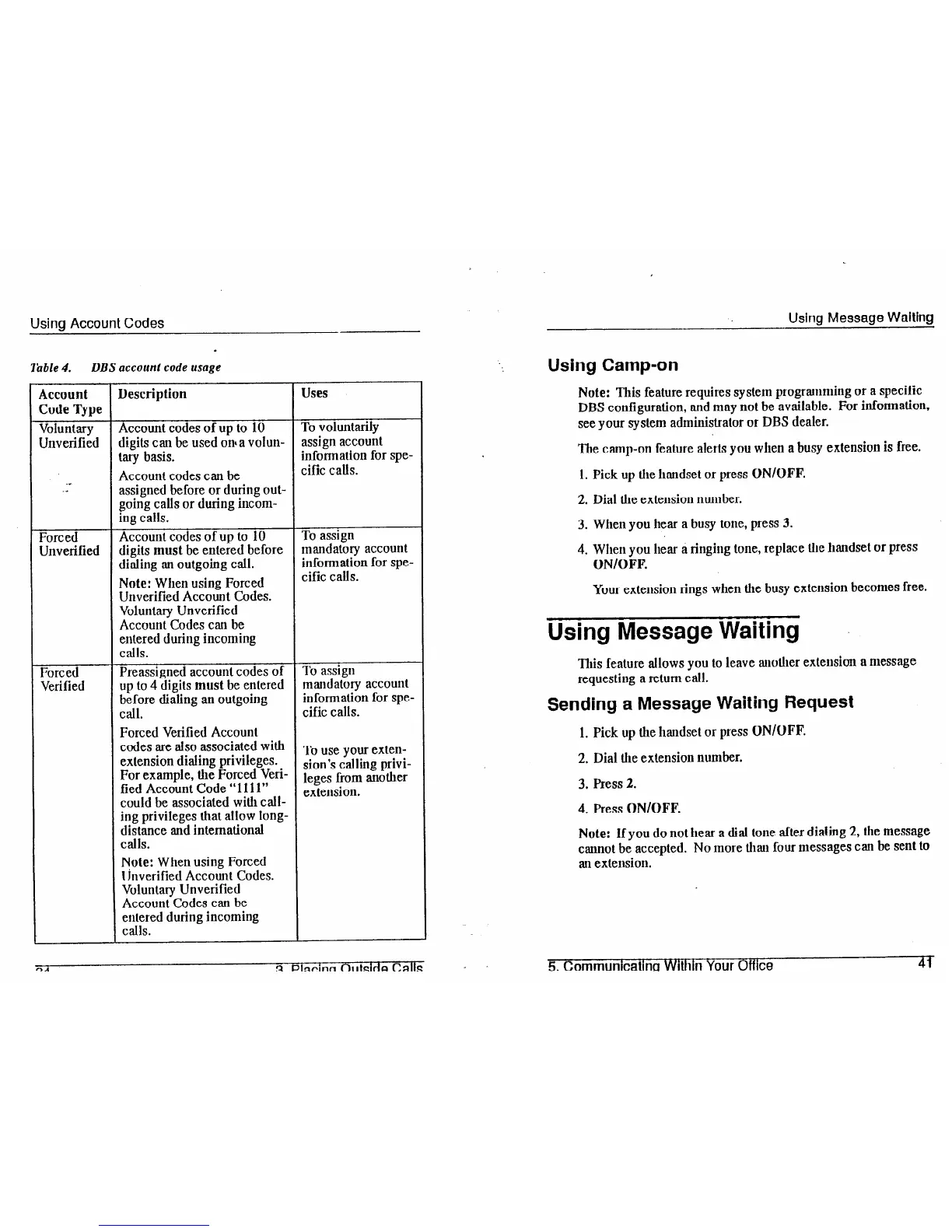
lbble 4. DBS accoun: code usage
Account
Code Type
Voluntary
Unverified
.L
._
Forced
Unverified
Forced
Verified
Description
Account codes of up to 10
digits can be used onaa volun-
vary basis.
Account codes can be
assigned before or during out-
going calls or during incom-
ing calls.
Account codes of up to 10
digits
must
be entered before
dialing an outgoing call.
Note:
When using Forced
Unverified Account Codes.
Voluntary Unverified
Account Codes can be
entered during incoming
calls.
Preassigned account codes of
up to 4 digits
must
be entered
b$ore dialing an outgoing
.
Forced Verified Account
codes are also associated with
extension dialing privileges.
For example, the Forced Veri-
fied Account Code “1111”
could be associated will1 call-
ing privileges that allow long-
distance and international
calls.
Note: When using Forced
Unverified Account Codes.
Voluntary Unverified
Account Codes can be
entered during incoming
calls.
Uses
To voluntarily
assign account
information for spe-
cific calls.
To assign
mandatory account
information for spe-
cific calls.
To assign
mandatory account
informalion for spe-
cific calls.
To use your exten-
sion’s calling privi-
leges from another
extension.
Using Message Waiting
Using Camp-on
Note:
This feature requires system programming or a specific
DBS configuration, and may not be available. For information,
see your system administrator or DBS dealer.
The camp-on feature alerts you when a busy extension is free.
1. Pick up the handset or press ON/OFF.
2. Dial Ule extension number.
3. When you hear a busy tone, press 3.
4. When you hear a ringing tone, replace the handset or press
ON/OFF.
Your extension rings when the busy extension becomes free.
Using Message Waiting
This feature allows you to leave auolher extension a message
requesting a return call.
Sending a Message Waiting Request
1. Pick up the handset or press ON/OFF.
2. Dial the extension number.
3. Press 2.
4. Press ON/OFF.
Note: If you do not hear a dial tone after dialing 2, the message
cannot be accepted. No more thau four messages can be sent to
an extension.
_
5. Communicatina Within Your Office
41













 To Next Page