EasyManua.ls Logo

Panasonic WV-X2251L - User Manual

Panasonic WV-X2251L
19 pages
Print Icon
To Next Page IconTo Next Page
Loading...
Basic Information
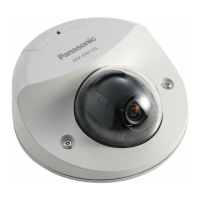
Network Camera
Model No. WV-X2251L
About the user manuals
Product documentation is composed of the following documents.
Installation Guide (accessory): Provides information about “Precautions”, “Precautions for instal-
lation” and the installation method.
Basic Information (this document): Provides information about “Precautions for use” and “Detail
specifications”.
Operating Instructions (in the following website): Explains how to perform the settings and how
to operate this camera.
https://security.panasonic.com/training_support/documentation_database/
“<Control No.: C****>” used in these documents should be used to search for information on our
support website (https://security.panasonic.com/training_support/support/info/) and will guide you to
the right information.
SDXC/ SDHC/ SD memory card is described as SD memory card.
The external appearance and other parts shown in this manual may differ
from the actual product within the scope that will not interfere with normal
use due to improvement of the product.

Questions and Answers

  • J
    Jonathan JohnsonAug 10, 2025
    Why is my Panasonic Security Camera power not turned on?
    • C
      Christina HallAug 11, 2025
      If you're using a PoE device, ensure it's IEEE802.3af compliant and connected to the RJ45 Network connector with an Ethernet cable. Verify the connection is properly established. The power supply might stop if the power demanded exceeds the PoE device's total power limit. Consult the PoE device's operating instructions. If using DC power, check that the power cord plug is firmly inserted into the camera's power supply terminal (12 V DC). Also, confirm that the AC adapter complies with the specifications.
  • K
    kelly11Aug 18, 2025
    What to do if my Panasonic WV-X2251L Security Camera audio input contains noise?
    • W
      wardwhitneyAug 18, 2025
      Check the grounding of the camera, switching hub, and peripheral devices. Also, check the placement of the camera, ensuring it is not near an electrical power line or devices producing strong magnetic fields or radio waves. If noise persists, consider using a powered microphone or connecting audio output with low output impedance.
  • B
    Beverly YorkAug 26, 2025
    What to do if the LINK indicator does not light on my Panasonic WV-X2251L Security Camera?
    • S
      sarah43Aug 27, 2025
      Ensure the Ethernet cable is correctly connected. Verify that the hub or router connected to the camera is operating correctly. If the issue persists, try replacing the Ethernet cable with a new one to rule out a broken cable.
  • M
    Miguel SandovalSep 1, 2025
    What to do if SD ERROR/AF indicator lights red on Panasonic Security Camera?
    • H
      Heather HoganSep 2, 2025
      First, check if the write protect switch of the SD memory card is set to “LOCK”. If so, unlock it. If the SD card was formatted on a PC, use an SD memory card formatted on the camera instead. Finally, the SD memory card might be faulty, so try replacing it with a normal one.

Panasonic WV-X2251L Specifications

General IconGeneral
BrandPanasonic
ModelWV-X2251L
CategorySecurity Camera
LanguageEnglish

Related product manuals