67
FN1 substitution string setting: The FN1 character (0x1D) in an UCC/EAN128 barcode, or a Code 128
barcode, or a GS1 DataBar barcode can be substituted with a defined string.
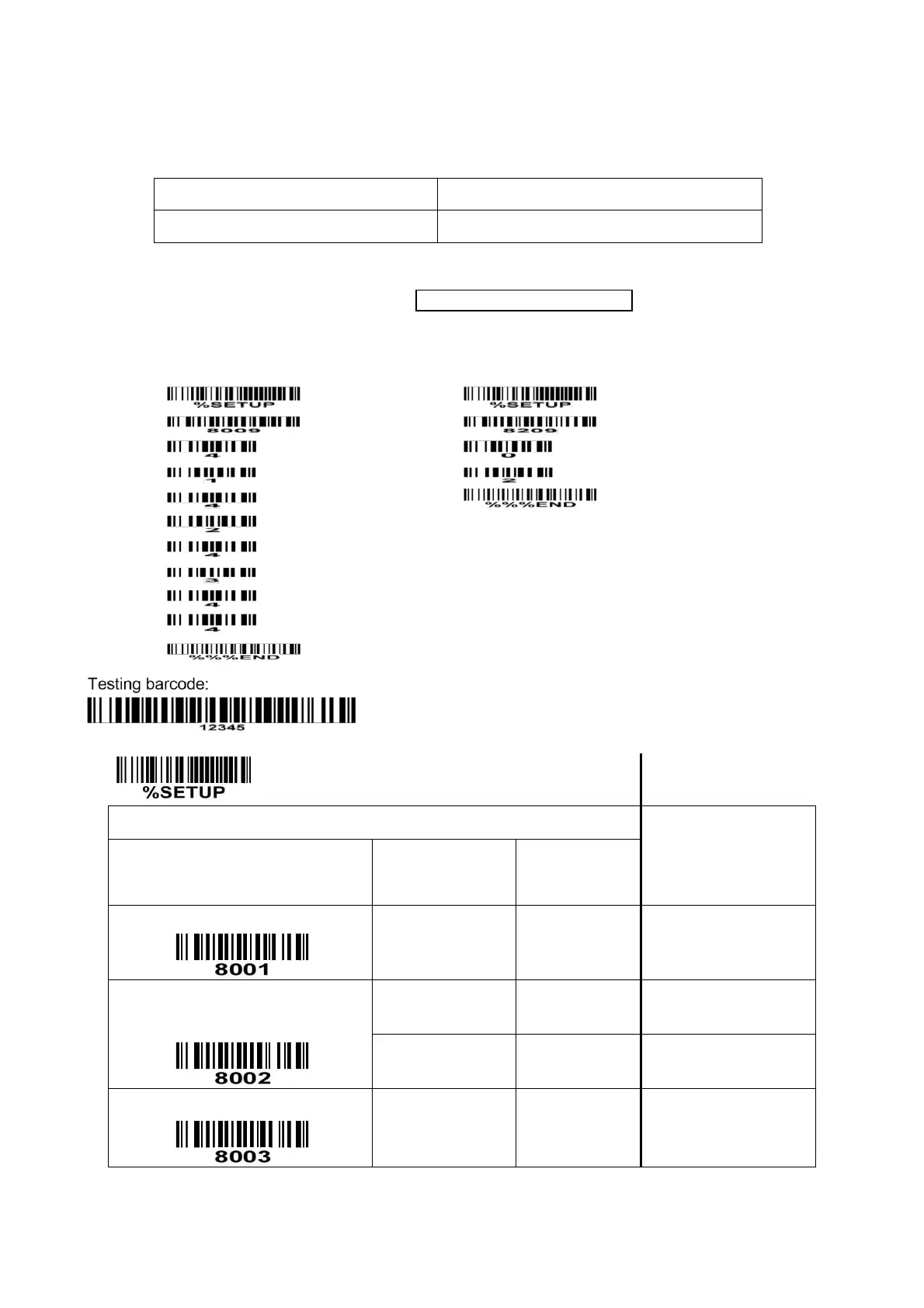
Example: Set FN1 substitution string to be “ABCD”.
Original code data (hexadecimal)
“31 1D 32 1D 33 1D 34 1D 35”
Output code data (hexadecimal)
“31 41 32 42 33 43 34 44 35”
Steps:
1) Set FN1 substitution string to be ABCD.
2) Refer to 3-31 String transmission, enable FN1 substitution transmission.
In this example, because the interface of the scanner is RS232, so set “8209” to 02.
Scanning steps: Scan the following barcodes in order.
0-22 characters
(Default: None)
0-22 characters
(Default: None)


 To Next Page