48
SECURITY-SERVICE SYSTEM PANDORA CAMPER PRO
Service mode
It is recommended to put the system into the service mode before handing it to a car service or valet
parking. When this mode is switched on, security system stops interfering with built-in electronics and
disables all functions to ease maintenance.
To switch on this mode, disarm the system, turn on the ignition, an authorization device (a radio
tag, a remote control, a mobile phone) must be in the coverage zone, enter the “Immobilizer PIN-
code” (if the “Code immobilizer” function is used) and use one of the method described below:
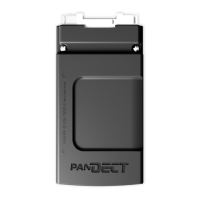
Radio tag
To activate/deactivate service mode, press and hold the
button on a radio tag for 3 seconds
(until the third flash of the LED), release the button.
Phone
Call the system number wait for the answer.
• To activate service mode, dial the
155 *
DTMF command and then dial the “Secret PIN-code”
from the Owner’s personal card.
• To deactivate service mode dial the
255 *
DTMF command.
•
Mobile application
To activate/deactivate service mode, open the mobile application. When the system is online (there
is an Internet or Bluetooth connection), press and hold the
button on the control panel until
the scale is fully loaded.
!
To change buTTons layouT or add new buTTons on The conTrol panel, go To “seTTings conTrol buTTons“.
Immobilizer buttons
• To activate service mode, enter the “Immobilizer PIN-code” and press the immobilizer button 10
times within 20 seconds.
• To deactivate service mode, turn on the ignition and enter the “Immobilizer PIN-code”.
Service mode indication
• Activated Service mode is indicated by: an icon
in the mobile application, constant green LED
when the ignition is on, long sound signal of a Beeper at the moment you activate the mode.
• Deactivated Service mode is indicated by: no “Service mode” icon
in the mobile application in
the mobile application, no constant green LED when the ignition is on, two long sound signal of a
Beeper at the moment you deactivate the mode.



 To Next Page