Typing Tips:
To Capitalize
a letter, press
the CAPS/
SHIFT
key
, then
press the
appropriate
letter key.
To insert
symbols such
as @, _ and
/, press the
FUNCTION
key , then
press the
appropriate
letter key.
15
Go to Web Pages
Use Internet Explorer® to access web sites.
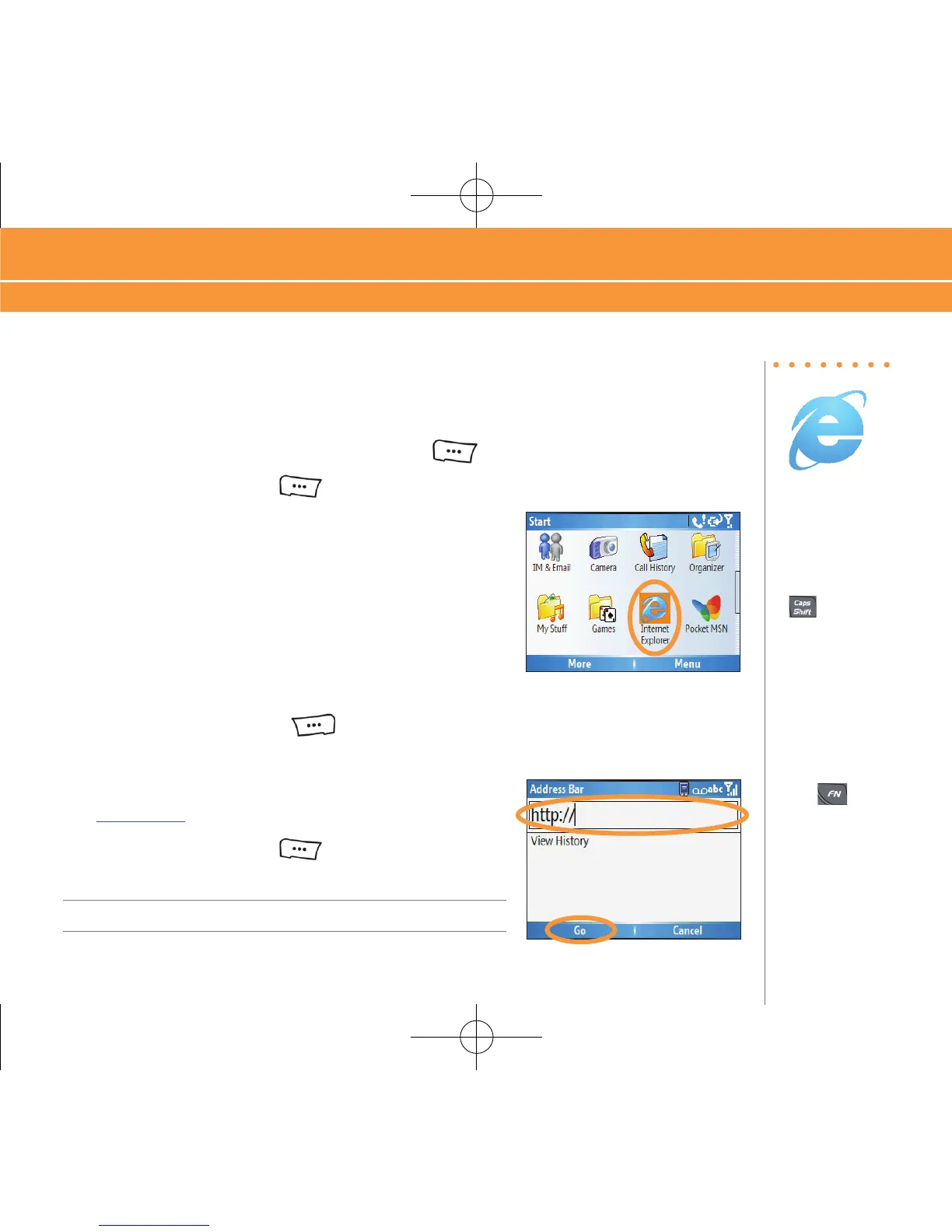
1. On the Home screen, press the LEFT SOFT key to enter the “Start Menu”.
2. Press the LEFT SOFT
key again for more options.
3. Select “Internet Explorer”.
4. Press the RIGHT SOFT
key to enter the menu.
5. Click “Address Bar”.
6. In the text field that appears, type the URL (e.g.
www.att.com) that you wish to go to.
7. Press the LEFT SOFT
key to click “Go”.
Note: Additional charges may apply.
Go to Web Pages
Browse the Web & Shop Online



 To Next Page