8
Learn to Navigate & Type
Your Pantech Duo has two separate keyboards. If you want to insert a number, use the Number Pad, and if you want to
enter letters, use the QWERTY Keyboard.
Number Pad
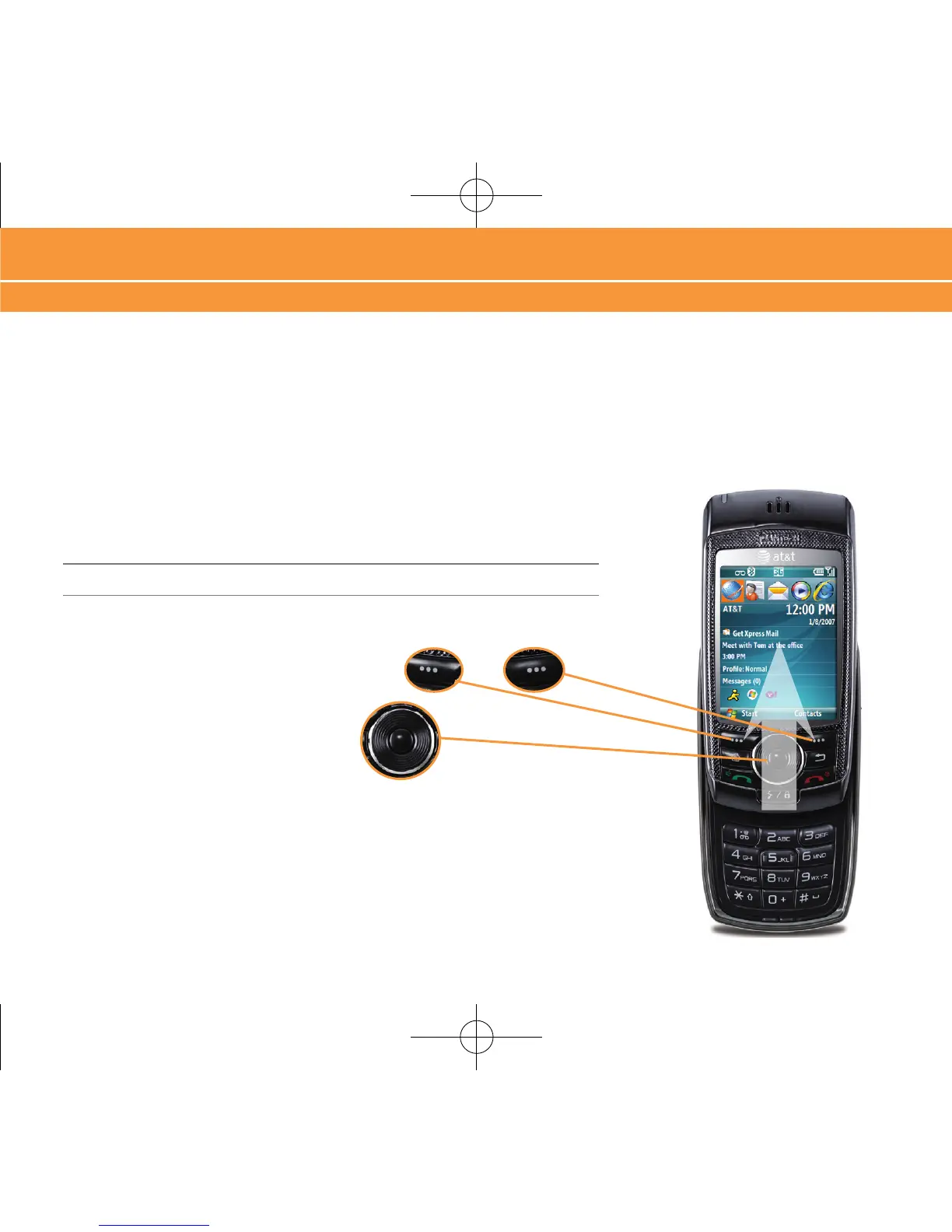
To use the Number Pad, ensure that the QWERTY Keyboard is closed, then
hold the phone vertically and slide the screen up.
Note: The QWERTY Keyboard must be closed before sliding open the Number Pad.
To select the bottom left and right items on the
screen, use the LEFT and RIGHT SOFT keys.
To move around the screen, press the
NAVIGATION
key up, down, left or right.
Press the center of the NAVIGATION key
to select.
Learn to Navigate & Type



 To Next Page