GETTING STARTED
26
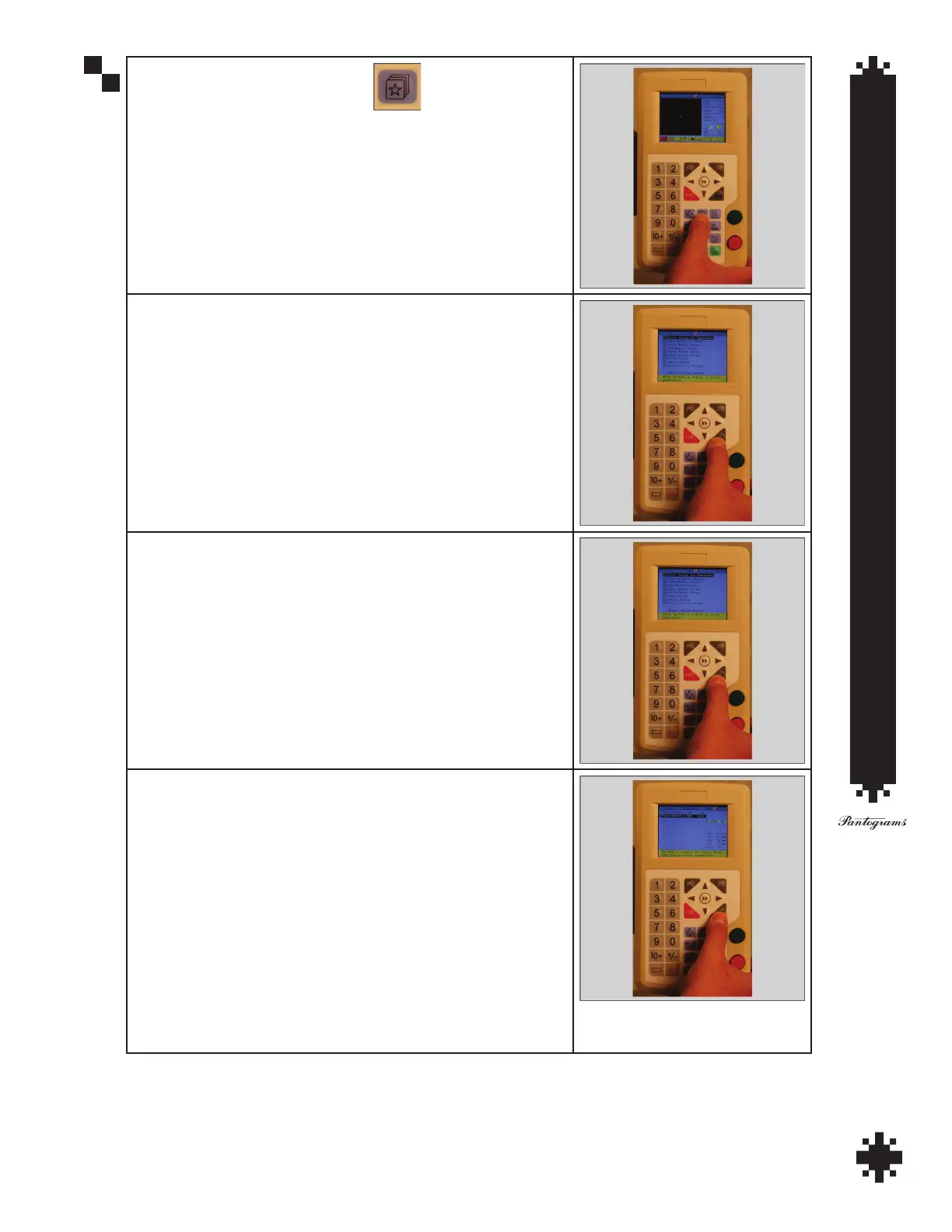
Press the Design Management Button .
At 1 press enter to select design for embroidery.
Use the arrow keys to move to Embsup~1.mem and press Enter to
select.
Press enter one more time on the design information screen.
Press Embroidery Status key.
Press Enter.
Press 1 on the key pad.
Using possition arrows center the active needle in the center of the
cap.
Press Home.
Arrow down to #3, Set Start.
Press Enter
Press Enter again.
After Set Start is set, press Home.
Arrow down to #4 Contour Range Check.
Press Enter.
Watch trace to make sure needle remains in the design area.
Press Start.


 To Next Page