Page 16 · Robotics with the Boe-Bot
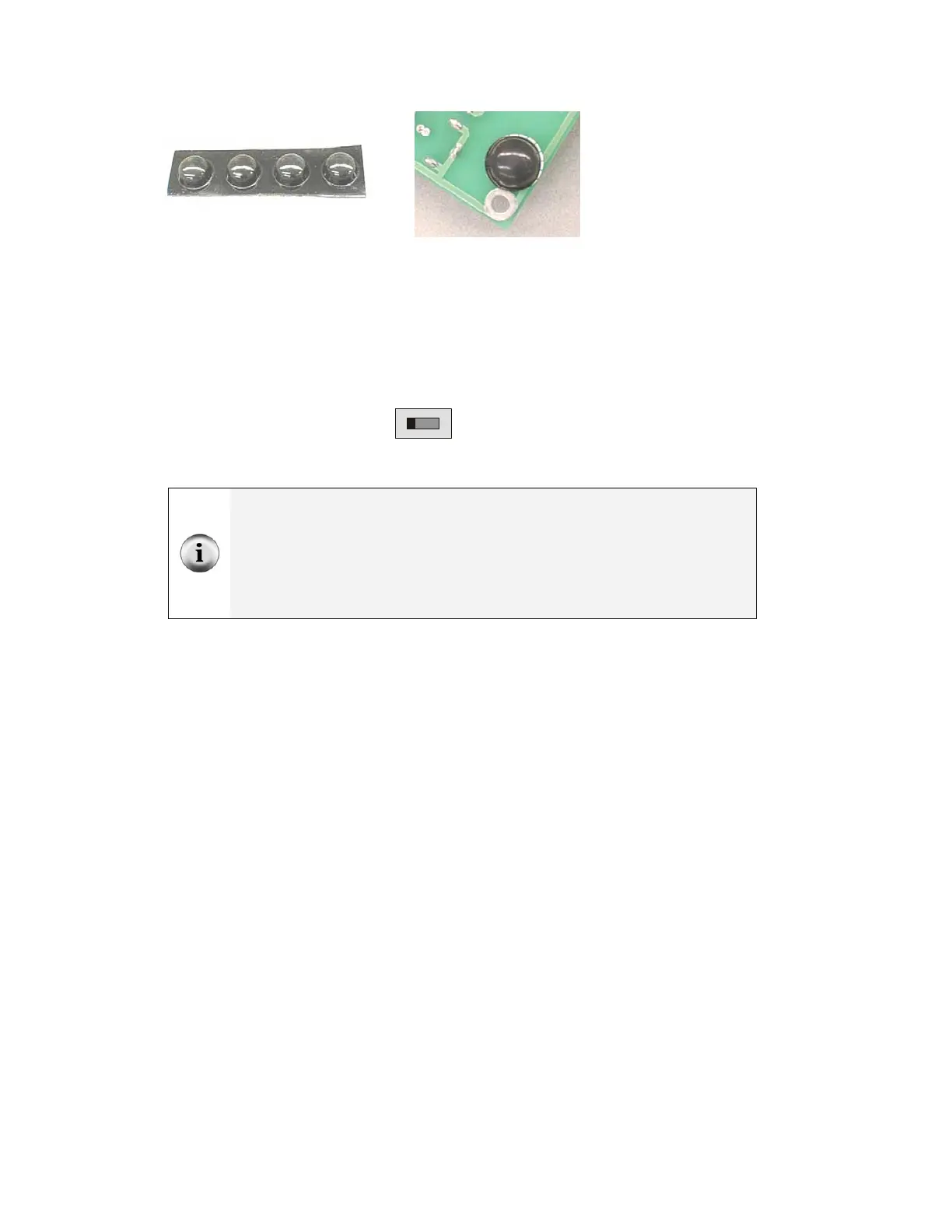
Figure 1-21
Rubber Feet (left)
Affixed to Underside
of the Board of
Education (right)
The Board of Education Rev C has a 3-position switch (see Figure 1-22). Position-0 is
for turning the power to the Board of Education completely off. Regardless of whether or
not you have a battery or power supply connected to the Board of Education Rev C, when
the 3-posiiton switch is set to 0, the device is off.
√ Set the 3-position switch on the Board of Education to position-0.
0 1 2
Figure 1-22
3-position Switch
Set to position-0 to turn
off the power.
Only the Board of Education Rev C has a 3-position switch.
If you have a Board of Education Rev A or B:
• When directed to set the 3-position switch to position-0, turn off power by
disconnecting the battery pack (the reverse of Figure 1-24, step 3).
• When directed to set the 3-position switch to either position-1 or position-2, plug
the battery pack in as shown in Figure 1-24, step 3.
√ Load the batteries into the battery pack as shown in Figure 1-23. Make sure to
follow the polarity ( + and - ) markings on the inside of the battery pack's plastic
case when inserting each battery.


 To Next Page