When moving the bed, remove any object on the monitor table to prevent the object from falling
off.
●Firmly tighten the clamping screws, or the monitor table may accidentally be detached, resulting
in injury.
●The maximum load capacity of the monitor table is 20kg. Overloading may damage or deform
the monitor table.
●Do not place objects that are hotter than 80℃ on the monitor table. This may cause damage or
discoloration.
●Do not leave any water or chemicals spills on the monitor table. This may result in damage to
the monitor table.
●When lowering the table, take care to prevent the fingers from becoming caught in the gap
between the table and the frame.
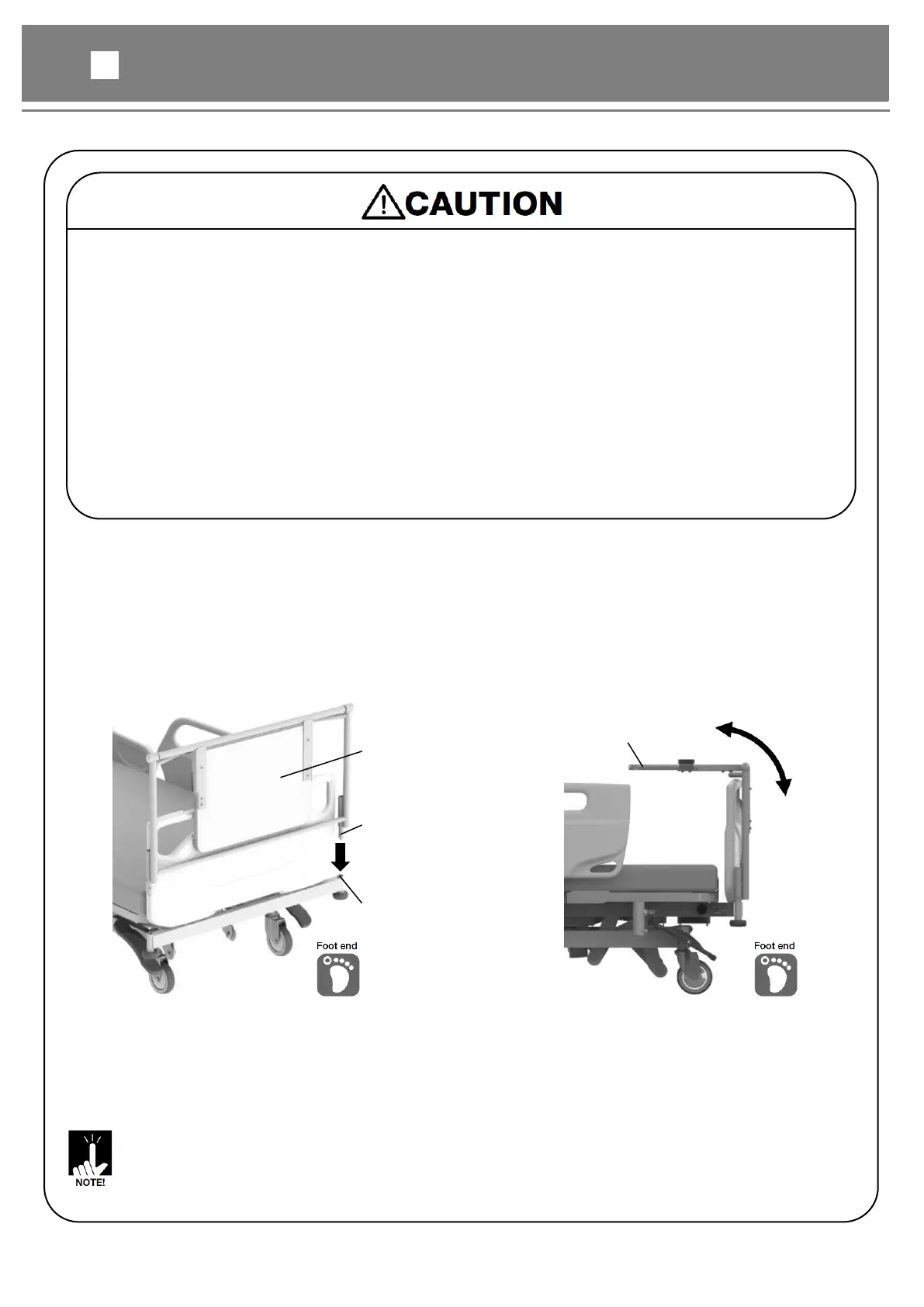
Insert the table insertion part into the option attachment holes on foot end of the bed.
②Insert a screwdriver into the IV pole attachment hole and tighten the screw.
③Lightly pull up the monitor table and check that it is attached firmly.
④When using the monitor table, rotate the table upward to the horizontal position.
⑤When storing the monitor table, rotate the table downward to the vertical position.



 To Next Page