Some models cannot add-on this option.
For any queries, please feel free to contact Paramount Bed or your distributor.
Do not attach the assist bar when using the extension frame. A body part may get caught, resulting
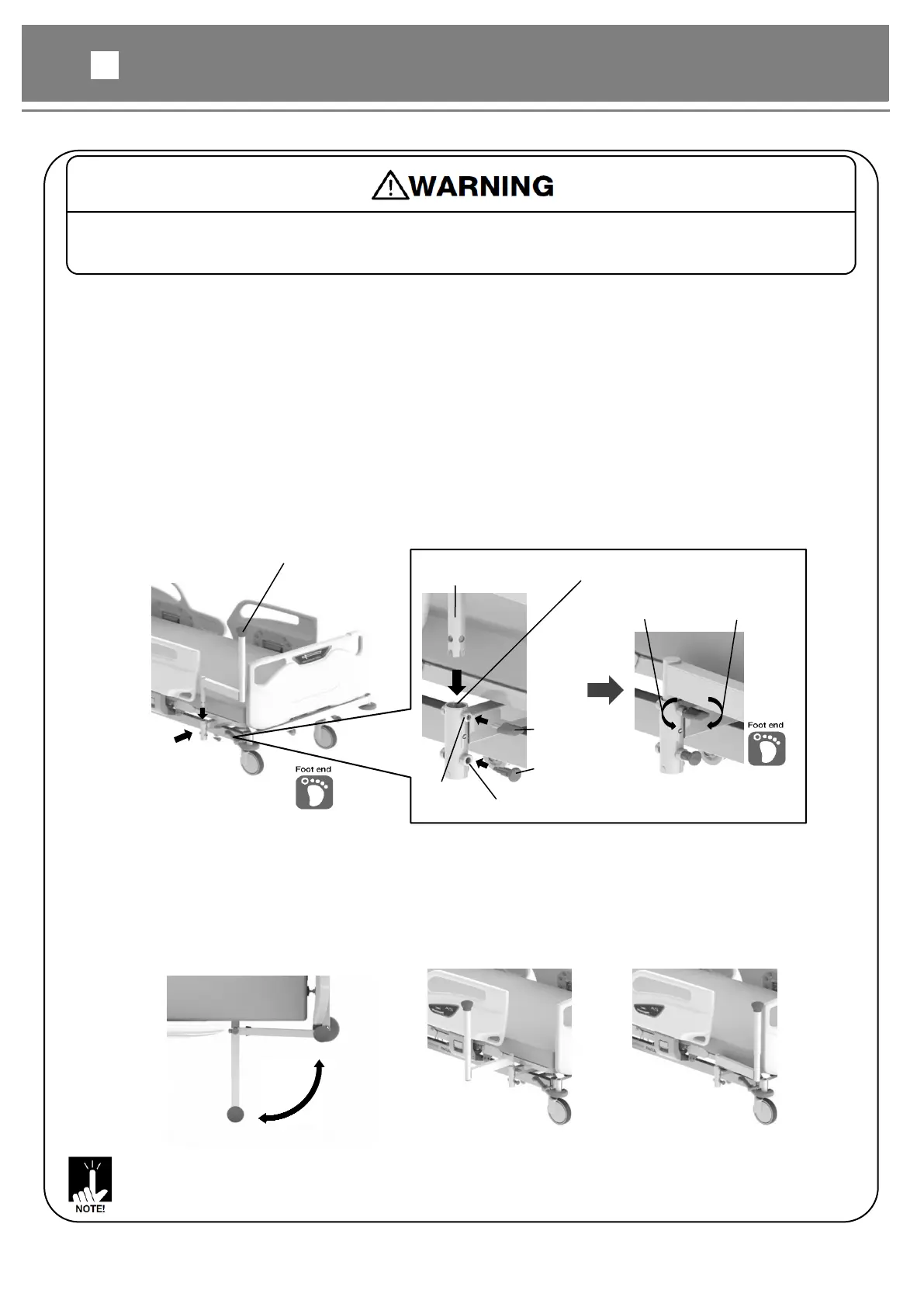
[Attaching the assist bar]
* The following figures show the installation on the right side.
①Attach the holder to the main frame under the leg section base with the bolts and nuts.
②Attach the plunger to the nut for plunger.
③Insert the assist bar insertion part into the holder attachment hole.
④Check that the plunger is correctly inserted into the hole of the assist bar.
⑤Attach the knob bolt to the nut for knob bolt, and tighten it firmly.
⑥Lightly pull the assist bar to make sure that it is attached firmly.
* Must be attached the plunger and knob bolt to the foot end side.
If they are installed on the head end side, they will interfere with the side-rail.
The assist bar can be used for supporting to stand from the bed.
Assist bar
insertion part
Nut for
Plunger
holder attachment hole
Nut for
[Using the assist bar]
①Loosen the knob bolt.
②Pull the plunger and pull the assist bar outward a little.
③Release a hand from the plunger, and pull the assist bar outward until it clicks into place.
④Tighten the knob bolt firmly.
⑤Lightly pull the assist bar to make sure that it is attached firmly.
When using the assist bar
When storing the assist bar



 To Next Page