MIC 1400 ManualEdition 1 23
200
201
202
203
204
205
0
5
10
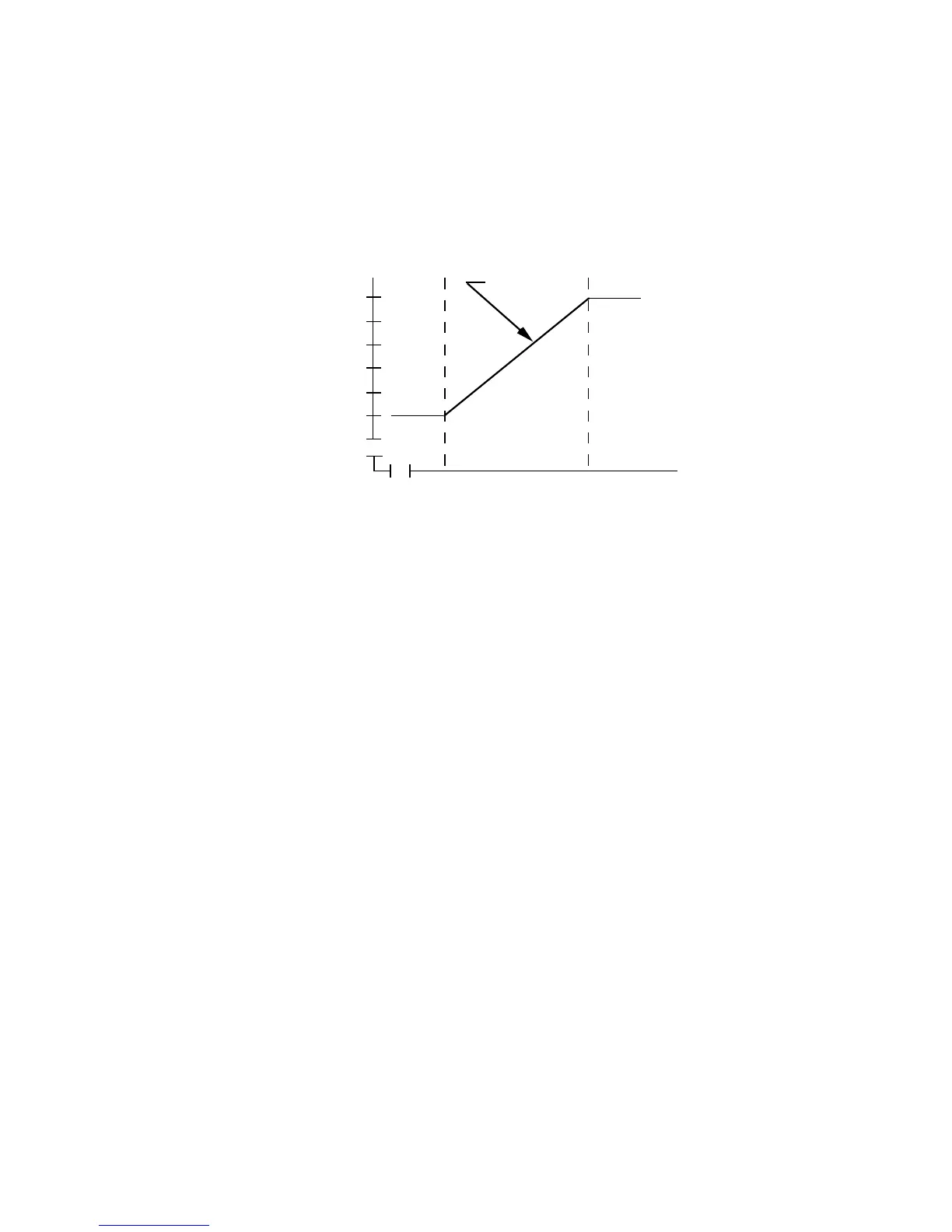
Setpoint Ramp
Time in Hours
Setpoint
in
Degrees
To enter the Program or Tune mode when setpoint ramping is selected,
press the SCROLL key until the lower display shows "SPrP" or "SPrr" and
the upper display is blank. With "SPrP" or "SPrr" display in the lower dis-
play, press the UP key once and "CtrL should be displayed in the lower
display. With "CtrL" displayed, press the SCROLL key until "Prog" or "tunE"
is displayed in the lower display.
3.1.6 MANUAL CONTROL
Manual Control is not applicable if the Auto/Manual selection in Tune mode
is disabled.
To enter the Manual mode, press the AUTO/MANUAL key. The Manual
mode status LED will begin to flash indicating that the Manual mode is in
use. Shifting from the Control to the Manual mode is bumpless. The pro-
portional output(s) will stay at the last value(s) calculated by the control
algorithm. The upper display will show the current process value. The
lower display will show the current value output power in the form PXXX
where X is equal to the percentage of output power. The value of output
power may be adjusted using the UP and DOWN keys, as required.
The output power value can be varied in the range 0% of 100% for instru-
ments using Output 1 only, and -100% to +100 % for instruments with both
Output 1 and Output 2.
To exit from the Manual mode, press the Auto/Manual key. Shifting to the
Control mode is bumpless.



 To Next Page