7
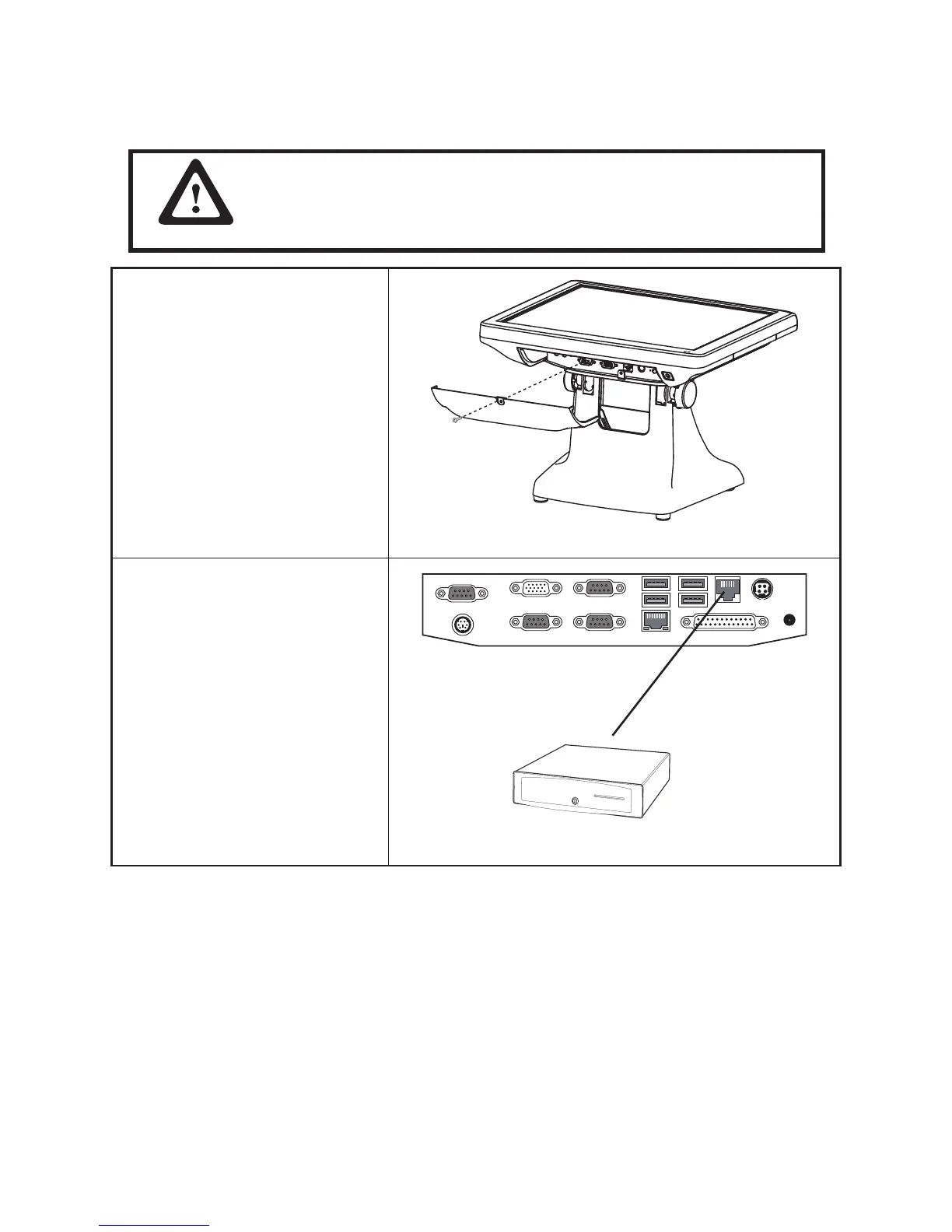
Connecting a cash drawer
Refer to the following to connect a cash drawer.
The cash drawer RJ-11 connector is DC+24V. Ensure the cash drawer
to be connected matches this power specication.
1. Flip up the LCD panel
2. Remove the screw from the IO
panel cover and remove the cover.
YoucanndtheI/Opanelisatthe
bottom of the LCD panel.
3. Connect the RJ-11 cable from
the cash drawer to the RJ-11
connector on the I/O Panel.
4. Return the LCD panel back to the
original position.
Cashdrawer
IMPORTANT



 To Next Page