35
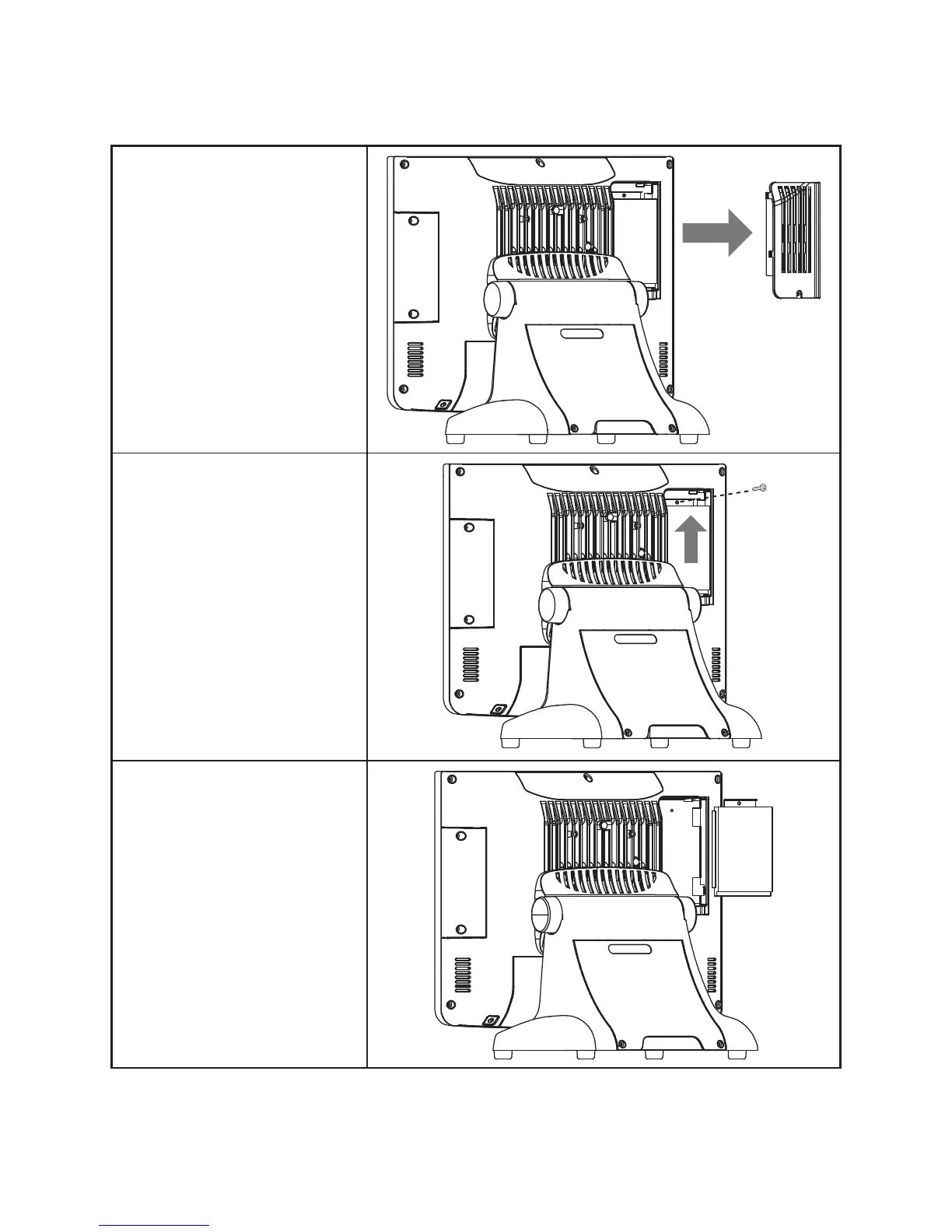
Upgrading the hard drive
Refer to the following to remove and replace the hard drive.
1. Turn off the device properly
through the operating system.
2. Disconnect the power cord from
the power outlet.
3. Remove the screw form the hard
drive compartment cover and
slide the cover to the right as it
shown on the picture.
4. Remove the screw from the hard
drive tray.
5. Slide the hard drive disk up as it
shown on the picture.
6. Remove the hard drive tray.
7. Disconnect the power cable and
SATA cable from the hard drive.
8. Remove the four screws, then
remove the hard drive out from
the tray.
To replace the hard drive, reverse the above procedure.



 To Next Page