30 CHAPTER 2 BIOS SETUP
Security Settings
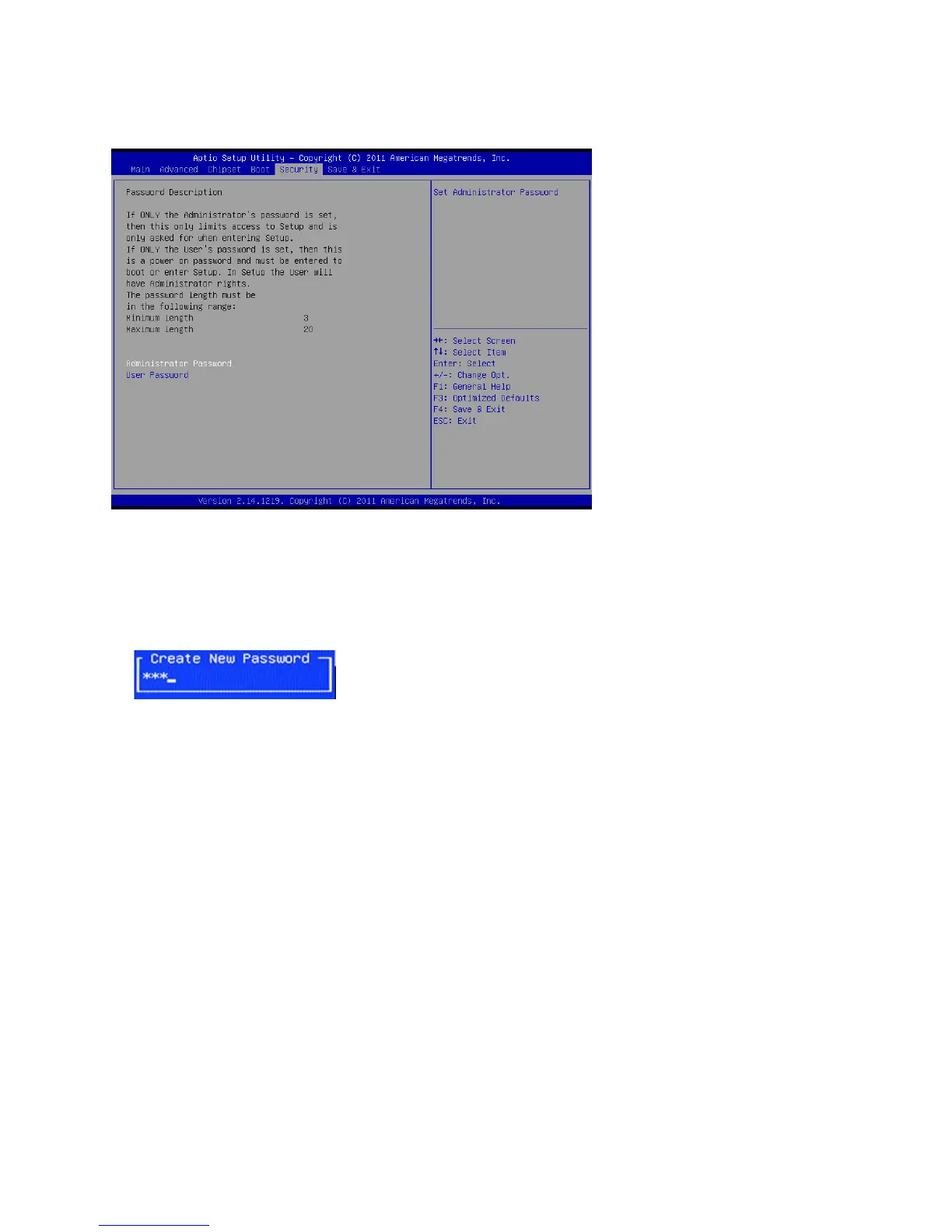
Thisscreenallowsyoutocongurethesystemsecuritysettings.
Figure 2.20 Security
Settings Screen
Create or Change Adminitrator/ User Password
An administrator password takes precedence over a user password, and the administrator can limit the
activities of a user. To create or change a password, follow these steps:
1. Highlight the item Administrator/ User Password on the Security menu and press <Enter>.
2. The password dialog box appears.
3. If you are creating a new password, type in the password. You can type alphanumeric characters.
Symbols are ignored. The Administrator/ User Password item differentiates between upper and lower
casecharacters.Press<Enter>afteryouhavetypedinthepassword.Toconrmthepassword,typethe
password again and press <Enter>.
4. Write the passwords down and keep them in a safe place.
Clear Adminitrator/ User Password
Toclearthepassword,leavethedialogboxblank,press<Enter>,whentheconrmboxappears,press
<Enter> again.



 To Next Page