EasyManua.ls Logo

PassMark PM123 - Configuration Window Options; Connected Cables Configuration; Compliance Mode Selection; Buzzer Mode Configuration

Default Icon
29 pages
Print Icon
To Next Page IconTo Next Page
To Previous Page IconTo Previous Page
Loading...
Inline PSU Tester User’s Guide Page 19
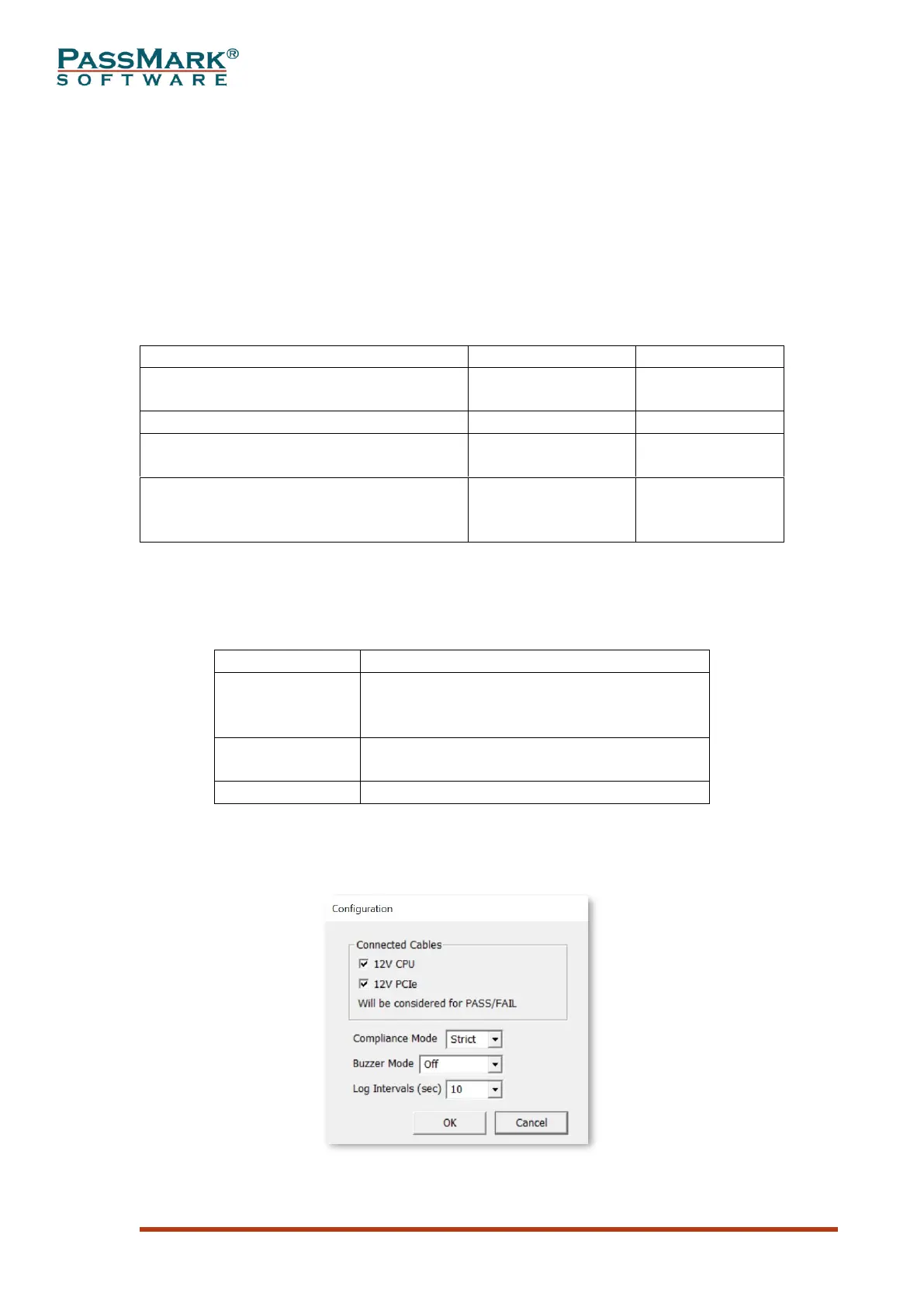
Configuration Window
The following options appear in the configuration window:
Connected Cables: This allows you to specify which cables are connected so that the
unavailable voltages will be excluded from the PASS/FAIL criteria.
Compliance Mode: This option allows the user to select the compliance mode. In the
“Strict” mode, all voltages and timings are checked against the specification and any
out of range value will result in a FAIL message. In the “Loose” mode the criterial for
PASS will be loosened to allow an easier PASS when important values are within the
range. Table below summarizes the differences between the “Strict” and “Loose”
modes.
Strict
Loose
DC Regulation range for 12V1, 12V2,
5V and 3.3V rails
10%
10%
DC Regulation range for -12V rail
10%
15%
T2 Min Slew Rate
According to the
specification
Not Checked
Power Sequencing
According to the
specification
Only when 12V
and 5V are above
500mV
Table 11
Buzzer Mode: This option allows the user to specify the conditions at which the
buzzer should alarm the user. Table below summarizes the different modes.

Mode
Description
Fatal Errors
Buzzer makes sound when voltages are
outside specification or PWR_OK signal is
not asserted by the PSU.
Compliance
Buzzer makes sound when any of voltages
or timings are outside their approved limits.
Off
Buzzer is always off.
Table 12
Log Intervals: This allows to specify the time intervals for samples in the log file.
Figure 17