Inline PSU Tester – User’s Guide Page 6
PSU Cables
Typically, power supplies have the following connectors:
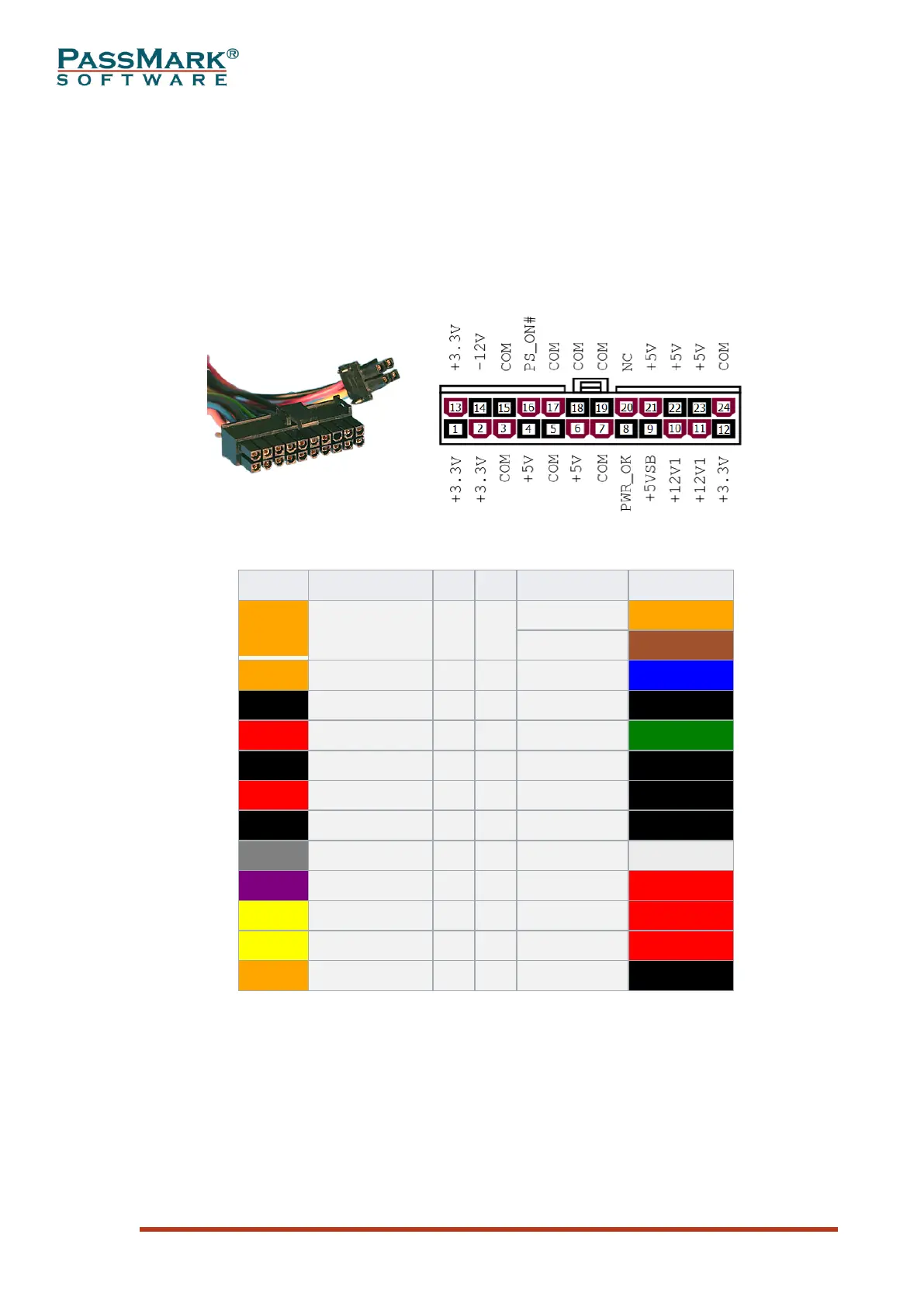
- Motherboard power cable: This is the cable that goes to the motherboard to
provide it with power. The connector has either 20 or 24 pins. The older 20
pin main power cable only has one 12V line. The new 24 pin connector added
one line apiece for ground, 3.3, 5, and 12V. Many power supplies come with a
20+4 pin cable which is compatible with both 20 and 24 pin motherboards.
Figure 1: 24-pin connector
Table 2: 24-pin motherboard power connector pinout
- CPU power cable: This is the cable that goes to the motherboard to provide
power to CPU. The connector has either 4 or 8 pins. The older 4 pin CPU
power cable only has two 12V line. The new 4+4 pin connector added two
more 12V lines. Many power supplies come with a 4+4 cable which is
compatible with both 4 and 8 pin motherboards.



 To Next Page