Introduction 20
SmartNode 4131 User Manual 2 • Applications Overview
Introduction
Patton’s SmartNode gateway delivers the features needed for advanced voice-over-IP network applications.
They combine high quality voice-over-IP with powerful quality to build professional, secure and reliable VoIP
installations. This chapter describes typical applications the SmartNode is uniquely suited for.
Note Detailed configuration information for SmartNode applications can be
found online at:
http://www.patton.com/support/kb.asp.
Application—Edge Intelligence of Enterprise Communication
Enterprises are excited about voice over IP and convergence for the following reasons:
• Bypassing the PSTN. Using Internet telephony service providers (ITSPs) instead of incumbent carriers dra-
matically reduces telephony costs
• IP PBXs, with their full suite of features and ease of integration into existing IT environments are very appeal-
ing
• Convergence lowers technology ownership costs and enables enterprises to deploy new integrated applications
However, there are several concerns about migrating the whole telephony infrastructure to VoIP:
• Loss of voice quality
• Unknown reliability
• Lack of experience/expertise in voice over IP
• VOIP Security concerns
Patton’s SmartNode series of VoIP gateways address these concerns enabling enterprises to safely migrate to
VoIP. SmartNodes enable system administrators to gradually introduce VoIP, using it as the edge communica
-
tion device for all worlds, connecting PSTN, legacy PBX, ITSPs and an IP PBX.
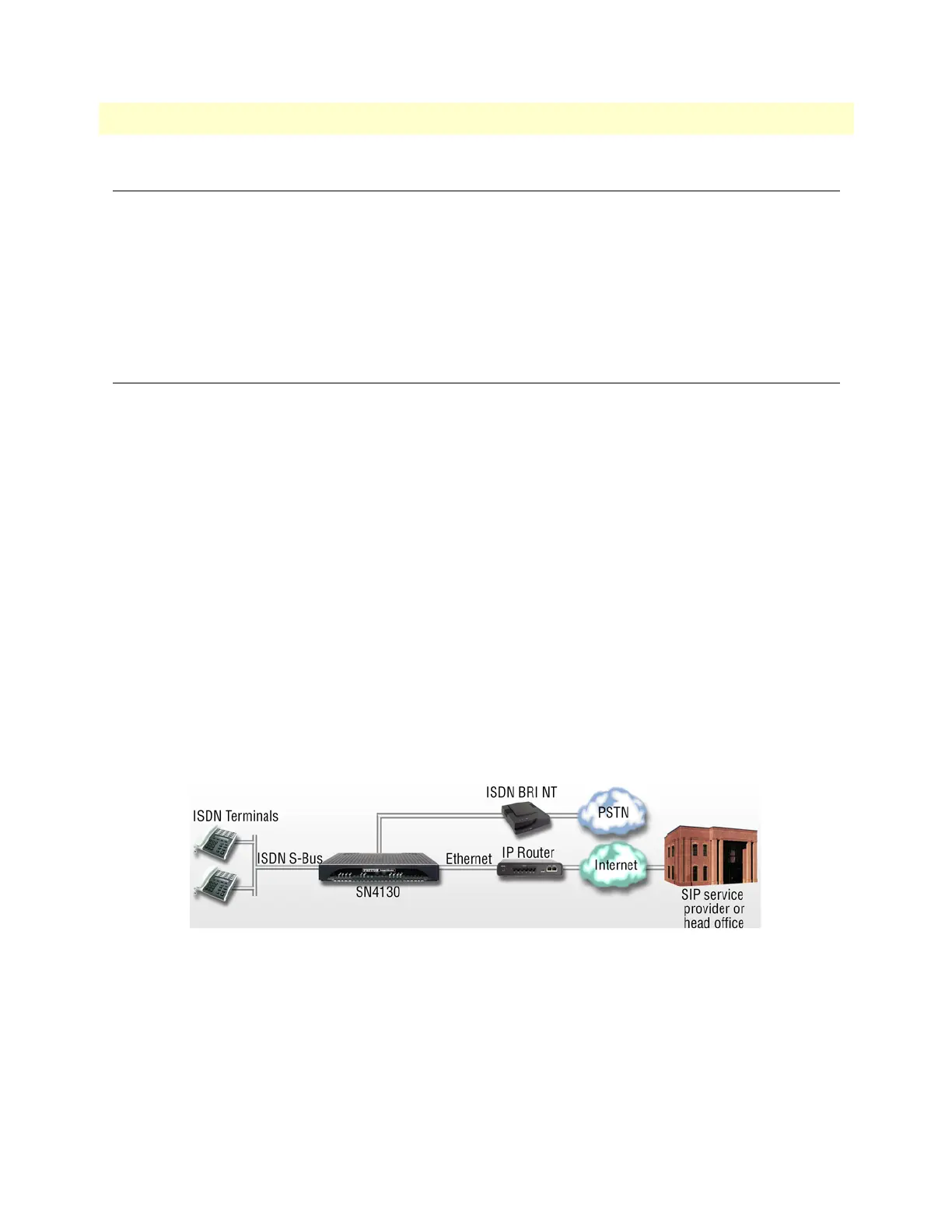
Figure 4. How it works
How it works
1. Connect the SmartNode to the PSTN and legacy PBX (see figure 4), and configure the call router to pass
all calls from the PBX to the PSTN and vice versa. This first step will not affect any uses in the enterprise
2. Choose your ITSPs, and configure as many on the SmartNode as you need. Use the intelligent call router
in the SmartNode to decide which call is forwarded to which ITSP, and which calls should go to the
PSTN. This may be based upon least-cost routing criteria, or for example, on calling party number. The


 To Next Page