PCS TCM2800 Quick Start Guide
Page 15
Ph: 804.227.3023
10511 Old Ridge Rd. Ashland, VA 23005
v 2.1
7 Datalogging
7.1 Datalogging Menu
Datalogging is one of the most powerful features offered by the TCM. It allows a user to see transmission behavior and
engine behavior. The extra analog and digital inputs offered by the TCM also allows the TCM to be used as a general
datalogging device for any other vehicle functions you may wish to record.
To begin a datalog, do the following:
1. The TCM power must be on and the TCM must be communicating/online with your computer.
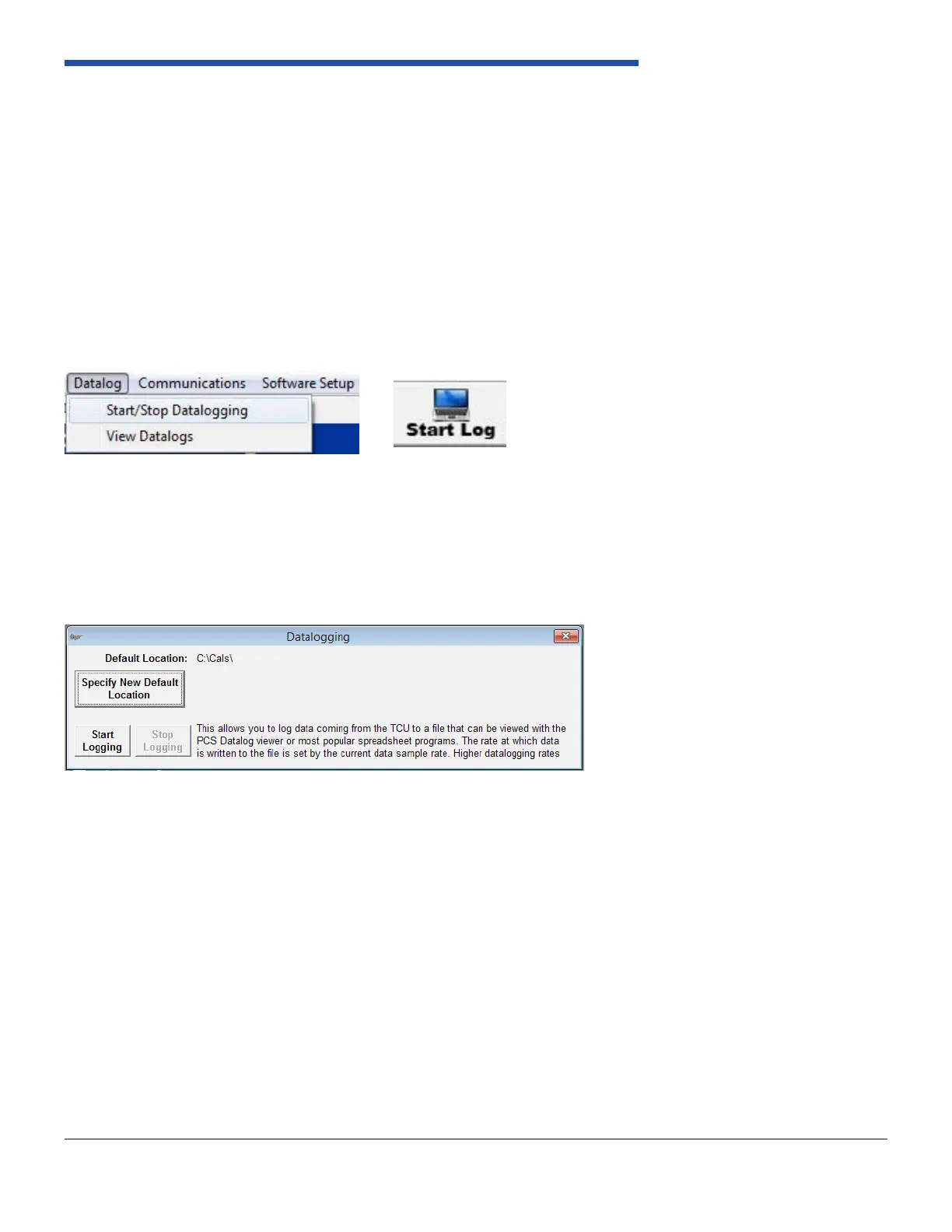
2. Select “Datalog” from the le menu and double click“Start/Stop Datalogging” or double click on the “Start Log” button
on the toolbar. Reference Figure 26 and Figure 27.
3. A window will appear with the option to “Start Logging” and several datalogging rates will be offered. Choose your
datalogging rate and click on the “Start Log” button. When prompted, choose a le name and location for your datalog.
Reference Figure 28. As with calibration les you may want to choose a descriptive name including the time, date, and/
or application of your datalog. Once you have chosen a name and location, click save or press enter.
4. The software and your computer will now begin datalogging. You may view the transmission behavior through the
monitor screen while datalogging. When you have completed your datalog, you may click on the “Stop Logging”
button. This will complete your datalogging session and save your datalog le to the location you specied.
Figure 26: Datalog Dropdown
Figure 28: Choose File Name and Location/Start Logging
Figure 27: Start Log Button


 To Next Page