PLUS 200 2 PLT
Page 13
Rev. 02-06 MANUALE D’USO E MANUTENZIONE
GENERAL
To enhance safety and simplify the operator’s work, the PLUS 200 system has two
programming levels; the first level (Level 1) is used to configure the frequently-modified
SET-POINT parameters. The second programming level (Level 2) is for general parameter
programming of the various controller work modes.
It is not possible to access Level 2 programming directly from Level 1: you must exit the
programming mode first.
KEY TO SYMBOLS
For purposes of practicality the following symbols are used::
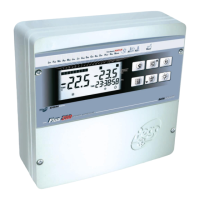
• (t) the UP key is used to increase values and mute the buzzer;
• (u) the DOWN key is used to decrease values and force defrosting.
SETTING AND DISPLAYING THE SET-POINTS
1. Press the SET key to display the current SET-POINT (temperature).
2. Hold down the SET key and press the (t) or (u) keys to modify the SET-POINT.
3. Release the SET key to return to room temperature display: the new setting will be
saved automatically.
Note: with the double set point configuration the display of the two set points is alternated
each time SET is pressed.
CHAP. 5 - Parameter programming


 To Next Page