PLUS 200 2 PLT
Page 19
Rev. 02-06 MANUALE D’USO E MANUTENZIONE
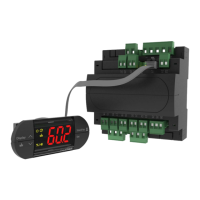
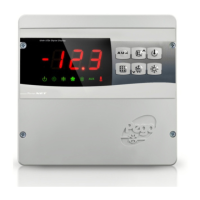
SWITCHING ON THE PLUS 200 PLT ELECTRONIC CONTROLLER
After wiring the controller correctly, power up at 230 V AC; the panel will immediately emit
a beep and all segments and LEDs come on simultaneously for a few seconds.
COMPRESSOR ACTIVATION/DEACTIVATION CONDITIONS
The PLUS 200 controller activates the compressor when cold room temperature exceeds
setting+differential (r0); it deactivates the compressor when cold room temperature is
lower than the setting.
CONFIGURATIONS
- Control of 2 motor condenser units with 2 evaporators
- Control of 1 motor condenser unit with 2 evaporators
- Control of unit panel with 2 evaporators
- Control of 2 motor condenser units with 1 evaporator
Functional combinations are managed by nrC (number of compressors) and nrE (number
of evaporators) parameters.
SINGLE SET POINT WITH DOUBLE SYSTEM
With a single set point (parameter SEt=0) and double system (parameter nrC=2).
The controller initially ‘calls’ the compressor which has worked less if rot=0 or calls
compressor 1 and then 2 after the delay if rot=1. If the set point is not reached within time
DeL (1
st
level parameter) the second presser is switched on to help.
DOUBLE SET POINT
With SEt=1 (double set), there are 2 distinct set points for the 2 compressors. Setting of
the 2 set points is done by pressing the set key: press once and the set value will appear
with St1 alongside; the second time it is pressed the second set value and appears with
St2 alongside.
If rot=0 there will be compressor rotation (with reference to the lowest set point the
compressor that has worked the least will be started)
5.11
5.13
CHAP. 5 - Parameter programming
5.14
5.15


 To Next Page