PELLENC POWER TOOLS BATTERY 150
56_158889-A
5. USING THE TOOL
Note
For more information on the modes of use and "functional" settings, please refer to the tool operating instruc-
tions.
5.1. AUTHORISATION MODES
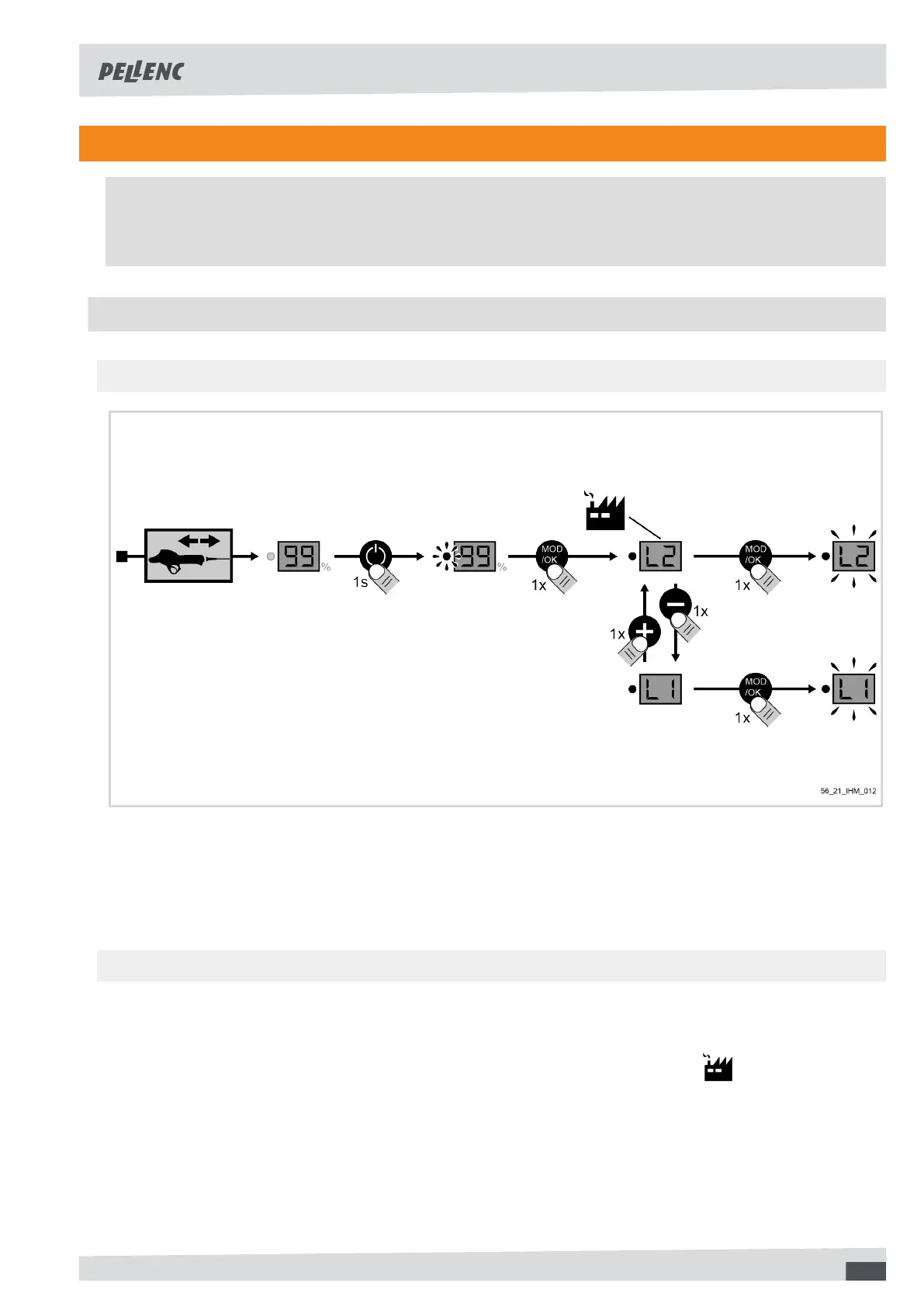
5.1.1. CHANGE OF AUTHORISATION MODE
1. Disconnect the tool and turn on the battery,
2. Press the "mode" button,
3. Select the mode by pressing + or -,
4. Press the "mode" button to confirm,
5. After setting the mode, turn off the battery and then reconnect the tool.
5.1.2. PRESENTATION OF AUTHORISATION MODES
You can set the parameters for the tool's adjustment level to make it easier to use.
• L1: Normal" mode: the user has access to the operating modes but no "functional" adjustments are possible.
•
L2: “Expert" mode: the user accesses the operating modes and "functional" settings.
15



 To Next Page