PELLENC POWER TOOLS BATTERY 150
56_158889-A
4. COMMISSIONING
4.1. SWITCHING THE BATTERY ON AND OFF
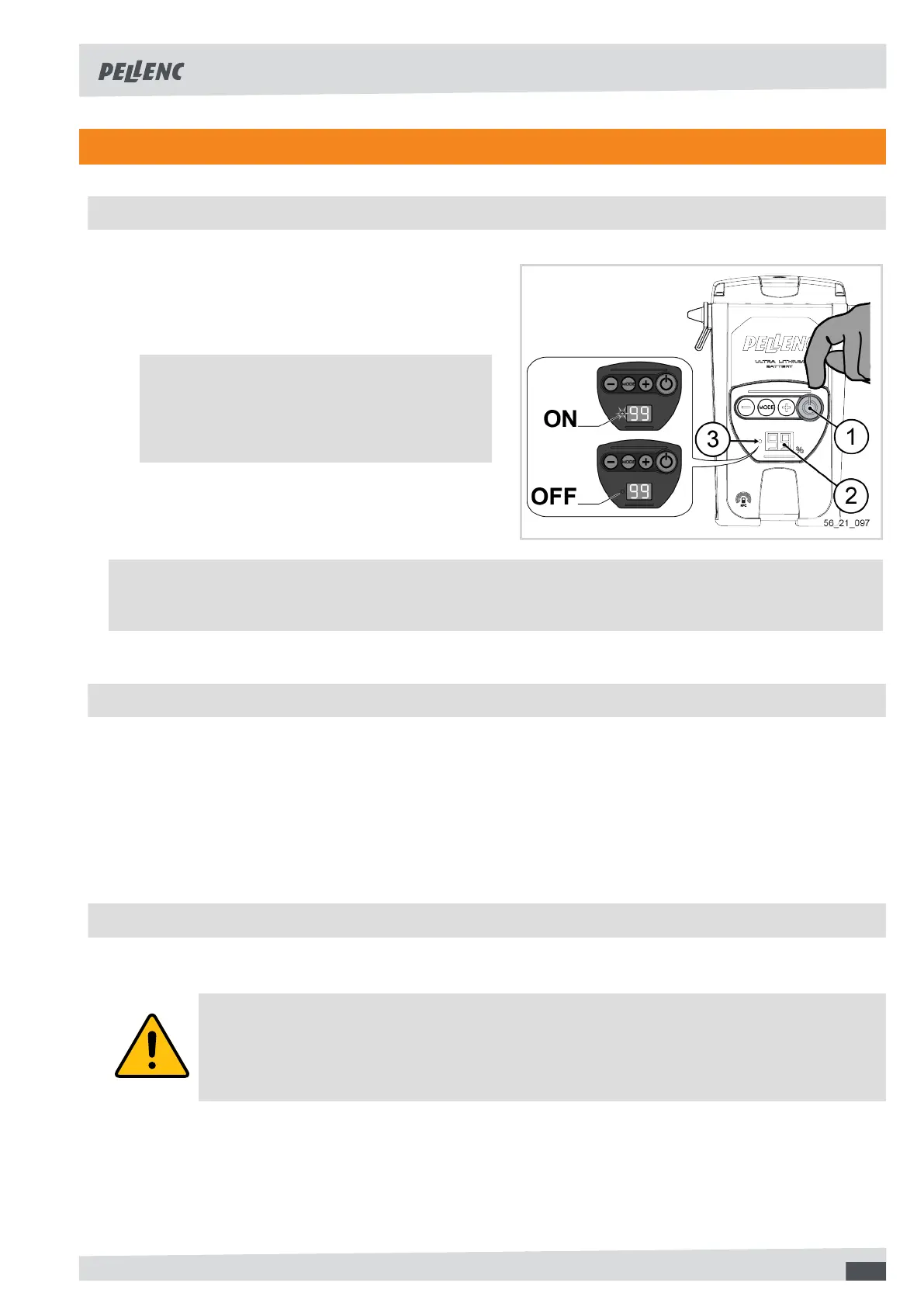
Powering on
1. If the HMI display is off, press the Start/Stop button
(1) to exit the battery from standby.
Note
The HMI display (2) shows the remaining bat-
tery capacity and the power LED (3) remains
off when the unit is switched off.
2. Press the On/Off button (1).
Powering off
• Press the On/Off button (1).
Note
The power-on LED (2) lights up when the power is turned on and goes out when the power is turned off.
4.2. HMI DISPLAY
The battery is equipped with an HMI display that shows the remaining capacity of the battery. The capacity is
expressed as a percentage.
• The display shows 99%, the battery is fully charged.
• If the display shows > 55% after one day's work, it is not necessary to recharge the battery before a second
similar day of work.
• The display shows 00% or a value very close to it, you must recharge immediately.
4.3. CHARGING
Before using the battery for the first time, it must be fully charged (99% steady).
Caution
Before connecting the charger to the mains, check that your power system characteristics com-
ply with the specifications given on the charger (see Section 3.3, “Technical characteristics -
Charger”).
When the battery is discharged, the tool stops automatically. The gauge display goes off, and the buzzer beeps
once. Then consult Section 7.1, “Recap of battery display messages and audible signals”.
1. Make sure that the battery is switched off, see Section 4.1, “Switching the battery on and off”.
11



 To Next Page