PelPro Cast Pellet Stove • 7093-600 • 07/13/16 pelprostoves.com16
Using Your Stove
Using Your Stove
55
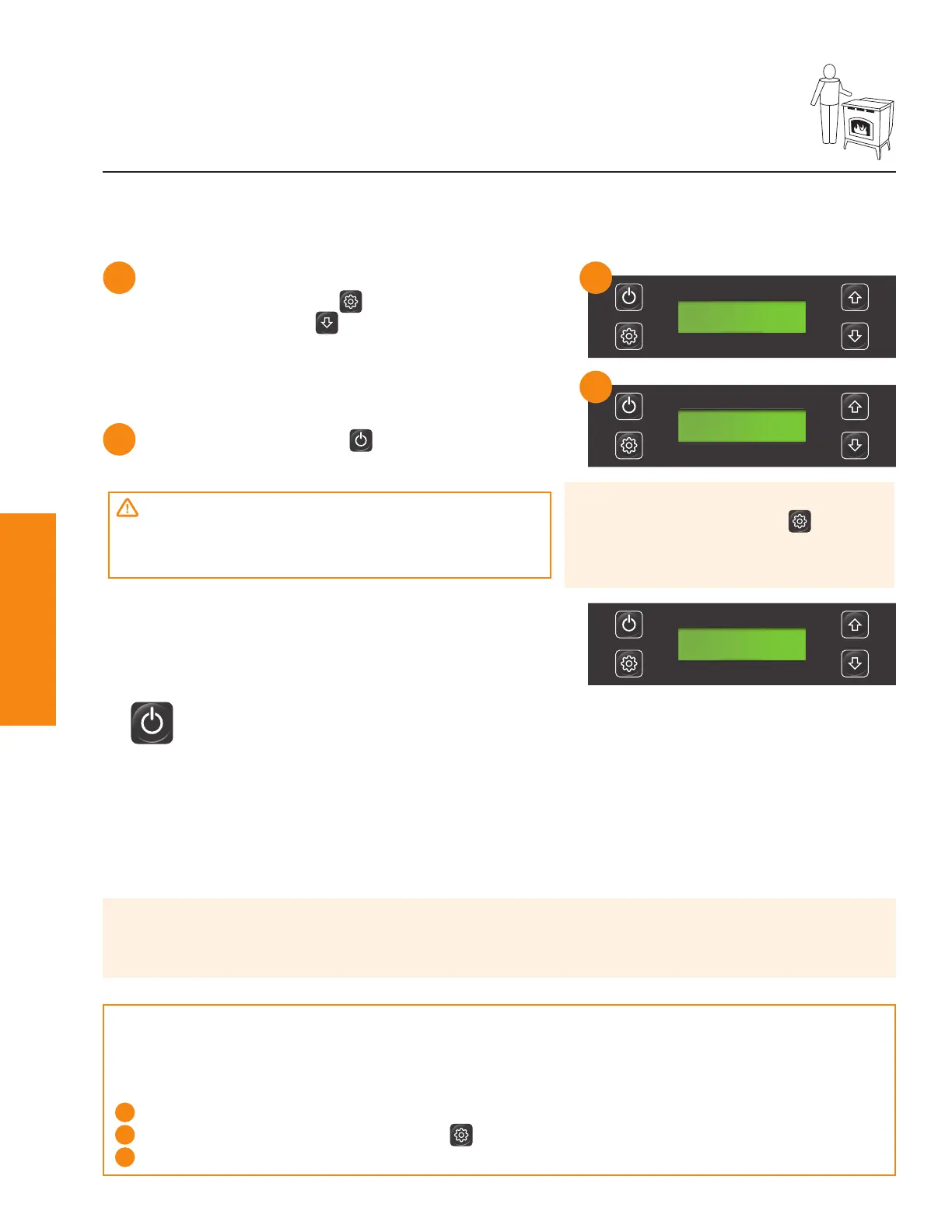
Prime your stove:
1) F rom “ O F F ” press
2) Press an d h old
u n ti l d i splay read s
“ F E E D I N G .”
T h e f eed motor w i ll ru n ab ou t 2 mi n u tes.
Comfort Settings
Con trol y ou r comf ort:
•
POWER button - U sed to tu rn y ou r stove on , of f an d to reset.
• Adjust temperature – Set to y ou r d esi red temperatu re level. O n ce th e d esi red temperatu re
level i s ach i eved th e stove w i ll au tomati cally sh u t d ow n . W h en th e temperatu re i n th e room d rops
b elow th e d esi red temperatu re level, y ou r stove w i ll au tomati cally restart.
• LO setting – Y ou r stove w i ll con ti n u e to ru n on low reg ard less of room temperatu re.
• HI setting - Y ou r stove w i ll con ti n u e to ru n on h i g h reg ard less of room temperatu re.
Starting your stove from an empty hopper
ROOM:68 SET: 72
HEATING @%
Pro Tip
I f yo u r stove i s tu rn ed to th e of f posi ti on an d th en b ack on , even i f b y mi stake , yo u r stove w i ll
go through the shutdown process (approximately 15 minutes) and restart.
Thermostat
Y ou r PelPro stove comes w i th a b u i lt-i n th ermostat syst em th at provi d es easy temperatu re
adjustments. An external thermostat is available as an option (sold separately). To use an
ext ern al th ermostat:
1
I n stall accord i n g to th e man u f actu re’ s i n stru cti on s an d con n ect to th e b ack of yo u r stove.
2
Set T H E R M O ST A T to E X T E R N A L i n setti n g s men u on th e d i g i tal d i splay .
3
T u rn stove on an d set d esi red pow er setti n g .
6
O n ce f eed i n g stops press
pow er b u tton .
ROOM:68 SET: HI
START UP 11:59
6
CAUTION:
D u ri n g th i s process D O N O T :
• T ry to restart, man u ally ad d pellets or u se an y typ e of acceleran t
Pro Tip
F or all men u i tems press af ter
maki n g yo u r selecti on to store
valu e.



 To Next Page