Cyclone Universal & Cyclone Universal FX - User Manual 32
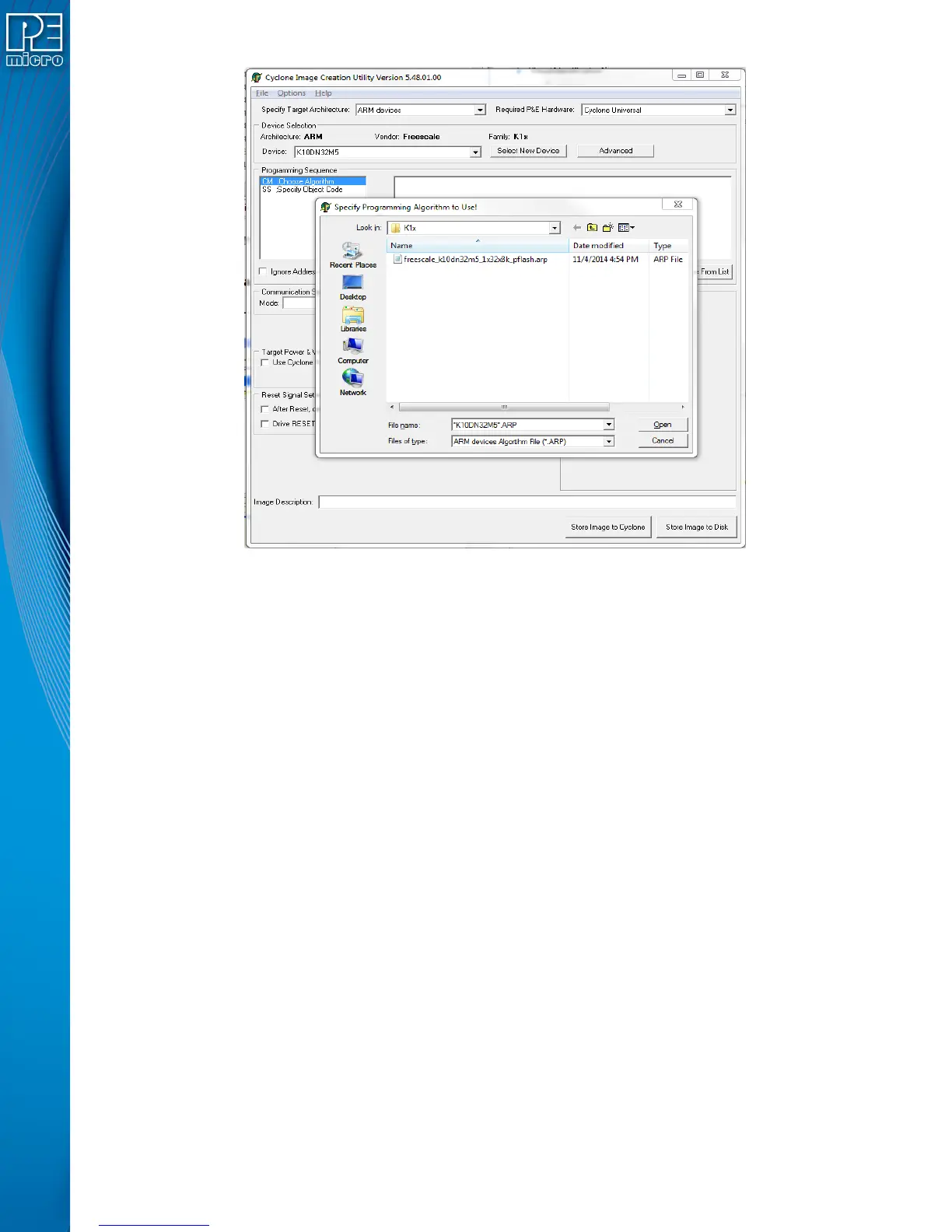
Figure 5-5: Load Programming Algorithm Dialog
Select the programming algorithm that you wish to use.
Similarly, to specify the S-Record to be programmed into the target, double-click on Specify S-
Record (SS) in the left panel. This opens a dialog which allows you to select the appropriate S-
Record.
Once both the algorithm and S-Record are selected, the full list of programming functions
becomes available in the left panel.


 To Next Page