Cyclone Universal & Cyclone Universal FX - User Manual 42
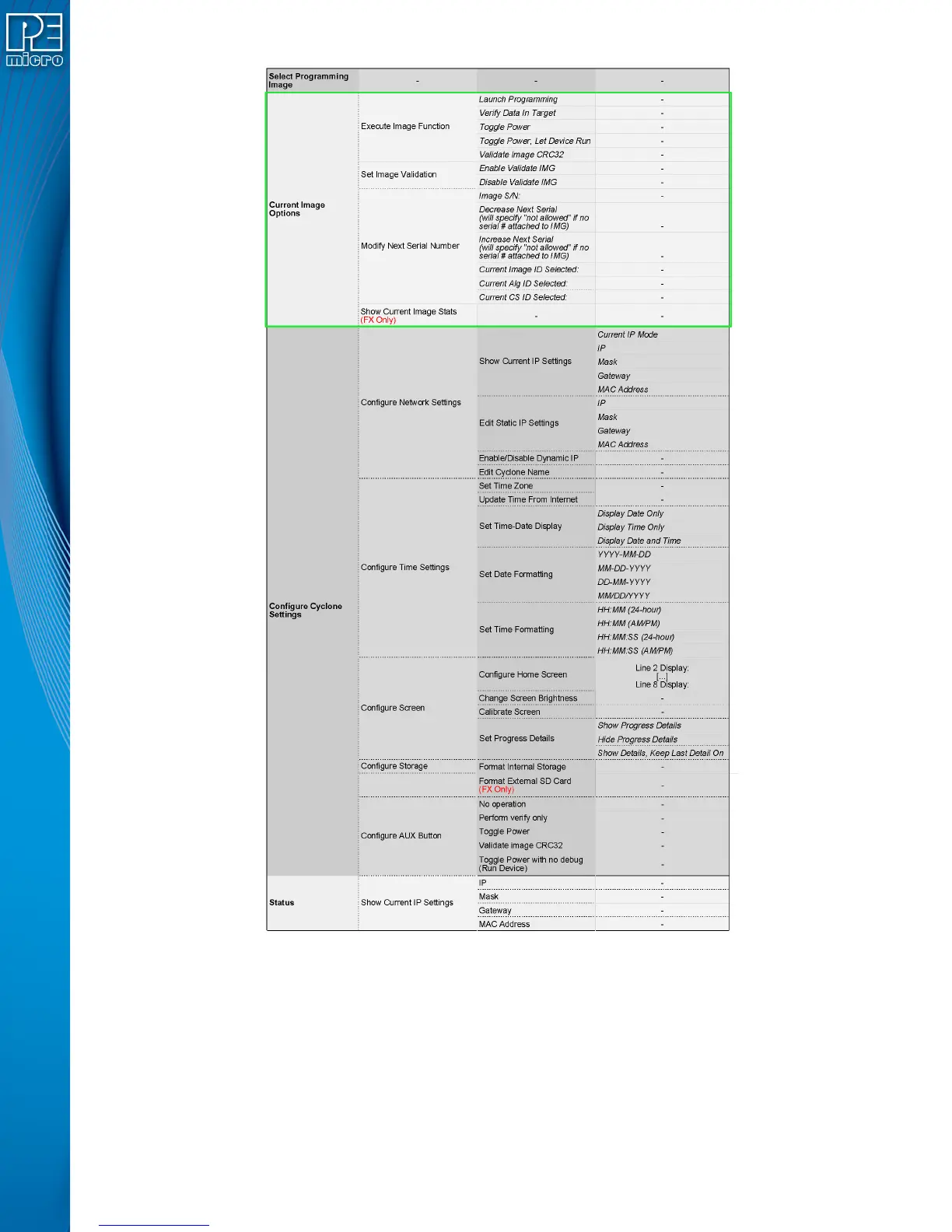
Figure 6-1: Touchscreen LCD Menu - Standalone Functions Highlighted
The menu selections in “Current Image Options” will allow the user to execute programming
operations, verify data, toggle power, validate the programming image, and modify the upcoming
serial number if necessary.
6.3.6.1 Execute Image Function
Execute Specific SAP Function presents four Stand-Alone Programming functions that you may
execute by tapping the function that you wish to execute:


 To Next Page