Cyclone Universal & Cyclone Universal FX - User Manual 53
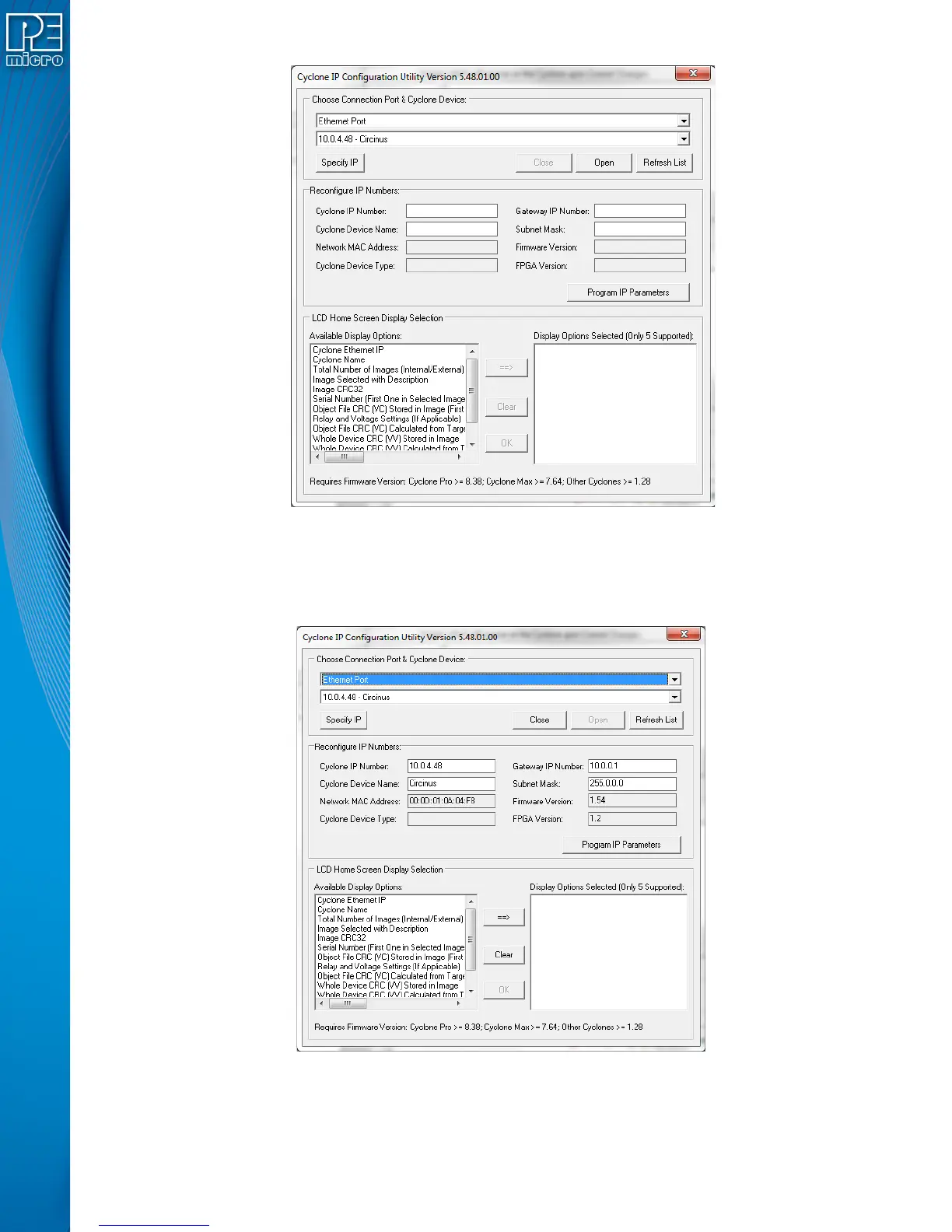
Figure 8-3: Cyclone IP Configuration Utility - Initial Screen
2. Assuming that the Cyclone is connected to the COM1 serial port of the PC, switch from
“Ethernet Port” to “Serial Port”, at which point the second drop-down box will display
COM1. Click “Open” to get a dialog box similar to the following:
Figure 8-4: Cyclone IP Setup Utility - Continue Setup
3. The Cyclone now needs to be programmed with IP numbers for the network on which it
will operate. The Cyclone IP Number field must contain a unique IP number.


 To Next Page