77420 - 58/107 -
[Caution] Do not give vibration to the camera during adjustment,
also do not even walk around the camera.
* If vibration is given, readjust again even adjustment is passed.
* If you stop the adjustment, click [Stop] button.
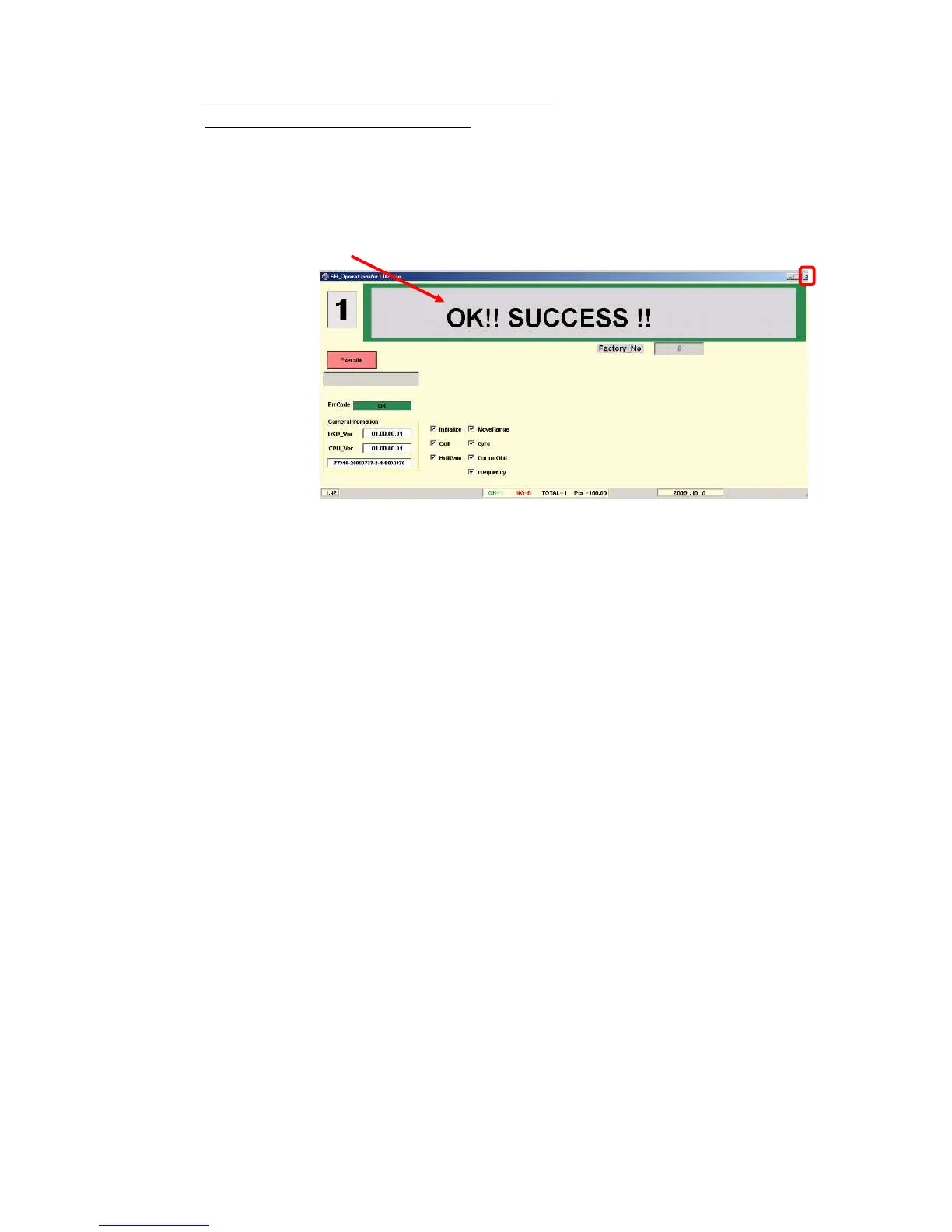
⑩When below screen is displayed, the adjustment is completed.
⑪Confirm [OK!! SUCCESS!!] is displayed then click [X] button to complete the adjustment.
*If adjustment is NG, green color display will be changed red color display and indicate error code.
Refer to the technical information for [The table of error code].


 To Next Page