EN-47
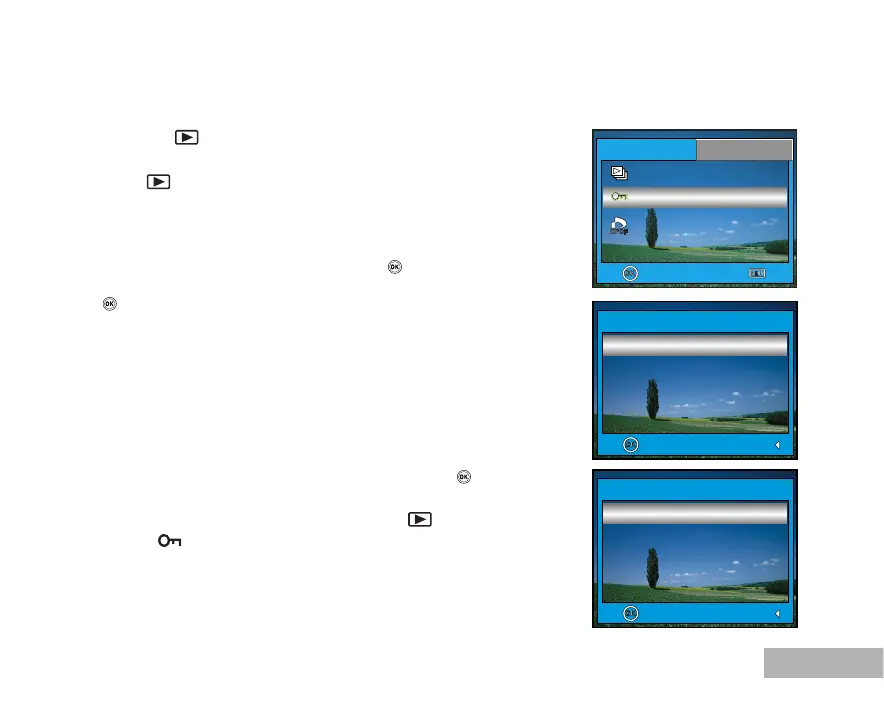
Protecting Images/Movie Clips
Set the data to read-only to prevent images from being erased by mistake.
1. Press the
button.
The last recorded image appears on the LCD monitor.
2. In the
mode, use or to select the desired images.
To view the previous image, press .
To view the next image, press .
3. Press the MENU button.
4. Use to select [Protect] and press the
button.
5. Use or to choose the desired setting, then press the
button.
[This Image]: Protect one image/movie.
[All Imagesl]: Protect all images/movies (at once).
6. Use or to select [Protect], then press the
button to
confirm.
Press the MENU button to return to the
mode.
The
indicator appears on the selected image.
If you wish to cancel the protect function, select [Unprotect].
OK : Exit :
Protect
2 / 3
DPOF
PlayBack1
PlayBack2
OK : Return :
Protect
OK : Return :
This Image



 To Next Page