EN-64
Mode3 Item Functional Description
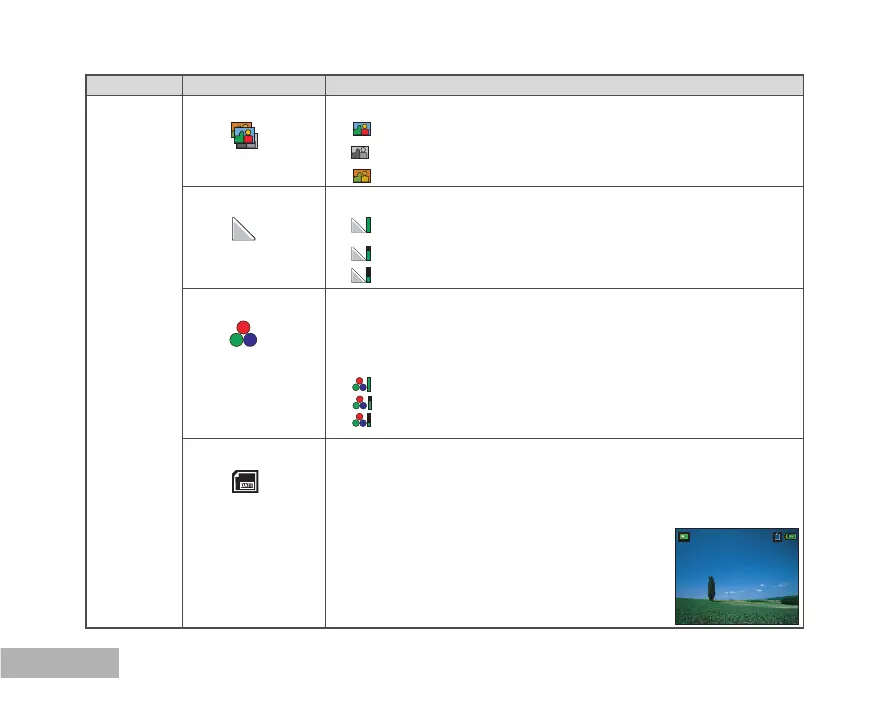
Color Sets the color of the image that will be captured.
*
Full Color
*
B&W
*
Sepia
Sharpness Sets the level of image sharpness.
*
High
*
Medium
* Low
Saturation To capture an image, your camera offers you three different degrees
of color to match with your preference.
Your images will demonstrate different impression by selecting
different degrees of color. This is called “Saturation”.
*
High
*
Medium
*
Low
Date Imprint The date of recording can be printed directly on the still images. This
function must be activated before the image is captured. The date
appears on the right bottom of the captured picture. When images
are shot with date imprint feature, the date cannot be removed later.
* On / Off
01/07/2005



 To Next Page