57
Taking Pictures
4
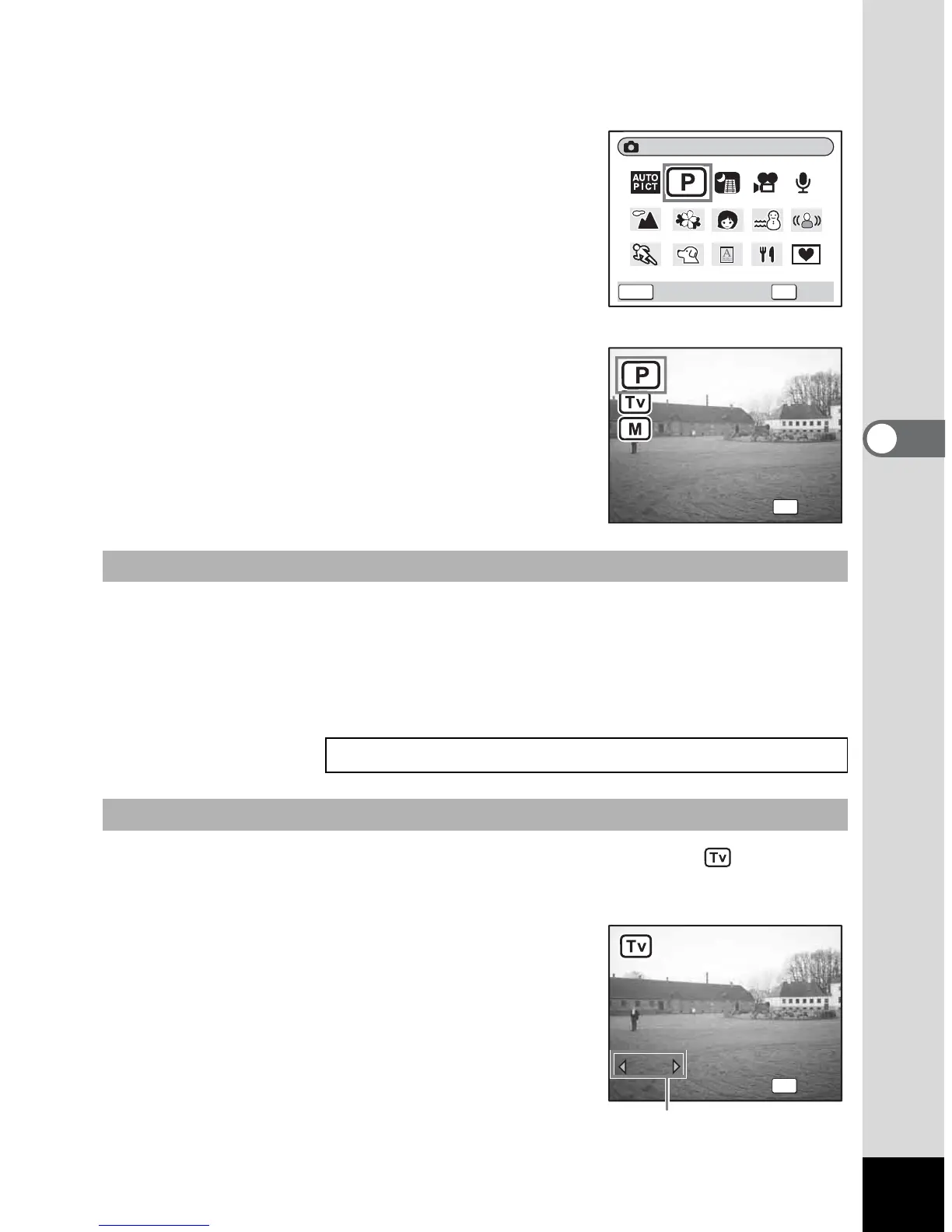
1 Press the four-way controller (3) in Capture mode.
The Mode Palette appears.
2 Use the four-way controller
(2345) to select R (Program
mode).
If you have selected an exposure mode
other than R (Program mode), the icon of
the selected mode is displayed on the Mode
Palette.
3 Press the OK button.
The screen for selecting one of the three
modes appears.
4 Use the four-way controller (23) to select R (Program
mode), and press the OK button.
The camera is ready for taking pictures.
Set other functions when necessary.
4 Use the four-way controller (23) to select
(Shutter Priority mode), and press the OK button.
5 Press the four-way controller (3).
The screen for selecting the shutter speed
appears.
To Select the Program mode
“Setting the Shooting Functions” 1p.78~p.105
To Select the Shutter Priority mode
OKMENU
OK
Cancel
Program/Tv/M
Shutter Priority
OK
Program
Program
Shutter Priority
Manual Exposure
Manual Exposure
F2.8
1/320
1/320
OK
OK
F2.8
Shutter speed











 To Next Page